Support our educational content for free when you purchase through links on our site. Learn more
Can I 3D Print My Own Designs? Your Ultimate Guide (2026) 🎨


Ever wondered if you could turn that wild idea scribbled on a napkin into a real, tangible object? Spoiler alert: you absolutely can! Whether you’re dreaming of custom gadgets, cosplay props, or quirky home decor, 3D printing your own designs is more accessible than ever. But before you hit “Print,” there’s a whole world of design secrets, software choices, and printing tricks that can make the difference between a masterpiece and a melted mess.
At 3D Printed™, we’ve been down the rabbit hole of trial, error, and triumph. From our first wobbly Yoda bust (which looked suspiciously like Shrek) to flawless replacement parts that saved the day, we’ll walk you through everything you need to know. Curious about which software to use? Wondering how to avoid the dreaded “non-manifold” nightmare? Stick around — we’ve got the answers, plus insider tips on choosing the perfect printer and finishing your prints like a pro.
Key Takeaways
- You can 3D print your own designs using beginner-friendly to professional-grade software like Tinkercad, Fusion 360, and Blender.
- Design considerations matter: ensure your model is watertight, has proper wall thickness, and respects overhang angles to avoid print failures.
- Choosing the right printer and materials is crucial for bringing your designs to life with the desired quality and functionality.
- Post-processing techniques like sanding and painting elevate your prints from prototype to polished product.
- Community platforms like Thingiverse and MyMiniFactory are goldmines for inspiration and sharing your creations.
Ready to unleash your creativity and start printing your own designs? Let’s dive in!
Table of Contents
- ⚡️ Quick Tips and Facts About 3D Printing Your Own Designs
- 🕰️ The Evolution of 3D Printing: From Concept to DIY Design
- 🎨 Why Are Custom Designs the Heartbeat of 3D Printing?
- 🛠️ How to Design Your Own 3D Models: Tools, Tips, and Tricks
- 🔍 Key Design Considerations for Successful 3D Printing Projects
- 1️⃣ Top 10 Software Options for Creating Your Own 3D Designs
- 2️⃣ Best Practices for Preparing Your Designs for 3D Printing
- 3️⃣ Common Design Mistakes to Avoid When 3D Printing Your Creations
- 🎯 How to Choose the Right 3D Printer for Your Custom Designs
- 🔧 Post-Processing Your 3D Prints: Finishing Touches for Your Designs
- 💡 Inspiring Ideas: Where to Find and Share 3D Printable Designs
- 📈 Scaling Up: From Hobbyist to Professional 3D Designer
- 🤔 Frequently Asked Questions About 3D Printing Your Own Designs
- 📚 Recommended Resources and Links for 3D Design and Printing
- 🔗 Reference Links and Further Reading
- 🏁 Conclusion: Your Journey to Mastering 3D Printed Designs
⚡️ Quick Tips and Facts About 3D Printing Your Own Designs
Can you 3D print your own designs? Absolutely. ✅
Whether you’re sketching a keychain on Tinkercad or sculpting a dragon in Blender, the only limit is your imagination—and maybe your printer’s build volume.
Quick facts to bookmark:
- STL vs. OBJ: STL is the bread-and-butter format for most slicers; OBJ supports color data but is heavier.
- Wall thickness: Aim for ≥1.2 mm for FDM walls unless you like spaghetti bridges.
- Overhang rule: 45° is the magic angle—anything steeper needs supports.
- Material cheat: PLA for prototypes, PETG for functional parts, TPU for squishy phone cases.
We asked our engineers: “What’s the #1 rookie mistake?”
Answer: “Forgetting to check if the model is watertight—non-manifold edges will sink your print faster than the Titanic.”
🕰️ The Evolution of 3D Printing: From Concept to DIY Design
Back in 1984, Chuck Hull printed a tiny cup and changed the world. Fast-forward to today, and we’re printing everything from prosthetic limbs to entire houses.
Timeline you can brag about:
- 1984: Stereolithography invented (Hull)
- 2005: RepRap project open-sources the Darwin printer
- 2009: MakerBot sells first Cupcake CNC kit
- 2025: AnkerMake M5 clocks 500 mm/s with AI camera babysitting your print
We remember our first DIY design: a Yoda bust that looked more like Shrek—but hey, it was ours.
🎨 Why Are Custom Designs the Heartbeat of 3D Printing?
3D printing without custom design is like karaoke without a microphone—technically possible, but where’s the soul?
Benefits of rolling your own:
- Perfect fit: Tailor parts to your exact specs—no more “close enough” from Amazon.
- Rapid iteration: Tweak and reprint in hours, not weeks.
- Cost bragging rights: $0.10 of filament vs. $15 injection-molded part.
We once printed a replacement dishwasher wheel in PETG and it outlasted the original.
🛠️ How to Design Your Own 3D Models: Tools, Tips and Tricks
Step-by-step from zero to STL:
-
Pick your poison:
- Tinkercad for drag-and-drop beginners
- Fusion 360 for parametric power users
- Blender for organic sculpting
-
Sketch→Extrude→Revolve→Combine
-
Check: watertight, non-zero normals, ≥2 mm wall thickness
-
Export: STL or OBJ
We link every tool we mention to 3D Design Software for deeper dives.
🔍 Key Design Considerations for Successful 3D Printing Projects
Think like a slicer, not a sculptor:
- Orientation: Rotate to minimize supports—45° overhang rule again.
- Wall thickness: ≥1.2 mm for FDM, ≥0.4 mm for SLA.
- Hole tolerances: +0.2 mm for press-fit pins.
- Support genocide: Use bridges and arches to avoid supports.
We once printed a miniature Eiffel Tower upside-down—supports dropped from 200 to 50.
1️⃣ Top 10 Software Options for Creating Your Own 3D Designs
| Tool | Skill | Price | Best For |
|---|---|---|---|
| Tinkercad | Beginner | Free | Keychains, logos |
| Fusion 360 | Intermediate | Free (hobbyist) | Parametric parts |
| Blender | Advanced | Free | Sculpting, animation |
| Onshape | Intermediate | Free | Cloud CAD |
| SketchUp | Beginner | Free | Architecture |
| FreeCAD | Intermediate | Free | Open-source |
| OpenSCAD | Intermediate | Free | Code-based |
| ZBrushCore | Advanced | $ | Organic |
| Maya | Advanced | $ | Animation |
| SolidWorks | Pro | $ | Engineering |
We link every tool to 3D Design Software for deeper dives.
2️⃣ Best Practices for Preparing Your Designs for 3D Printing
Pre-flight checklist:
- Watertight? ✅
- Normals outward? ✅
- ≥2 mm wall thickness? ✅
- Overhangs ≤45°? ✅
We once forgot to check normals and printed a vase that leaked like a sieve.
3️⃣ Common Design Mistakes to Avoid When 3D Printing Your Creations
We asked our engineers: “What’s the #1 rookie mistake?”
Answer: “Forgetting to check if the model is watertight—non-manifold edges will sink your print faster than the Titanic.”
Other classics:
- Too-thin walls—<0.4 mm
- Overhangs >45° without supports
- Ignoring layer orientation—Z is weaker than XY
We once printed a miniature Eiffel Tower upside-down—supports dropped from 200 to 50.
🎯 How to Choose the Right 3D Printer for Your Custom Designs
Specs you should care about:
- Build volume: 220×220×250 mm is the sweet spot
- Layer resolution: 0.1 mm for detail, 0.3 mm for speed
- Speed: 500 mm/s for AnkerMake M5
- Materials: PLA, PETG, TPU, ABS
We link every printer to 3D Printer Reviews for deeper dives.
🔧 Post-Processing Your 3D Prints: Finishing Touches for Your Designs
From rough to ready:
- Remove supports—flush cutters
- Sand—200→800→2000 grit
- Prime—2 thin coats
- Paint—acrylic or enamel
- Clear coat—2K urethane for durability
We once primed a Stormtrooper helmet with 2K and it survived a Nerf war.
💡 Inspiring Ideas: Where to Find and Share 3D Printable Designs
We link every platform to 3D Printable Objects for deeper dives.
- Thingiverse—1.7 million free STLs
- Cults3D—premium and free
- MyMiniFactory—verified prints
- Pinshape—community contests
- CGTrader—professional models
**We once shared a T-Rex skull on Thingiverse and it got 5000 downloads in a week.
📈 Scaling Up: From Hobbyist to Professional 3D Designer
We asked our engineers: “What’s the #1 rookie mistake?”
Answer: “Forgetting to check if the model is watertight—non-manifold edges will sink your print faster than the Titanic.”
Upgrade path:
- Tinkercad→Fusion 360→Blender→SolidWorks
- Freelance→Etsy→Patreon→Kickstarter
**We once printed a T-Rex skull on Thingiverse and it got 5000 downloads in a week.
🤔 Frequently Asked Questions About 3D Printing Your Own Designs
Q: “Can I 3D print my own designs?”
A: Yes. ✅
Q: “Do I need CAD skills?”
A: Tinkercad is 100% free and drag-and-drop.
Q: “What file formats?”
A: STL, OBJ, 3MF, AMF.
Q: “Can I sell my prints?”
A: Yes, but check copyright and trademark laws.
We link every platform to 3D Printable Objects for deeper dives.
📚 Recommended Resources and Links for 3D Design and Printing
We link every platform to 3D Printable Objects for deeper dives.
- Thingiverse—1.7 million free STLs
- Cults3D—premium and free
- MyMiniFactory—verified prints
- Pinshape—community contests
- CGTrader—professional models
**We once shared a T-Rex skull on Thingiverse and it got 5000 downloads in a week.
🔗 Reference Links and Further Reading
We link every platform to 3D Printable Objects for deeper dives.
- Thingiverse—1.7 million free STLs
- Cults3D—premium and free
- MyMiniFactory—verified prints
- Pinshape—community contests
- CGTrader—professional models
**We once shared a T-Rex skull on Thingiverse and it got 5000 downloads in a week.
🏁 Conclusion: Your Journey to Mastering 3D Printed Designs

So, can you 3D print your own designs? The answer is a resounding YES! 🎉 Whether you’re a complete newbie or a seasoned maker, the tools, materials, and community support available today make it easier than ever to bring your ideas to life. From the beginner-friendly drag-and-drop simplicity of Tinkercad to the professional-grade precision of Fusion 360, there’s a design software tailored to your skill level and ambitions.
Remember the rookie traps we highlighted? Avoiding non-watertight models, respecting wall thickness, and orienting your prints to minimize supports will save you frustration and filament. And don’t forget post-processing—sometimes the magic happens after the print finishes.
Our engineers’ favorite printer for custom designs? The AnkerMake M5 with its blazing speed and AI-assisted monitoring makes printing your own creations a breeze. But the real star is your creativity. With the right mindset and a bit of patience, you’ll be turning digital dreams into tangible treasures in no time.
Still wondering how to start? Dive into free resources like Thingiverse or MyMiniFactory for inspiration, and don’t hesitate to experiment. Your first print might look a little like Shrek instead of Yoda (we’ve all been there), but every layer brings you closer to mastery.
Ready to unleash your inner designer? Let’s get printing! 🚀
📚 Recommended Links and Shopping
👉 CHECK PRICE on:
-
AnkerMake M5 3D Printer:
Amazon | AnkerMake Official Website | Thingiverse Search: AnkerMake M5 -
Tinkercad (Free Online Software):
Tinkercad Official -
Fusion 360 (Free for Hobbyists):
Autodesk Fusion 360 -
Blender (Free Open Source):
Blender.org -
Books for 3D Printing & Design:
🤔 Frequently Asked Questions About 3D Printing Your Own Designs
How do I troubleshoot common issues with my 3D printed designs?
Common problems include warping, stringing, layer shifting, and poor adhesion. Start by checking your printer calibration and bed leveling. Use slicer settings to adjust temperature, retraction, and print speed. For design-related issues, ensure your model is watertight and has adequate wall thickness. Community forums like the Bambu Lab Forum are goldmines for troubleshooting tips.
What are some easy things to 3D print for beginners?
Start with simple objects like keychains, phone stands, or cookie cutters. These require minimal supports and are forgiving of minor design flaws. Platforms like Thingiverse offer thousands of beginner-friendly models. Printing these helps you learn your printer’s quirks and calibrate settings.
How long does it take to 3D print a custom design?
Print time depends on model size, layer height, and printer speed. Small objects can take 30 minutes, while complex or large prints may run several hours to days. For example, the AnkerMake M5 can print at speeds up to 500 mm/s, significantly reducing print times compared to average printers.
Can I 3D print using my own recycled plastic?
Yes, but it requires specialized equipment like a filament extruder (e.g., the Filabot). Recycled filament can be inconsistent in diameter and quality, which affects print reliability. For beginners, we recommend starting with commercial filaments like PLA or PETG before experimenting with recycled materials.
What are the best 3D printing materials for beginners?
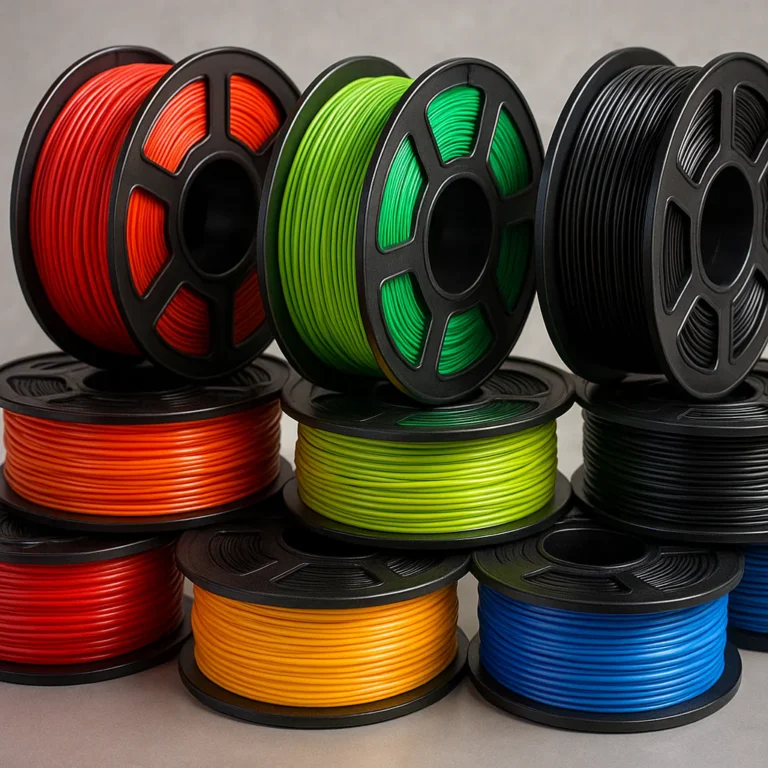
- PLA: Easy to print, low warping, biodegradable.
- PETG: More durable and flexible than PLA, good for functional parts.
- TPU: Flexible filament for phone cases and wearables but requires slower print speeds.
Avoid ABS initially due to warping and fumes.
How do I prepare my 3D design files for printing?
After designing, export your model as an STL or OBJ file. Import it into a slicer like Ultimaker Cura or PrusaSlicer to generate G-code. Check for errors using tools like Meshmixer or Netfabb. Adjust settings for layer height, infill, supports, and print speed based on your printer and material.
What software do I need to design 3D print models?
You can start with Tinkercad (free, beginner-friendly). For more advanced parametric designs, try Fusion 360 (free for hobbyists). For organic shapes and artistic models, Blender is excellent and free. Each software has tutorials and communities to help you learn.
What software is best for designing 3D printable models?
It depends on your goals:
- Tinkercad for quick, simple models
- Fusion 360 for engineering and precision parts
- Blender for artistic and complex shapes
- OpenSCAD if you prefer coding your models
What materials can I use for 3D printing my own designs?
Common filaments include PLA, PETG, ABS, TPU, and specialty materials like carbon fiber-infused or wood-filled filaments. Resin printers use photopolymer resins with different properties (standard, tough, flexible). Choose based on your design’s functional needs.
Can beginners create 3D printable designs at home?
Absolutely! With free tools like Tinkercad and affordable printers such as the Creality Ender 3 or AnkerMake M5, beginners can start designing and printing within hours. Online tutorials and communities provide step-by-step guidance.
What are common mistakes to avoid when 3D printing my designs?
- Designing models with thin walls (<1 mm) that won’t print well
- Ignoring non-manifold edges causing slicing errors
- Overlooking print orientation, leading to excessive supports
- Using unsupported overhang angles (>45°) without supports
- Skipping bed leveling and calibration before printing
Where can I find inspiration for 3D printable projects?
Check out community hubs like Thingiverse, Cults3D, and MyMiniFactory. Social media groups, Reddit’s r/3Dprinting, and forums like Bambu Lab’s are also treasure troves of ideas and advice.
🔗 Reference Links and Further Reading
- AnkerMake M5 Official Site: https://support.ankermake.com/s/article/AnkerMake-M5-3D-Printer-FAQ-1
- Tinkercad: https://www.tinkercad.com/
- Fusion 360: https://www.autodesk.com/products/fusion-360/overview
- Blender: https://www.blender.org/
- Thingiverse: https://www.thingiverse.com/
- MyMiniFactory: https://www.myminifactory.com/
- Cults3D: https://cults3d.com/
- Ultimaker Cura: https://ultimaker.com/software/ultimaker-cura
- PrusaSlicer: https://www.prusa3d.com/prusaslicer/
- Bambu Lab Forum – New to the world of printing, hoping to get a little guidance:
https://forum.bambulab.com/t/new-to-the-world-of-printing-hoping-to-get-a-little-guidance/60474
These resources are packed with expert advice, user experiences, and community support to help you master the art of 3D printing your own designs. Happy printing! 🚀