Support our educational content for free when you purchase through links on our site. Learn more
PolyJet 3D Printing for Color: Unlocking Vivid, Multi-Material Masterpieces 🎨 (2026)

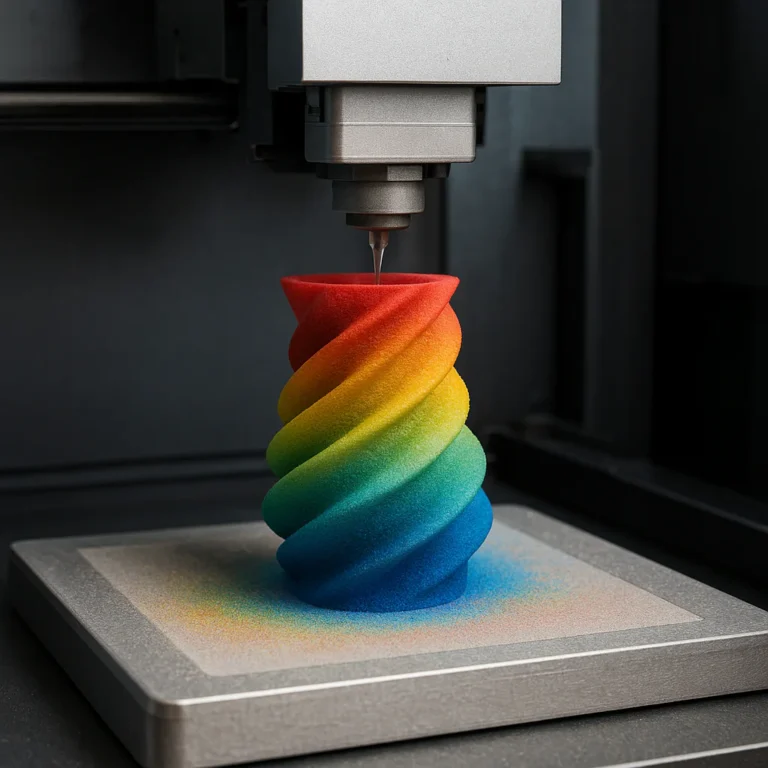
Imagine holding a 3D printed model so vibrant and lifelike that you’d swear it was hand-painted—except it came straight off the printer, no brushes or spray cans involved. Welcome to the dazzling world of PolyJet 3D printing for color, where ultra-fine droplets of colored photopolymer blend seamlessly to create over 640,000 color combinations with stunning detail and texture. Whether you’re a product designer, medical professional, or hobbyist miniaturist, PolyJet technology is transforming how we prototype, visualize, and even create art.
In this comprehensive guide, we’ll unravel the secrets behind PolyJet’s color magic, explore its versatile materials, compare it to other color 3D printing methods, and share expert tips to get the most out of your prints. Plus, we’ll showcase real-world success stories and reveal how you can get your hands on sample parts or demos. Curious how PolyJet achieves such photorealistic color fidelity? Stick around—we’ll explain the droplet-by-droplet process that makes it possible.
Key Takeaways
- PolyJet offers unmatched full-color 3D printing with over 640,000 color combinations and multi-material capabilities.
- Ultra-fine 18-micron layers produce smooth surfaces and intricate details, perfect for photorealistic prototypes.
- Water-soluble supports and rotating build trays simplify post-processing and enhance surface finish.
- Ideal for industries like consumer products, medical modeling, automotive, education, and collectibles.
- Compared to other color 3D printing methods, PolyJet excels in color fidelity, material variety, and speed.
- Expert tips include using 3MF files with Pantone colors and ultrasonic cleaning to optimize print quality.
Ready to bring your colorful ideas to life with PolyJet? Dive into our detailed guide and discover why this technology is a game-changer for full-color 3D printing in 2026 and beyond!
Table of Contents
- ⚡️ Quick Tips and Facts About PolyJet 3D Printing for Color
- 🎨 The Colorful Evolution: History and Technology Behind PolyJet 3D Printing
- 🔍 How PolyJet 3D Printing Works: A Deep Dive into Color Precision and Layering
- 🎯 7 Reasons Why PolyJet is the King of Full-Color 3D Printing
- 🖌️ Materials and Color Options: What Can You Print in PolyJet?
- 🏭 Typical Applications of PolyJet Color 3D Printing: From Prototypes to Art
- 📈 Comparing PolyJet Color Printing to Other Color 3D Printing Technologies
- 🛠️ Troubleshooting and Maintenance Tips for Vibrant PolyJet Prints
- 💡 Expert Tips for Optimizing Color Accuracy and Surface Finish
- 📦 Customer Case Studies: Real-World Success Stories with PolyJet Color Printing
- 🤝 Want to Experience PolyJet Color Printing? How to Get a Sample Part and Demo
- 🔗 Recommended Links for PolyJet 3D Printing Resources and Communities
- ❓ Frequently Asked Questions About PolyJet Color 3D Printing
- 📚 Reference Links and Further Reading on PolyJet Technology
⚡️ Quick Tips and Facts About PolyJet 3D Printing for Color
Welcome to the colorful world of PolyJet 3D printing! If you’re curious about how to achieve photorealistic, multi-material, and full-color 3D prints, you’re in the right place. At 3D Printed™, we’ve spent countless hours experimenting with PolyJet technology, and here’s what we’ve distilled into some quick, must-know facts:
| Feature | Quick Fact | Why It Matters |
|---|---|---|
| Color Range | Over 640,000 distinguishable colors | Unmatched color fidelity and realism |
| Layer Thickness | As thin as 18 microns (0.0007 inches) | Ultra-smooth surfaces, fine details |
| Materials | Rigid, flexible, translucent, rubber-like, biocompatible | Versatility for functional & aesthetic parts |
| Print Speed | Comparable to home resin printers (~7 hours for complex parts) | Fast turnaround for prototypes |
| Support Material | Water-soluble, easy removal | Clean, pristine finish without sanding |
| Build Volume | Up to ~19.3″ x 15.4″ x 7.9″ (Stratasys J55 Prime) | Suitable for medium-sized models |
| Software | GrabCAD Print for seamless color/material control | Intuitive workflow, easy color mapping |
| Applications | Prototyping, concept models, medical, consumer goods | Wide industry adoption |
Pro Tip: PolyJet’s ability to print multiple materials and colors simultaneously means you can create prototypes that look and feel like the real deal — no painting required! Curious how this magic happens? Keep reading to uncover the secrets behind the tech.
For a hands-on look at PolyJet color printing in action, check out this Stratasys J55 Prime demo video where the process is broken down beautifully.
🎨 The Colorful Evolution: History and Technology Behind PolyJet 3D Printing
PolyJet technology didn’t just pop out of nowhere; it’s the product of decades of innovation in photopolymer jetting and inkjet printing. Here’s a quick stroll down memory lane:
Origins and Development
- Early 2000s: Objet Geometries pioneered PolyJet technology, combining inkjet printing principles with UV-curable photopolymers.
- 2012: Objet merged with Stratasys, creating a powerhouse in additive manufacturing.
- 2019-Present: Stratasys introduced the J55 Prime and J8 Series, pushing full-color, multi-material printing to new heights.
Why PolyJet Stands Out
Unlike FDM or SLA, PolyJet jets tiny droplets of liquid resin layer by layer, curing each instantly with UV light. This allows:
- Multiple materials/colors in one print
- Ultra-fine layer resolution (down to 18 microns)
- Smooth surfaces with minimal post-processing
The Color Revolution
PolyJet’s ability to blend cyan, magenta, yellow, black, white, and clear resins on the fly means it can produce over 640,000 color combinations — a game-changer for prototyping and design visualization.
Fun fact: This tech is so precise that it supports Pantone, RAL, HEX, and CMYK color inputs, making it a designer’s dream come true.
🔍 How PolyJet 3D Printing Works: A Deep Dive into Color Precision and Layering
Let’s peel back the curtain on the PolyJet printing process. How does it achieve such vibrant, detailed, and tactile models?
Step-by-Step Process
-
Preparation:
Your 3D model is sliced using GrabCAD Print software, which maps colors and materials to specific regions. -
Jetting:
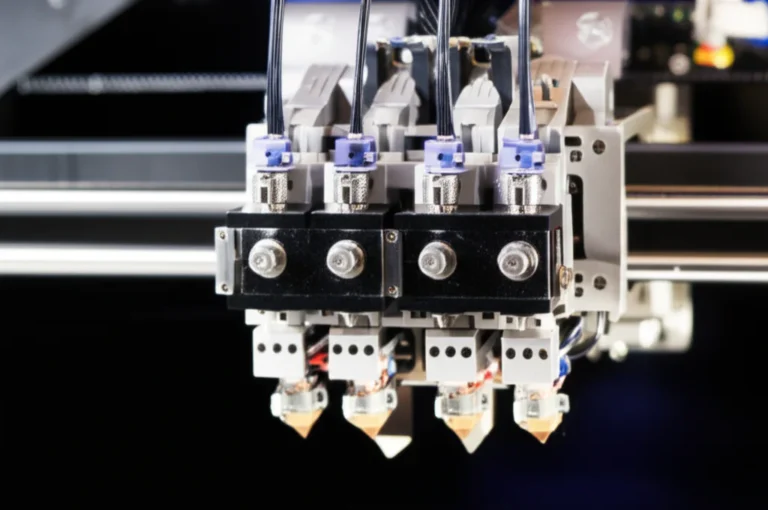
The printer’s print heads jet microscopic droplets (~10 picoliters) of liquid photopolymer onto the build tray. Multiple print heads deposit different colored resins simultaneously. -
UV Curing:
Immediately after deposition, a UV lamp cures the droplets, solidifying the layer. -
Layer-by-Layer Build:
The build tray lowers incrementally (as thin as 18 microns), and the process repeats, building the model from bottom to top. -
Support Material:
A water-soluble support resin is printed alongside the model to hold overhangs and complex geometries in place. -
Post-Processing:
Once printing finishes, supports are dissolved in a water bath or ultrasonic cleaner, leaving a clean, smooth surface.
Why This Matters for Color
- Droplet Mixing: Different colored resins mix at the droplet level, enabling smooth gradients and photorealistic textures.
- Multi-Material: You can combine rigid, flexible, and transparent materials in one print.
- Rotating Build Tray: On models like the J55 Prime, the tray rotates during printing, enhancing surface finish and color consistency.
7️⃣ Reasons Why PolyJet is the King of Full-Color 3D Printing
Why do we at 3D Printed™ swear by PolyJet for color? Here’s our top 7:
- Unmatched Color Fidelity: Over 640,000 colors means your prototypes can match brand colors perfectly.
- Multi-Material Magic: Combine soft-touch rubber-like parts with rigid, transparent, or opaque sections seamlessly.
- Ultra-Fine Details: 18-micron layers produce smooth surfaces and crisp edges.
- Fast Turnaround: Prints ready in hours, not days, perfect for rapid prototyping cycles.
- Water-Soluble Supports: No tedious sanding or scraping — just soak and rinse.
- Large Build Volume: Print medium-sized parts without segmenting.
- User-Friendly Software: GrabCAD Print makes color mapping and material selection a breeze.
Heads up: While PolyJet is fantastic, it’s not perfect for high-temperature or load-bearing parts — those are better suited for SLS or FDM. But for visual models and functional prototypes with color, it’s tough to beat.
🖌️ Materials and Color Options: What Can You Print in PolyJet?
PolyJet’s material palette is impressively diverse. Here’s a breakdown of popular materials and their color capabilities:
| Material Name | Type | Color Options | Key Properties | Typical Uses |
|---|---|---|---|---|
| Vero™ Family | Rigid photopolymer | White, Black, Cyan, Magenta, Yellow, Clear | High detail, opaque, smooth finish | Prototypes, concept models |
| Agilus30™ | Rubber-like | Multiple colors, flexible | Shore 30A-95A, flexible, durable | Soft-touch parts, seals |
| Digital ABS Plus™ | Rigid, impact-resistant | Ivory, White (limited colors) | Tough, durable | Functional prototypes |
| Biocompatible Resins | Medical-grade | Limited colors | Sterilizable, safe for skin contact | Dental, medical devices |
Color Blending and Customization
- PolyJet printers mix base colors in precise ratios to create custom shades.
- Supports input in 3MF format with embedded color data.
- Designers can specify Pantone or HEX codes for exact color matching.
Limitations to Keep in Mind
- Colors may fade slightly over time under UV exposure.
- Material properties vary; flexible materials can’t be printed in all colors.
- Transparent materials have limited color options.
🏭 Typical Applications of PolyJet Color 3D Printing: From Prototypes to Art
PolyJet’s versatility shines across industries. Here are some standout use cases:
Product Development and Prototyping
- Consumer Electronics: Realistic phone cases, buttons, and interfaces with true-to-life colors and textures.
- Automotive: Dashboard components and trim pieces with multi-material flexibility.
- Footwear: Prototyping shoe soles combining rigid and flexible materials.
Medical and Dental
- Anatomical models with color-coded tissues for surgical planning.
- Dental aligners and prosthetics with biocompatible resins.
Education and Research
- Visual aids with color-coded parts for anatomy or engineering classes.
- Rapid iteration of design concepts with tactile feedback.
Art, Miniatures, and Collectibles
- Highly detailed, full-color miniatures for tabletop gaming.
- Custom figurines and sculptures with intricate color gradients.
Architecture and Design
- Scale models with realistic textures and colors for client presentations.
Curious about real-world success? Check out our Customer Case Studies for inspiring examples.
📈 Comparing PolyJet Color Printing to Other Color 3D Printing Technologies
PolyJet isn’t the only kid on the block when it comes to color 3D printing. Let’s see how it stacks up against other popular methods:
| Technology | Color Capability | Surface Finish | Material Variety | Speed | Cost | Best For |
|---|---|---|---|---|---|---|
| PolyJet (Stratasys) | 640,000+ colors, multi-material | Smooth, glossy | Rigid, flexible, transparent | Fast (hours) | High (industrial) | Realistic prototypes, multi-material parts |
| Binder Jetting | Full color via powder binding | Matte, grainy | Limited to certain powders | Moderate | Moderate | Full-color architectural models, sand casting molds |
| Material Jetting (MJP) | Multi-color, fewer materials | Smooth | Limited | Moderate | Moderate | Small prototypes, dental models |
| FDM with Color Filaments | Limited color mixing, single color per print | Layered, rough | Thermoplastics only | Slow | Low | Functional parts, low-cost prototyping |
| SLA with Painted Finishes | Post-print painting required | Smooth | Limited to resins | Slow | Moderate | High-detail parts, artistic models |
Why PolyJet Wins for Color
- True multi-material and multi-color in one print — no assembly or painting needed.
- Superior surface finish with minimal post-processing.
- Fast turnaround supports rapid design iterations.
🛠️ Troubleshooting and Maintenance Tips for Vibrant PolyJet Prints
Even the best tech can hit snags. Here’s how to keep your PolyJet prints looking flawless:
Common Issues and Fixes
| Problem | Cause | Solution |
|---|---|---|
| Color mismatch or dullness | Incorrect color profiles or resin mixing | Calibrate printer, update software, check resin cartridges |
| Support removal damage | Aggressive manual removal | Use water bath or ultrasonic cleaner for gentle support removal |
| Surface tackiness | Incomplete UV curing | Increase curing time or post-cure under UV lamp |
| Layer separation or delamination | Contaminated resin or print head issues | Clean print heads, replace resin if expired |
| Print warping or distortion | Environmental temperature fluctuations | Maintain stable room temp, avoid drafts |
Maintenance Best Practices
- Regularly clean print heads and resin trays.
- Use genuine Stratasys resins for best results.
- Keep firmware and GrabCAD Print software up to date.
- Store resins in cool, dark places to prevent premature curing.
💡 Expert Tips for Optimizing Color Accuracy and Surface Finish
Want your PolyJet prints to pop like a pro’s? Here are some insider tips:
Design and File Prep
- Use 3MF file format for embedding color and material data.
- Assign colors using Pantone or HEX codes for exact matching.
- Design with overhangs and supports in mind to minimize visible support scars.
Printer Settings
- Choose the highest resolution setting for fine details and smooth gradients.
- Use the rotating build tray feature on J55 Prime for uniform surface finish.
- Select appropriate material combinations for your application.
Post-Processing
- Use an ultrasonic cleaner for support removal to avoid surface damage.
- Apply a glossy finish option if available to enhance color vibrancy (note: only on upper-facing surfaces).
- Store finished parts away from direct sunlight to prevent color fading.
📦 Customer Case Studies: Real-World Success Stories with PolyJet Color Printing
Nothing beats real-world proof. Here’s how some customers have harnessed PolyJet’s color magic:
Case Study 1: Automotive Concept Models
A major car manufacturer used the Stratasys J55 Prime to produce full-color dashboard prototypes combining rigid and soft-touch materials. The ability to print realistic textures and colors accelerated design approvals by 40%. The rotating build tray ensured flawless finishes, impressing stakeholders.
Case Study 2: Medical Training Models
A university medical school printed anatomical models with color-coded organs and tissues using biocompatible resins. Students reported better understanding of complex anatomy thanks to the vivid colors and tactile feedback.
Case Study 3: Tabletop Gaming Miniatures
Printed Obsession, a popular miniature designer, leveraged PolyJet to create full-color, highly detailed figurines with smooth surfaces and no visible support marks. Fans rave about the lifelike colors and durability.
Want to see more inspiring stories? Explore our 3D Printable Objects section for user-generated content and tips.
🤝 Want to Experience PolyJet Color Printing? How to Get a Sample Part and Demo
Eager to see PolyJet’s color prowess firsthand? Here’s how you can get your hands on a sample or schedule a demo:
Requesting a Sample Part
- Many service providers like Xometry and Stratasys Direct Manufacturing offer sample parts printed on PolyJet machines.
- You can request parts with your own design or choose from pre-made color models.
- Some companies provide free or low-cost samples to qualified professionals.
Scheduling a Demo
- Contact local Stratasys resellers or authorized service bureaus to arrange live demos.
- Many trade shows and expos, including the UK Games Expo 2024, showcase PolyJet printing live.
- Virtual demos are also available via GrabCAD Print software walkthroughs.
Where to Order Full-Color PolyJet Prints Online
- Xometry: PolyJet 3D Printing Service
- Stratasys Direct Manufacturing: Official Website
- Only-Games.co: For pre-colored miniatures and collectibles printed on PolyJet.
🔗 Recommended Links for PolyJet 3D Printing Resources and Communities
Want to dive deeper? Here’s a curated list of excellent resources:
- Stratasys PolyJet Technology Overview: stratasys.com
- Xometry PolyJet Service Details: xometry.com
- GrabCAD Print Software: grabcad.com
- PolyJet Materials Guide: stratasys.com/materials/polyjet
- 3D Printed™ 3D Design Software Category: 3d-printed.org/category/3d-design-software/
- 3D Printed™ 3D Printer Reviews: 3d-printed.org/category/3d-printer-reviews/
❓ Frequently Asked Questions About PolyJet Color 3D Printing
Q1: How durable are PolyJet color prints?
✅ PolyJet prints have good dimensional stability and surface hardness, but they are not as mechanically strong as some FDM or SLS parts. They’re best for visual prototypes and light functional use.
Q2: Can I print flexible parts in color?
✅ Yes, but color options for flexible materials like Agilus30 are more limited than rigid resins.
Q3: How accurate is color matching?
✅ PolyJet offers excellent color accuracy, supporting Pantone and HEX inputs. However, slight variations can occur due to resin mixing and curing.
Q4: What file formats support color for PolyJet?
✅ The best format is 3MF, which embeds color and material data. OBJ and VRML are also supported but less robust.
Q5: Is PolyJet printing expensive?
✅ It’s more costly than FDM or SLA due to materials and machine complexity, but the quality and speed justify the investment for professional use.
📚 Reference Links and Further Reading on PolyJet Technology
- Stratasys J55 Prime Printer Overview: stratasys.com/en/3d-printers/printer-catalog/polyjet/j55-prime
- Xometry PolyJet 3D Printing Service: xometry.com/capabilities/3d-printing-service/polyjet-3d/
- Stratasys Guide to PolyJet Technology: stratasys.com/en/guide-to-3d-printing/technologies-and-materials/polyjet-technology/
- GrabCAD Print Software: grabcad.com/software/grabcad-print
- PolyJet Materials Data Sheets: stratasys.com/materials/polyjet
Stay tuned for our upcoming conclusion where we’ll wrap up with final thoughts and recommendations! Meanwhile, if you want to see PolyJet color printing in action, don’t miss the featured video showcasing the Stratasys J55 Prime’s jaw-dropping capabilities. 🎥
Conclusion
After diving deep into the vibrant world of PolyJet 3D printing for color, it’s clear why this technology stands out as a top choice for designers, engineers, and artists alike. The Stratasys J55 Prime, in particular, exemplifies the pinnacle of full-color, multi-material 3D printing with its rotating build tray, over 640,000 color combinations, and seamless workflow via GrabCAD Print software.
Positives
✅ Unmatched color fidelity and blending — your prototypes can look exactly like the final product, straight off the printer.
✅ Multi-material printing enables combining rigid, flexible, and transparent materials in one build.
✅ Ultra-fine layer resolution (18 microns) produces smooth surfaces and intricate details without visible layers.
✅ Water-soluble supports simplify post-processing and preserve surface quality.
✅ Fast print times and large build volume make it practical for professional prototyping.
✅ User-friendly software streamlines color and material management, even for complex models.
Negatives
❌ Higher cost compared to desktop FDM or SLA printers — this is an industrial-grade solution.
❌ Limited mechanical strength compared to some other technologies, so not ideal for heavy-duty functional parts.
❌ Slight color fading can occur over time if exposed to UV light.
❌ Flexible materials have fewer color options.
Our Recommendation
If you’re seeking photorealistic, multi-material, full-color prototypes with smooth finishes and rapid turnaround, PolyJet technology — especially the Stratasys J55 Prime — is a stellar choice. It’s perfect for industries where visual accuracy and tactile feedback matter: consumer products, medical models, automotive concept parts, and artistic miniatures. While it’s not a budget desktop printer, the investment pays off in quality and versatility.
Remember the question we teased earlier about how PolyJet achieves such vibrant colors? Now you know — it’s all about jetting microscopic droplets of colored photopolymer with precise UV curing, layer by layer, blending colors at the droplet level to create seamless gradients and textures.
Ready to bring your colorful ideas to life? Let’s get printing!
Recommended Links
👉 Shop PolyJet 3D Printing Solutions and Materials:
- Stratasys J55 Prime: Stratasys Official Website | Xometry PolyJet Service
- Stratasys J850 Prime (for advanced multi-material/color): Stratasys Official | Xometry
- GrabCAD Print Software: GrabCAD Print
Books for Further Reading:
- Additive Manufacturing Technologies: 3D Printing, Rapid Prototyping, and Direct Digital Manufacturing by Ian Gibson, David W. Rosen, Brent Stucker — Amazon
- 3D Printing: The Next Industrial Revolution by Christopher Barnatt — Amazon
❓ Frequently Asked Questions About PolyJet Color 3D Printing
What materials are used in PolyJet 3D printing for color?
PolyJet uses liquid photopolymers that are jetted in tiny droplets and cured instantly with UV light. The main material families include:
- Vero™ rigid resins (white, black, cyan, magenta, yellow, clear) for high-detail, opaque parts.
- Agilus30™ rubber-like resins for flexible, soft-touch components.
- Digital ABS Plus™ for impact-resistant, durable parts (limited colors).
- Biocompatible resins for medical and dental applications.
These materials can be mixed during printing to create composite parts with varying properties and colors.
How does PolyJet 3D printing achieve full-color models?
PolyJet printers jet multiple colored photopolymer droplets (cyan, magenta, yellow, black, white, clear) simultaneously in microscopic layers. By blending these droplets at the voxel level, the printer creates smooth color gradients and precise color matching. The process is akin to an inkjet printer but in 3D, with UV curing locking each layer instantly.
What are the advantages of using PolyJet 3D printing for color prototypes?
- Photorealistic color accuracy with over 640,000 color combinations.
- Multi-material capability allows combining rigid, flexible, and transparent materials.
- Fine layer resolution (down to 18 microns) for smooth surfaces and intricate details.
- Water-soluble supports enable clean post-processing.
- Fast print speeds suitable for rapid prototyping cycles.
Can PolyJet 3D printing produce multi-material and multi-color parts?
Absolutely! PolyJet’s hallmark is its ability to jet up to seven different materials and colors simultaneously in a single print. This enables complex parts with varied mechanical properties and vibrant color schemes without assembly or painting.
What industries benefit most from PolyJet color 3D printing?
- Consumer product design for realistic concept models.
- Automotive and aerospace for functional prototypes with tactile feedback.
- Medical and dental for anatomical models and biocompatible devices.
- Education for visual and tactile learning aids.
- Entertainment and collectibles for detailed miniatures and figurines.
- Architecture for colorful, detailed scale models.
How does the resolution of PolyJet color printing compare to other 3D printing methods?
PolyJet offers ultra-fine resolution with layers as thin as 18 microns (0.0007 inches), surpassing most FDM and many SLA printers. This results in smoother surfaces and finer details, especially important for color gradients and textures.
What are the best design tips for optimizing color in PolyJet 3D printing?
- Use 3MF file format to embed color/material data accurately.
- Specify colors using Pantone, HEX, or CMYK codes for precise matching.
- Design with minimal overhangs to reduce support material scars.
- Utilize the rotating build tray feature (on printers like J55 Prime) for uniform surface finish.
- Plan for post-processing like ultrasonic cleaning and optional glossy finishes to enhance color vibrancy.
How durable are PolyJet color prints in real-world use?
PolyJet parts are dimensionally stable and have good surface hardness but are not as mechanically robust as some FDM or SLS parts. They are best suited for visual prototypes, concept models, and light functional testing rather than heavy-duty applications.
📚 Reference Links and Further Reading on PolyJet Technology
- Stratasys PolyJet Technology Overview
- Stratasys J55 Prime Product Page
- Xometry PolyJet 3D Printing Service
- Stratasys Guide to PolyJet Technology
- GrabCAD Print Software
- PolyJet Materials Data Sheets
For a comprehensive understanding of PolyJet’s capabilities and applications, these official resources from Stratasys and trusted service providers are invaluable.