Support our educational content for free when you purchase through links on our site. Learn more
15 Must-Have 3D Printing Resources to Supercharge Your Creativity 🚀 (2026)

If you’ve ever stared at your 3D printer humming away and wondered, “Am I really using the best tools, files, and tips to get the most out of this magic box?” — you’re not alone. At 3D Printed™, we’ve spent thousands of hours testing, tweaking, and hunting down the ultimate 3D printing resources that separate the “meh” prints from the masterpieces. From the best STL file repositories to slicer software that slices and dices like a ninja, and from beginner-friendly CAD tools to industrial-grade production services — this guide has it all.
Did you know that over 70% of print failures are due to poor bed adhesion or filament moisture? We’ll show you how to avoid these rookie mistakes and unlock your printer’s full potential. Plus, if you’ve ever dreamed of printing your own mini James Webb Telescope or scaling up to titanium aerospace parts, keep reading — we’ve got the insider scoop on how to make it happen.
Key Takeaways
- Master the basics: Nail your first layer and keep filament dry to avoid most print failures.
- Find the best models: Explore 15 top sites like Printables.com and NASA 3D Resources for free and paid STL files.
- Choose the right slicer: Ultimaker Cura and PrusaSlicer are versatile favorites; Lychee Slicer rules resin printing.
- Design like a pro: Use Tinkercad for beginners, Fusion 360 for engineers, and Blender for artists.
- Pick the perfect material: PLA for ease, PETG for strength, resin for detail, and industrial materials for production.
- Join the community: Reddit, Discord, and Printables groups offer invaluable support and inspiration.
- Scale smart: Use services like Shapeways and Xometry to move from prototype to production with confidence.
Ready to print smarter, faster, and better? Let’s dive in!
Table of Contents
- ⚡️ Quick Tips and Facts
- 🕰️ From Glue Guns to Galaxies: The Evolution of Additive Manufacturing
- 📂 The Treasure Trove: Top 15 Sites for 3D Models and STL Files
- 🛠️ Slicing and Dicing: Essential Slicer Software for Your Workflow
- 🎨 Designing the Future: Top CAD Tools for Every Skill Level
- 🧵 Material Matters: A Deep Dive into Filaments and Resins
- 🎓 Level Up Your Skills: Best Learning Platforms and Tutorials
- 🤝 Join the Tribe: Communities and Forums You Need to Know
- 🔧 The Ultimate Troubleshooting Toolkit: Fixing Common Print Failures
- 🚀 Start Scaling Your Prototyping and Production Today
- 🏁 Conclusion
- 🔗 Recommended Links
- ❓ FAQ
- 📚 Reference Links
⚡️ Quick Tips and Facts
Before we dive into the deep end of the resin vat, let’s look at some fast facts and pro-tips we’ve picked up over thousands of hours of printing at the 3D Printed™ lab.
| Feature | Pro-Tip / Fact |
|---|---|
| Bed Adhesion | Use a PEI sheet for the best “set it and forget it” experience. ✅ |
| Filament Care | Wet filament is the #1 cause of “mystery” stringing. Use a dryer! ❌ |
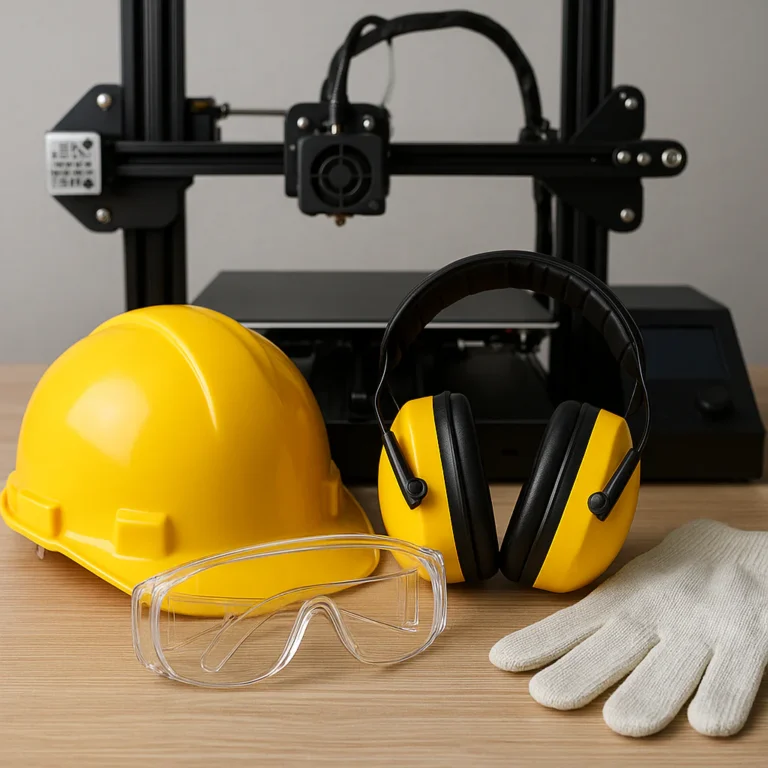
| Safety First | Resin printing requires a respirator and nitrile gloves. No exceptions. 😷 |
| Speed vs Quality | Thinner layer heights (0.12mm) look great but take 3x longer than 0.2mm. |
| The “Golden Rule” | If your first layer isn’t perfect, the rest of the print won’t be either. |
Did you know? The first 3D printer was actually invented in the 1980s! It wasn’t until the patents expired in 2009 that the “desktop revolution” truly began.
🕰️ From Glue Guns to Galaxies: The Evolution of Additive Manufacturing
Ever wondered how we went from “Star Trek” replicator dreams to actually printing houses and prosthetic limbs? It wasn’t an overnight success. We like to think of the history of 3D printing resources as a slow burn that suddenly turned into a supernova. 💥
In 1984, Chuck Hull (the founder of 3D Systems) invented Stereolithography (SLA). He realized that if you hit photosensitive resin with a UV light, it turns solid. Genius, right? Shortly after, Scott Crump (co-founder of Stratasys) came up with Fused Deposition Modeling (FDM)—basically a computer-controlled hot glue gun.
For decades, these machines cost as much as a small house. But then came the RepRap Project in 2005. The goal? Create a self-replicating printer. This open-source movement birthed the giants we know today, like Prusa Research and Creality. Today, we aren’t just printing plastic trinkets; we are printing aerospace parts with SpaceX and bio-printing tissues. We’ve come a long way from Chuck’s first plastic cup!
📂 The Treasure Trove: Top 15 Sites for 3D Models and STL Files
If you aren’t designing your own parts yet, you need a reliable source for models. We’ve scoured the web to find the absolute best 3D printing resources for files. Why settle for a “top 10” when we can give you 15?
- Printables.com: Our personal favorite. Hosted by Prusa, it’s clean, fast, and rewards creators.
- Thingiverse: The “old guard.” It has the largest library but can be a bit buggy.
- Cults3D: Great for high-quality, paid models (especially for fans of pop culture).
- MyMiniFactory: The gold standard for tabletop gaming miniatures.
- Thangs: A powerful 3D search engine that crawls other sites.
- MakerWorld: The new kid on the block by Bambu Lab, featuring one-click printing.
- GrabCAD: The place for engineers. Think engine blocks and complex assemblies.
- Yeggi: Another massive search engine for 3D models.
- TurboSquid: Mostly for CGI, but has many 3D-printable professional assets.
- CGTrader: A mix of hobbyist and professional industrial models.
- Pinshape: A user-friendly marketplace with a great community feel.
- YouMagine: Created by the folks at Ultimaker; focuses on open-source.
- NASA 3D Resources: Yes, you can print models of the James Webb Telescope!
- Instructables: Great for projects that combine 3D printing with electronics.
- Patreon: Many top designers (like Hex3D or Fotis Mint) offer exclusive models via monthly subs.
Pro-Tip: Always check the Creative Commons license before using a model for commercial work! ⚖️
🛠️ Slicing and Dicing: Essential Slicer Software for Your Workflow
You’ve got your STL file. Now what? You can’t just shove it into the printer. You need a Slicer. This software chops your 3D model into 2D layers and generates G-code—the “language” your printer speaks.
- Ultimaker Cura: The most popular slicer in the world. It’s free, open-source, and has a plugin for everything. ✅
- PrusaSlicer: Based on Slic3r, it’s incredibly stable and has the best “organic supports” in the game.
- Bambu Studio: If you own a Bambu Lab P1S or X1C, this is your bread and butter. It’s optimized for speed.
- Lychee Slicer: The undisputed king for Resin (SLA) printing. The auto-support feature is a lifesaver.
- OrcaSlicer: A community-driven fork of Bambu Studio that adds advanced calibration tools. We use this for our high-speed tuning.
🎨 Designing the Future: Top CAD Tools for Every Skill Level
Ready to stop printing other people’s stuff and start making your own? You’ll need Computer-Aided Design (CAD) software.
- For Beginners: Tinkercad. It’s browser-based and uses “primitive shapes.” If you can play with LEGOs, you can use Tinkercad.
- For Artistic Sculpting: Blender. It’s free, but the learning curve is a vertical cliff. Great for characters and organic shapes.
- For Engineering: Autodesk Fusion 360. The industry standard for “prosumers.” It’s parametric, meaning you can go back in time and change a dimension.
- For iPad Users: Shapr3D. It’s the most intuitive CAD we’ve ever used. Using an Apple Pencil to “pull” 3D shapes feels like magic. ✨
🧵 Material Matters: A Deep Dive into Filaments and Resins
Choosing the right material is the difference between a functional part and a melted puddle. Here’s our breakdown:
| Material | Best For… | Difficulty |
|---|---|---|
| PLA | Decorative items, prototypes, toys. | Easy ✅ |
| PETG | Mechanical parts, outdoor use, water bottles. | Medium |
| ABS/ASA | Car parts, high-heat environments. | Hard (Needs enclosure) ❌ |
| TPU | Phone cases, gaskets, wearable tech (Flexible). | Medium |
| Resin | High-detail minis, jewelry, dental molds. | Messy/Advanced |
Expert Advice: Don’t buy the cheapest “no-name” filament on the market. We recommend brands like Hatchbox, Polymaker, and Prusament for consistent diameter and color.
🎓 Level Up Your Skills: Best Learning Platforms and Tutorials
We didn’t become experts overnight. We spent a lot of time watching the “Greats” on YouTube. If you want to master 3D printing resources, follow these creators:
- Teaching Tech (Michael Laws): The king of calibration. His calibration website is a must-visit.
- Maker’s Muse (Angus Deveson): Great for “design for additive manufacturing” (DfAM) tips.
- Uncle Jessy: The go-to guy for large-scale resin printing and cosplay.
- Thomas Sanladerer: Deep technical dives into printer hardware and firmware.
🤝 Join the Tribe: Communities and Forums You Need to Know
3D printing can be lonely when your nozzle clogs at 3 AM. Join these communities to get help:
- Reddit: Check out
r/3Dprinting,r/FixMyPrint, andr/BambuLab. - Discord: Most major brands and YouTubers have active Discord servers.
- Printables Groups: Great for finding niche enthusiasts (like “3D Printed RC Planes”).
🔧 The Ultimate Troubleshooting Toolkit: Fixing Common Print Failures
Even with the best 3D printing resources, things go wrong. Here is our “Emergency Kit”:
- Digital Calipers: Essential for measuring parts and calibrating your E-steps. We recommend the Mitutoyo 500-196-30 for pros, or Neiko for hobbyists.
- Isopropyl Alcohol (91%+ ): For cleaning your build plate. Finger oils are the enemy of adhesion!
- Feeler Gauges: For perfect manual bed leveling.
- Deburring Tool: To clean up those sharp plastic edges safely.
Common Fix: Is your print warping? Turn off the ceiling fan! Drafts cause uneven cooling, which makes the plastic pull away from the bed. 💨
🚀 Start Scaling Your Prototyping and Production Today
If you are looking to move beyond a single printer in your garage, you need to look at Industrial 3D Printing & Additive Manufacturing resources. Companies like Shapeways, Xometry, and Protolabs allow you to upload a file and have it printed in industrial materials like Titanium, Inconel, or Glass-filled Nylon.
Scaling means:
- Batch Processing: Printing 100 items at once.
- Post-Processing: Using vapor smoothing or bead blasting for a professional finish.
- Quality Control: Using 3D scanners like the EinScan to verify dimensions.
🏁 Conclusion

3D printing is a journey, not a destination. Whether you’re a hobbyist making “Benchy” boats or an engineer designing the next Mars rover, the 3D printing resources available today are mind-blowing. Remember: every failed print is just a lesson in disguise. Keep tweaking, keep leveling that bed, and most importantly, keep creating!
So, what are you going to print first? A custom phone stand or a full suit of Iron Man armor? The choice is yours! 🛠️✨
🔗 Recommended Links
- Prusa Research – Open Source Hub
- All3DP – The Best 3D Printing Magazine
- Hackaday – 3D Printing Projects
- OctoPrint – Remote Printer Management
❓ FAQ

Q: Is 3D printing an expensive hobby? A: It can be, but it doesn’t have to be! You can get a solid starter printer for less than a high-end smartphone. The real cost is in the filament and the “upgraditis” bug! 🦟
Q: Can I 3D print food? A: Yes! There are specialized printers for chocolate, pasta, and even “meat” alternatives. However, don’t try putting chocolate through your standard Ender 3—it won’t end well. 🍫❌
Q: How long does a print take? A: It depends on size and detail. A small ring might take 30 minutes, while a full-sized helmet can take 3 to 5 days of continuous printing.
📚 Reference Links
- The RepRap Wiki – The History of Open Source 3D Printing
- ASTM International – Standards for Additive Manufacturing
- NIST – Metal Additive Manufacturing Research
⚡️ Quick Tips and Facts
Welcome to the fast lane of 3D printing wisdom! At 3D Printed™, we’ve spent countless hours tinkering, troubleshooting, and celebrating those glorious “first layer perfect” moments. Here’s a quick rundown of essential tips and facts to keep your prints smooth and your frustration low.
Essential Quick Tips
-
Bed Adhesion Is King
We swear by PEI sheets for bed adhesion. They’re like the magic carpet your print needs to stick without drama. Forget hairspray or glue sticks—PEI is consistent and reusable.
✅ Works great on printers like the Prusa i3 MK3S+ and Creality Ender 3 V2. -
Filament Storage = Print Quality
Ever wonder why your prints suddenly start stringing or popping? Moisture! Filaments like PLA and PETG absorb water like a sponge. Use a filament dryer or airtight containers with desiccants.
❌ Don’t skip this step unless you want to chase ghost problems. -
Safety First, Always
Resin printing is a different beast. Always wear nitrile gloves and a respirator mask when handling resins. The fumes and uncured resin can be nasty.
😷 Our lab uses the 3M 6200 Respirator paired with organic vapor cartridges. -
Layer Height Trade-Off
Want jaw-dropping detail? Go for 0.1mm layers. Want speed? 0.2mm or higher will slice your print time dramatically.
Pro tip: For functional parts, 0.15mm is a sweet spot between quality and speed. -
The Golden Rule of Printing
Nail your first layer. If it’s off, your whole print is doomed. Use live Z-adjustment or baby stepping if your printer supports it.
Quick Facts Table
| Topic | Fact | Why It Matters |
|---|---|---|
| First 3D Printer | Invented by Chuck Hull in 1984 (SLA) | The foundation of modern 3D printing |
| Open Source Revolution | RepRap Project started in 2005 | Made affordable printers possible |
| Popular Filament | PLA is biodegradable and easy to print | Great for beginners and eco-conscious users |
| Print Failures | 70% caused by bed adhesion issues | Focus on bed prep to save time |
| Popular Slicer | Ultimaker Cura has over 1 million users | Free, versatile, and beginner-friendly |
Curious about how these tips come together in real life? Stick around—we’ll unpack each of these in detail as we explore the best resources for your 3D printing journey.
🕰️ From Glue Guns to Galaxies: The Evolution of Additive Manufacturing
Imagine a world where you could print your own spaceship parts or even human organs. Sounds like sci-fi? Well, the story of 3D printing is a wild ride from humble beginnings to cosmic ambitions.
The Dawn of 3D Printing: Chuck Hull’s Breakthrough
Back in 1984, Chuck Hull invented Stereolithography (SLA), the first commercial 3D printing technology. By curing liquid resin layer by layer with UV light, Hull’s invention laid the groundwork for the entire industry. His company, 3D Systems, remains a titan today.
The Hot Glue Gun Revolution: FDM Comes to Life
Shortly after, Scott Crump invented Fused Deposition Modeling (FDM), which extrudes melted plastic filament—think of it as a super-precise hot glue gun. His company, Stratasys, pioneered this tech for industrial use.
The Open Source Explosion: RepRap and Beyond
The real game-changer? The RepRap Project (2005), which aimed to create a self-replicating printer. This open-source movement democratized 3D printing, spawning affordable machines like the Prusa i3 and Creality Ender 3.
From Hobbyists to Industry Giants
Today, 3D printing is used by NASA to print rocket parts, by medical companies to create prosthetics, and by artists to sculpt intricate designs. The technology has evolved from plastic cups to printing titanium aerospace components.
Want to see where this evolution is headed next? Keep reading to discover the latest tools and resources that will help you ride this wave of innovation.
📂 The Treasure Trove: Top 15 Sites for 3D Models and STL Files
No printer? No problem! The 3D printing universe is bursting with free and paid models ready to print. Here’s our definitive list of the best 3D printing resources for STL files and models, curated from our experience and community feedback.
| Rank | Platform | Highlights | Best For | Link |
|---|---|---|---|---|
| 1 | Printables.com | Clean UI, Prusa-backed, active community | All skill levels | Printables |
| 2 | Thingiverse | Largest library, free models | Beginners & hobbyists | Thingiverse |
| 3 | Cults3D | Paid & free, pop culture models | Cosplayers, collectors | Cults3D |
| 4 | MyMiniFactory | Verified prints, tabletop minis | Gamers & artists | MyMiniFactory |
| 5 | Thangs | Powerful 3D search engine | Researchers & pros | Thangs |
| 6 | MakerWorld | One-click printing, Bambu Lab | Bambu Lab users | MakerWorld |
| 7 | GrabCAD | Engineering-focused | Engineers & designers | GrabCAD |
| 8 | Yeggi | Aggregator of multiple sites | General use | Yeggi |
| 9 | TurboSquid | Professional CGI & print | Designers & pros | TurboSquid |
| 10 | CGTrader | Paid & free, professional | Designers & pros | CGTrader |
| 11 | Pinshape | Marketplace with community | Hobbyists | Pinshape |
| 12 | YouMagine | Ultimaker-backed, open-source | Open-source fans | YouMagine |
| 13 | NASA 3D Resources | Space-themed models | Space enthusiasts | NASA 3D |
| 14 | Instructables | Project-based models | DIY & electronics | Instructables |
| 15 | Patreon | Exclusive models from top designers | Advanced users | Patreon |
Why We Love Printables and Thingiverse
Our team swears by Printables.com for its clean interface and community-driven content. It’s like the “Netflix” of 3D models—easy to browse and binge on creativity.
Thingiverse, the granddaddy of 3D model sites, still holds strong with millions of files. Just be prepared for some outdated or poorly optimized files. Always check user reviews before printing!
Hidden Gems: MakerWorld and NASA 3D Resources
The MakerWorld marketplace by Bambu Lab is a newer platform that integrates seamlessly with their printers, offering one-click print options. It’s a game-changer for Bambu Lab owners who want hassle-free printing.
If you’re a space nerd, the NASA 3D Resources site lets you download models of spacecraft, satellites, and even the Mars rover. Printing a mini James Webb Telescope? Yes, please! 🚀
Pro-Tip: License Matters!
Before printing or distributing models, always check the Creative Commons license or terms of use. Some models are free for personal use but require permission or payment for commercial use.
First Video Perspective
Remember the first YouTube video we mentioned earlier? It highlights Thingiverse as one of the original 3D printing marketplaces and praises MakerWorld for its excellent free models. These platforms remain essential stops on your 3D printing journey. Check out the video at #featured-video.
🛠️ Slicing and Dicing: Essential Slicer Software for Your Workflow
You’ve got your model, but your printer doesn’t speak STL. Enter the slicer: the software that translates your 3D design into printer instructions (G-code). Choosing the right slicer can make or break your print.
Slicer Software Rating Table
| Software | Ease of Use | Features | Compatibility | Support | Overall Score (1-10) |
|---|---|---|---|---|---|
| Ultimaker Cura | 9 | 8 | Windows, Mac, Linux | Excellent | 9 |
| PrusaSlicer | 8 | 9 | Windows, Mac, Linux | Excellent | 9 |
| Bambu Studio | 7 | 9 | Windows, Mac | Growing | 8 |
| Lychee Slicer | 7 | 9 | Windows, Mac | Good | 8 |
| OrcaSlicer | 6 | 8 | Windows, Mac, Linux | Community | 7 |
Ultimaker Cura: The Swiss Army Knife
Pros:
- Free and open-source
- Huge community and plugin ecosystem
- Supports almost every FDM printer
- Beginner-friendly presets and advanced settings for pros
Cons:
- Can be overwhelming with options
- Occasional bugs on Mac versions
PrusaSlicer: The Precision Tool
Developed by Prusa Research, this slicer is tailored for Prusa printers but supports many others. It shines with organic supports that save resin and filament.
Why We Love It:
- Excellent print quality optimization
- Intuitive interface
- Regular updates with new features
Bambu Studio: Speed Demon
If you own a Bambu Lab P1S or X1 Carbon, Bambu Studio is optimized for speed and quality. It integrates AI-powered supports and real-time print monitoring.
Lychee Slicer: Resin’s Best Friend
For resin printing, Lychee Slicer is a standout. Its auto-support generation is a lifesaver for beginners and pros alike.
OrcaSlicer: Community-Powered Innovation
A fork of Bambu Studio, OrcaSlicer adds advanced calibration tools and customization. It’s perfect if you like to tinker under the hood.
🎨 Designing the Future: Top CAD Tools for Every Skill Level
Ready to unleash your creativity? Designing your own 3D models opens a world of possibilities. Here’s our expert guide to the best CAD software, from newbie-friendly to pro-grade.
CAD Software Rating Table
| Software | Skill Level | Features | Platform | Cost | Overall Score (1-10) |
|---|---|---|---|---|---|
| Tinkercad | Beginner | Basic shapes, easy UI | Web | Free | 8 |
| Blender | Intermediate-Advanced | Sculpting, animation | Windows, Mac, Linux | Free | 9 |
| Fusion 360 | Intermediate-Advanced | Parametric, CAM | Windows, Mac | Free for hobbyists | 9 |
| Shapr3D | Intermediate | Touch & Pencil input | iPad, Mac, Windows | Freemium | 8 |
Tinkercad: The LEGO of CAD
Perfect for beginners, Tinkercad uses simple shapes to build complex models. It’s browser-based, so no installation needed.
Use Case:
- Kids and educators
- Quick prototypes
- Simple gadgets
Blender: Sculpt Like a Pro
If you want to create organic shapes, characters, or artistic models, Blender is your go-to. The learning curve is steep, but the results are stunning.
Fusion 360: Engineer’s Dream
For mechanical parts, assemblies, and parametric design, Fusion 360 is the industry standard. It also offers CAM tools for CNC machining.
Shapr3D: CAD on the Go
Using an Apple Pencil on an iPad, Shapr3D lets you sketch and model intuitively. It’s perfect for designers who want to work anywhere.
🧵 Material Matters: A Deep Dive into Filaments and Resins
Choosing the right material is like picking the right paint for your masterpiece. It affects strength, flexibility, finish, and even your printer’s health.
Filament and Resin Comparison Table
| Material | Best For | Strength | Flexibility | Ease of Printing | Environmental Impact |
|---|---|---|---|---|---|
| PLA | Prototypes, toys | Medium | Low | Easy ✅ | Biodegradable |
| PETG | Mechanical parts | High | Medium | Medium | Recyclable |
| ABS/ASA | Automotive parts | High | Medium | Hard ❌ | Petroleum-based |
| TPU | Flexible parts | Medium | High | Medium | Petroleum-based |
| Resin (Standard) | Miniatures, jewelry | High | Low | Messy | Toxic waste |
PLA: The Beginner’s Best Friend
Pros:
- Easy to print
- Low warping
- Biodegradable
Cons:
- Brittle for mechanical parts
- Not heat resistant
PETG: The Workhorse
Stronger and more flexible than PLA, PETG is great for functional parts. It resists moisture better but requires a heated bed.
ABS and ASA: Tough but Tricky
These plastics are heat resistant and durable but prone to warping. They require an enclosure and ventilation.
TPU: The Flexible Wonder
Great for phone cases, gaskets, and wearables. TPU needs slower print speeds and careful handling.
Resin: Detail Overdrive
For ultra-fine details, resin printing is unmatched. However, it requires post-processing (washing and curing) and safety precautions.
🎓 Level Up Your Skills: Best Learning Platforms and Tutorials
Want to go from “I printed a cube” to “I designed a mechanical marvel”? These resources will turbocharge your skills.
Top YouTube Channels
-
Teaching Tech (Michael Laws)
Focuses on calibration and troubleshooting. His calibration guide is legendary. -
Maker’s Muse (Angus Deveson)
Deep dives into design for additive manufacturing and creative projects. -
Uncle Jessy
Specialist in resin printing and cosplay props. -
Thomas Sanladerer
Technical insights into hardware and firmware.
Online Courses and Platforms
- Udemy: Offers beginner to advanced courses on 3D printing and CAD.
- LinkedIn Learning: Great for professional skills and software tutorials.
- Coursera: University-level courses on additive manufacturing.
Books and Guides
- “3D Printing Failures” by Sean Aranda — a must-read for troubleshooting.
- “Additive Manufacturing Technologies” by Ian Gibson — for deep technical knowledge.
🤝 Join the Tribe: Communities and Forums You Need to Know
3D printing is as much about community as it is about machines. When your nozzle clogs or your filament snaps, these groups have your back.
Top Communities
| Platform | Focus | Highlights |
|---|---|---|
Reddit (r/3Dprinting) |
General 3D printing | Huge user base, daily tips |
Reddit (r/FixMyPrint) |
Troubleshooting | Dedicated to print failures |
Reddit (r/BambuLab) |
Bambu Lab users | Printer-specific help |
| Discord Servers | Brand & creator communities | Real-time chat and support |
| Printables Groups | Niche interests | RC planes, cosplay, minis |
Why Join?
- Get instant help from experienced users
- Share your projects and get feedback
- Stay updated on firmware, software, and hardware news
🔧 The Ultimate Troubleshooting Toolkit: Fixing Common Print Failures
Nothing kills the joy of 3D printing faster than a failed print. But fear not! Here’s our expert toolkit and troubleshooting guide to get you back on track.
Must-Have Tools for Every Maker
| Tool | Purpose | Recommended Product |
|---|---|---|
| Digital Calipers | Measure parts, calibrate steps/mm | Mitutoyo 500-196-30 |
| Isopropyl Alcohol (91%+) | Clean build plates | Local pharmacy or Amazon |
| Feeler Gauges | Manual bed leveling | Neiko 01407A |
| Deburring Tool | Clean sharp edges | X-Acto Deburring Tool |
Common Print Failures & Fixes
| Problem | Cause | Fix |
|---|---|---|
| Warping | Drafts, poor bed adhesion | Use enclosure, PEI sheet, turn off fans |
| Stringing | Moist filament, high temp | Dry filament, lower temp, retraction settings |
| Layer Shifting | Loose belts, mechanical issues | Tighten belts, check pulleys |
| First Layer Not Sticking | Incorrect bed leveling | Level bed, clean surface, adjust Z-offset |
| Over-Extrusion | Wrong filament diameter | Calibrate extrusion multiplier |
Pro Tip: The Draft Killer
We once spent hours chasing warping on a big ABS print—turns out, the ceiling fan was the culprit. Turning it off solved the problem instantly. Sometimes, the simplest fixes are the best! 💨
🚀 Start Scaling Your Prototyping and Production Today
Ready to go pro? Whether you’re a startup or an established business, scaling your 3D printing from hobby to production requires the right resources and partners.
Industrial 3D Printing Services Overview
Companies like Shapeways, Xometry, and Protolabs offer on-demand manufacturing with industrial-grade materials and finishes.
| Service | Materials | Key Benefits | Best For |
|---|---|---|---|
| Shapeways | Nylon 12, Stainless Steel 316L, Accura 60 | High-quality finishes, rapid prototyping | Entrepreneurs, designers |
| Xometry | Metals, plastics, composites | Wide material selection, fast turnaround | Industrial parts |
| Protolabs | CNC, injection molding, 3D printing | End-use parts, high precision | Production runs |
Why Choose Industrial Services?
- Reduce assembly time: Print complex parts as one piece
- Fast turnaround: Get prototypes and parts quickly for testing
- Reliable quality: Professional inspections and finishing
Materials Spotlight: Shapeways
- Nylon 12: Flexible when thin, strong when thick. Ideal for functional prototypes.
- Accura 60: Translucent, smooth, great for detailed parts.
- Stainless Steel 316L: Pure alloy with excellent strength and corrosion resistance.
Scaling Tips from Our Engineers
- Invest in quality control tools like 3D scanners (e.g., EinScan) to verify parts.
- Use batch printing and post-processing automation to save time.
- Partner with services that offer consultations to optimize your design for manufacturing.
👉 CHECK PRICE on:
- Prusa i3 MK3S+: Amazon | Prusa Official Website
- Creality Ender 3 V2: Amazon | Creality Official Website
- Mitutoyo 500-196-30 Calipers: Amazon
- 3M 6200 Respirator: Amazon
Ready to dive deeper? Check out our 3D Printable Objects and 3D Design Software categories for hands-on guides and reviews!
🏁 Conclusion

Wow, what a journey! From the humble origins of 3D printing to the cutting-edge industrial services available today, the world of 3D printing resources is vast, exciting, and packed with opportunities for makers of all levels. Whether you’re just starting out with a simple PLA print or scaling up to production with stainless steel parts via Shapeways, the right tools, materials, and communities make all the difference.
We’ve covered everything from quick tips that save you hours of frustration, to the best websites for STL files, to slicer software that turns your designs into reality. Plus, we dove deep into CAD tools for every skill level, explored filament and resin materials, and shared our go-to learning platforms and troubleshooting toolkit.
If you’re wondering how to get started or scale your 3D printing game, here’s our confident recommendation:
- For beginners, start with a reliable FDM printer like the Prusa i3 MK3S+ or Creality Ender 3 V2, use Ultimaker Cura or PrusaSlicer for slicing, and grab models from Printables.com or Thingiverse.
- For resin printing enthusiasts, Lychee Slicer combined with a Phrozen Sonic Mini 4K or Anycubic Photon Mono X will deliver stunning detail.
- When you’re ready to scale or need industrial-grade parts, services like Shapeways and Xometry offer unparalleled material choices and quality assurance.
Remember the golden rule: nail your first layer and keep your filament dry. These two simple habits will save you countless headaches.
So, what’s next on your print queue? A custom phone stand, a replacement part, or maybe that mini James Webb Telescope from NASA’s collection? The possibilities are endless—and now you have the resources to make them real. 🚀
🔗 Recommended Links
👉 Shop Printers and Tools:
- Prusa i3 MK3S+: Amazon | Prusa Official Website
- Creality Ender 3 V2: Amazon | Creality Official Website
- Phrozen Sonic Mini 4K Resin Printer: Amazon | Phrozen Official Website
- Anycubic Photon Mono X: Amazon | Anycubic Official Website
- Mitutoyo 500-196-30 Digital Calipers: Amazon
- 3M 6200 Respirator: Amazon
Books to Level Up Your Skills:
- 3D Printing Failures: How to Diagnose and Repair All Your 3D Prints by Sean Aranda
Amazon Link - Additive Manufacturing Technologies: 3D Printing, Rapid Prototyping, and Direct Digital Manufacturing by Ian Gibson, David Rosen, Brent Stucker
Amazon Link
❓ FAQ

What are some fun and useful things to 3D print for home and office?
Fun and practical prints include cable organizers, custom phone stands, desk toys, plant pots, and replacement knobs or clips for appliances. For the office, consider printing pen holders, headphone stands, or even ergonomic keyboard risers. Check out our 3D Printable Objects for inspiration and ready-to-print models.
How do I optimize my 3D printing settings for better print quality?
Optimizing print quality involves several steps:
- Calibrate your printer: Use calibration cubes and adjust steps/mm for extrusion and axis movement.
- Level your bed: Ensure the first layer adheres perfectly by manual or automatic leveling.
- Adjust temperature settings: Too hot causes stringing; too cold causes poor layer adhesion.
- Fine-tune retraction settings: Prevents oozing and stringing.
- Use quality filament: Moisture-free, consistent diameter filament improves results.
- Choose the right layer height: Balance detail and speed based on your project.
For detailed guides, check out Teaching Tech’s calibration page.
What are the most popular 3D printing communities and forums?
The largest and most active communities include:
- Reddit:
r/3Dprinting,r/FixMyPrint,r/BambuLab - Discord: Many brands and creators host servers for real-time help.
- Printables Groups: Niche communities for specific interests like cosplay or RC models.
Joining these groups helps you troubleshoot, share projects, and stay updated on trends.
Where can I find free 3D printing tutorials and online courses?
Great free tutorials are available on:
- YouTube: Channels like Teaching Tech, Maker’s Muse, and Uncle Jessy.
- Tinkercad’s Learning Portal: Beginner-friendly CAD tutorials.
- Coursera and Udemy: Some free or affordable courses on 3D printing basics and CAD design.
What are some essential tools and software for 3D printing beginners?
Tools:
- Digital calipers (e.g., Mitutoyo 500-196-30)
- Isopropyl alcohol for cleaning
- Bed leveling tools (feeler gauges)
- Nitrile gloves and respirator for resin printing
Software:
- Ultimaker Cura or PrusaSlicer for slicing
- Tinkercad for beginner CAD design
- Lychee Slicer for resin printing
What are the best websites for 3D printing models and designs?
Top sites include:
- Printables.com
- Thingiverse
- Cults3D
- MyMiniFactory
- NASA 3D Resources for space-themed models
What are the best websites for free 3D printing models?
For free models, check:
- Printables.com
- Thingiverse
- MyMiniFactory
- Yeggi (aggregator)
Where can I find beginner-friendly 3D printing tutorials?
Start with:
- Teaching Tech YouTube channel
- Tinkercad’s official tutorials
- Maker’s Muse beginner guides
What materials are recommended for 3D printing at home?
For home use, PLA is the easiest and safest filament. PETG is a good step up for durability. Avoid ABS unless you have an enclosure and ventilation. For resin, standard photopolymer resins are great for detailed miniatures but require safety precautions.
How do I choose the right 3D printer for different projects?
- FDM printers like the Prusa i3 MK3S+ are versatile for prototypes and functional parts.
- Resin printers like the Phrozen Sonic Mini 4K excel at detailed miniatures.
- For large or industrial parts, consider service bureaus like Shapeways.
What software is best for designing 3D printable objects?
- Tinkercad for beginners
- Fusion 360 for engineering and parametric design
- Blender for artistic and organic shapes
- Shapr3D for iPad users
Are there online communities for sharing 3D printing tips and files?
Yes! Popular platforms include Reddit, Discord servers, and Printables.com groups. These communities offer support, file sharing, and collaboration opportunities.
What safety tips should I follow when 3D printing at home?
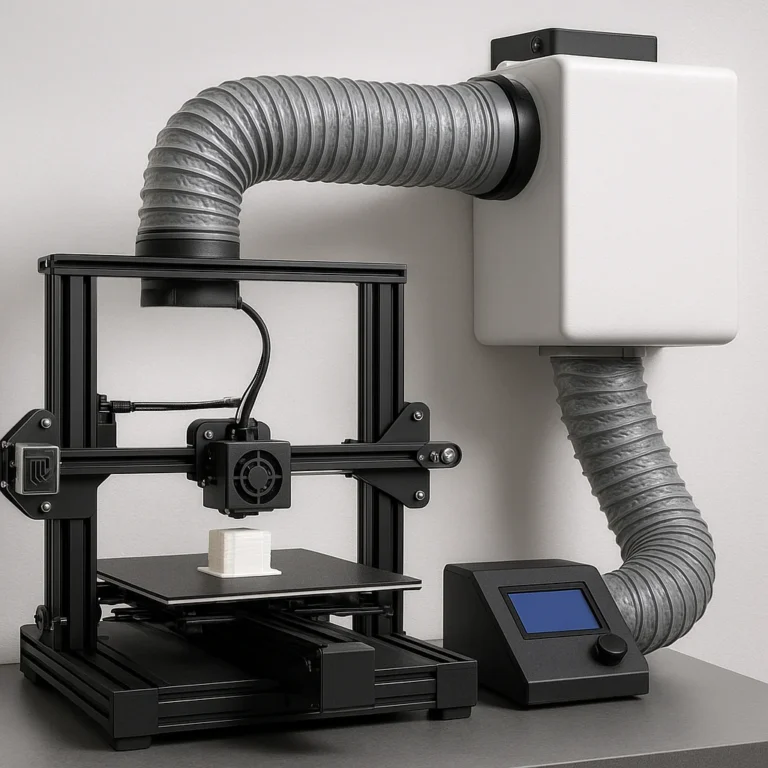
- Always ventilate your printing area.
- Wear gloves and a respirator when handling resin.
- Keep your workspace clean and organized.
- Store filaments properly to avoid moisture absorption.
- Follow manufacturer guidelines for your printer and materials.
📚 Reference Links
- 3D Systems – History of 3D Printing
- Stratasys – FDM Technology Overview
- RepRap Project
- Ultimaker Cura
- PrusaSlicer
- Shapeways – Industrial 3D Printing & Additive Manufacturing
- Xometry
- Protolabs
- NASA 3D Resources
- Teaching Tech Calibration Guide
- Mitutoyo Official Website
- Phrozen Official Website
- Anycubic Official Website
Ready to print your next masterpiece? Dive into our 3D Printable Objects and 3D Design Software categories for more expert guides and inspiration!