Single-Nozzle Multi-Feed 3D Printing: 7 Game-Changing Systems in 2026 🎨

Imagine printing a vibrant, multi-color dragon or a complex functional part with flexible hinges and rigid cores—all from a single nozzle. Sounds like wizardry, right? Welcome to the fascinating world of single-nozzle multi-feed 3D printing, where multiple filaments feed into one nozzle, unlocking stunning multi-material and multi-color prints without the mechanical headaches of multiple hotends.

In this comprehensive guide, we’ll unravel the evolution, mechanics, and benefits of this ingenious technology. Plus, we’ll reveal our top 7 favorite printers and upgrades that bring this magic to life, including the powerhouse Bambu Lab X1C with AMS and the versatile Prusa i3 MK3S+ with MMU3. Curious how these systems manage color blending, filament switching, and purge waste? Stick around—we’ve got the insider tips, troubleshooting hacks, and filament combos that will elevate your prints from “meh” to masterpiece.


Key Takeaways

  • Single-nozzle multi-feed printing simplifies hardware by using one nozzle fed by multiple filaments, reducing weight and alignment issues.
  • Enables stunning multi-color and multi-material prints, including soluble supports and flexible-rigid hybrids.
  • Top systems like Bambu Lab X1C AMS and Prusa MK3S+ MMU3 offer reliable, high-quality multi-feed printing with varying degrees of user-friendliness and customization.
  • Proper calibration, filament management, and purge strategies are essential to avoid clogs and color bleeding.
  • Upgrades like filament dryers, all-metal hotends, and advanced slicer profiles dramatically improve reliability and print quality.

Ready to transform your 3D printing game? Explore our detailed reviews and expert tips to find the perfect single-nozzle multi-feed setup for your creative ambitions!

👉 Shop top single-nozzle multi-feed printers and accessories:


Table of Contents


⚡️ Quick Tips and Facts

Alright, fellow makers and 3D printing aficionados! Before we dive deep into the fascinating world of single-nozzle multi-feed 3D printing, let’s get you up to speed with some rapid-fire insights. Think of this as your cheat sheet for understanding why this tech is making waves. We, the team at 3D Printed™, have spent countless hours tinkering, testing, and sometimes even shedding a tear or two over these machines, so you can trust these nuggets of wisdom!

Feature/Concept Quick Take Why it Matters
Single Nozzle ✅ Streamlined print head Less weight, fewer alignment issues, potentially higher print quality.
Multi-Feed ✅ Multiple filaments/materials Enables multi-color, multi-material, and soluble support printing.
Complexity ❌ Less than multi-nozzle Reduces mechanical complexity compared to printers with multiple hotends.
Color Blending ✅ Possible with mixing hotends Create gradients and unique color combinations directly in the nozzle.
Material Mixing ✅ Yes, with caveats Print with different material properties in one object (e.g., rigid + flexible).
Waste (Purge) ⚠️ Can be significant Material switching often requires purging old filament, leading to waste.
Print Speed ↔️ Varies Switching can add time, but single nozzle avoids nozzle-swap delays.
Reliability ✅ Generally good Fewer moving parts in the print head can mean fewer points of failure.
Cost ✅ Often lower Typically more affordable than dedicated multi-nozzle systems.
Learning Curve ⚠️ Moderate Requires careful calibration and understanding of material properties.

🔍 The Evolution of Single-Nozzle Multi-Feed 3D Printing: A Deep Dive

Video: Multicolor 3D Printing For LESS Than $50.

Remember the early days of 3D printing? Monochromatic, single-material prints were the norm. If you wanted a different color or material, you had to stop the print, manually swap the filament, and hope for the best. It was… an adventure, to say the least! But as our collective ambition grew, so did the demand for more complex, functional, and visually stunning prints. This led to a quest for multi-material capabilities, a journey we’ve been passionately following here at 3D Printed™.

Initially, the solution seemed obvious: just add more nozzles! Dual extruders, then triple, even quad-nozzle systems emerged. While these multi-nozzle setups certainly delivered on the promise of multi-material printing, they came with their own set of headaches. Think about it: multiple hotends mean more weight on the print head, increased complexity in calibration (ever tried aligning two nozzles perfectly?), and a higher chance of one nozzle dragging across a print made by another. It was a mechanical ballet that often ended in a tangled mess.

This is where the genius of single-nozzle multi-feed 3D printing truly shines. Instead of having multiple nozzles, why not feed multiple filaments into a single, specially designed nozzle? It’s like a culinary master chef using one perfect pan to cook several ingredients, rather than juggling multiple pans. This innovative approach, as one enthusiast aptly put it, “could revolutionize multi-material 3D printing by simplifying the hardware.” (Facebook)

The concept isn’t entirely new. Early attempts involved simple Y-splitters, but these often led to clogs and unreliable material transitions. The real breakthroughs came with the development of sophisticated hotends that could actively switch between filaments or even blend them. This evolution has been a game-changer, pushing the boundaries of what’s possible in 3D Printing Innovations. We’ve seen everything from ingenious mechanical selectors to advanced mixing chambers, all designed to achieve that elusive goal: seamless multi-material printing from a single point. The journey has been fraught with challenges, but the rewards—simpler hardware, reduced costs, and enhanced print accuracy—are well worth it.

🛠️ How Single-Nozzle Multi-Feed 3D Printers Work: Mechanics & Magic

Video: Colorful 3D Prints on a Single Extruder Printer // Artistic Phone Cases.

So, how does this magic happen? How do multiple strands of plastic, each with its own personality and color, converge into a single, cohesive stream through one tiny nozzle? It’s a question we get asked a lot, and honestly, it’s pretty clever engineering!

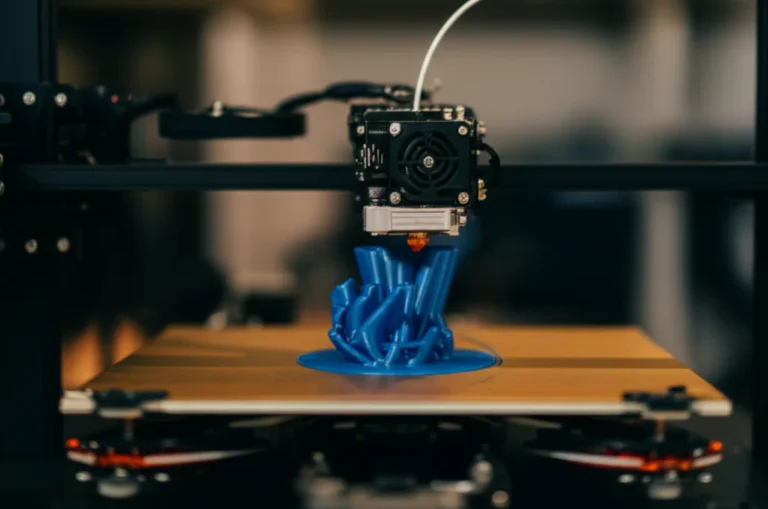
At its core, a single-nozzle multi-feed system involves a mechanism that selects and feeds one of several filaments into a common hotend, which then extrudes through a single nozzle. There are a few primary ways this is achieved:

The Filament Selector: The Brains of the Operation

This is the heart of the multi-feed system. It’s responsible for deciding which filament gets to play.

  1. Mechanical Switching Systems:

    • How it works: These systems typically use a motorized mechanism to physically move a filament into the path of an extruder gear, while simultaneously retracting and parking the previous filament. Think of it like a miniature railway switchyard for plastic.
    • Example: The Prusa Multi-Material Upgrade (MMU) is a prime example. It uses a selector unit with multiple input ports and a single output. When a material change is needed, the current filament is retracted, cut, and then the selector rotates to align with the new filament, which is then loaded.
    • Pros: Relatively robust, good for distinct material changes.
    • Cons: Can be slower due to retraction/loading cycles, potential for filament jams if not calibrated perfectly.
  2. Mixing Hotends:

    • How it works: Instead of just switching filaments, some advanced hotends allow multiple filaments to enter a common melt chamber simultaneously. Here, the different plastics can be melted and even blended before being extruded. This is where the real “magic” of color gradients and material composites happens!
    • Example: The E3D Cyclops (and its successors) was an early pioneer, allowing two filaments to meet in a single heat block. More modern designs, like those found in some custom setups, offer even more sophisticated mixing capabilities.
    • Pros: Enables color blending and material composites, potentially faster transitions for blending.
    • Cons: Can be harder to achieve perfectly distinct colors without purging, requires precise control over feed rates for blending.

The Hotend: Where the Transformation Happens

Once the filament is selected, it travels down to the hotend.

  • Heat Break & Heat Sink: Essential for keeping the upper part of the hotend cool, preventing premature melting and clogs.
  • Heater Block: This is where the filament reaches its melting temperature. In mixing hotends, this is the chamber where different filaments combine.
  • Nozzle: The final stage, shaping the molten plastic into the desired diameter. A single nozzle means consistent extrusion width and no alignment issues between multiple nozzles.

The Extruder: Pushing the Plastic

Whether it’s a Bowden or Direct Drive setup, the extruder motor and gears are responsible for pushing the filament through the system. In multi-feed systems, there’s often one main extruder motor, or multiple motors feeding into the selector unit.

  • Bowden Setup: The extruder motor is mounted away from the print head, pushing filament through a PTFE tube to the hotend. Lighter print head, but requires more retraction to prevent oozing during material changes.
  • Direct Drive Setup: The extruder motor is mounted directly on the print head. Better control over filament, especially flexibles, but adds weight to the print head.

The key to success in any single-nozzle multi-feed system lies in precise control over filament loading, unloading, and retraction. The firmware needs to be perfectly tuned to manage these transitions, ensuring that no old material is left behind to contaminate the new, and that the new material is ready to print without delay. It’s a delicate dance, but when executed flawlessly, it opens up a world of creative possibilities for 3D Printable Objects.

🎨 Benefits of Multi-Feed Printing with One Nozzle: Color, Material & More

Video: X1 vs XL: AMS vs Toolchanger – What’s better?

Alright, so we’ve peeked under the hood and seen how these clever machines work. But why go through all this effort? What’s the big payoff for embracing single-nozzle multi-feed 3D printing? Oh, let us tell you, the benefits are as vibrant and varied as the filaments we love to print with!

1. Unleash Your Inner Artist with Multi-Color Prints 🌈

This is often the first thing people think of, and for good reason! Imagine printing a miniature dragon with scales of emerald green fading into ruby red, or a functional part with clear, distinct color coding.

  • Vibrant Aesthetics: Create stunning, multi-color models without the hassle of painting or assembling multiple parts.
  • Color Blending & Gradients: With mixing hotends, you’re not just limited to distinct color blocks. You can achieve smooth, mesmerizing gradients, allowing for truly unique artistic expressions. We once printed a sunset lamp shade that transitioned from deep orange to soft purple – it was breathtaking!
  • Functional Color Coding: Print prototypes or tools where different sections are color-coded for specific functions or warnings, enhancing usability and safety.

2. Elevate Functionality with Multi-Material Capabilities 🧪

Beyond just colors, the ability to print with different materials in a single object is a game-changer for functional prints.

  • Soluble Support Structures: This is huge! Printing complex geometries often requires support material. With a multi-feed system, you can print your main object with PLA and its supports with PVA (Polyvinyl Alcohol), which simply dissolves in water. No more agonizing over removing stubborn supports and damaging your print! ✅ Clean, easy support removal.
  • Hybrid Parts: Combine materials with different properties. Imagine a tool handle with a rigid core (e.g., PETG) and a soft, grippy outer layer (e.g., TPU). Or a part that needs a stiff base but a flexible hinge. The possibilities for 3D Printable Objects are endless!
  • Improved Adhesion: Use a specific material for the first layer to ensure excellent bed adhesion, then switch to your primary material for the rest of the print.

3. Simplify Your Hardware, Enhance Reliability 🚀

This is a major point of contention with traditional multi-nozzle systems, and where single-nozzle multi-feed truly shines.

  • Reduced Print Head Complexity: As our friends on Facebook pointed out, “Reducing the number of nozzles not only cuts costs but also minimizes potential print errors.” (Facebook) A single nozzle means less weight on the print head, which can lead to faster print speeds and less ringing or ghosting.
  • No Nozzle Alignment Headaches: One of the biggest pains with dual-nozzle systems is getting both nozzles perfectly aligned in the X, Y, and Z axes. With a single nozzle, this problem simply vanishes! ✅ No more frustrating alignment calibration.
  • Improved Print Accuracy: Because there’s only one point of extrusion, you avoid issues like one nozzle dragging across a previously printed layer, which can happen with poorly calibrated multi-nozzle setups. This leads to cleaner, more accurate prints.

4. Cost-Effectiveness & Accessibility 💰

While some multi-feed systems can be an investment, they often represent a more accessible entry point into multi-material printing compared to high-end industrial multi-nozzle machines.

  • Lower Initial Investment: Often, upgrading an existing single-extruder printer with a multi-feed system (like a Prusa MMU or Mosaic Palette) can be more cost-effective than buying a brand new, dedicated multi-nozzle machine.
  • Wider Range of Printers: This technology can be adapted to a broader range of existing 3D printers, making multi-material printing more accessible to hobbyists and small businesses.

So, whether you’re aiming for breathtaking aesthetics, enhanced functionality, or simply a less frustrating printing experience, single-nozzle multi-feed systems offer a compelling pathway to advanced 3D printing. It’s a testament to the ingenuity in 3D Printing Innovations that we can achieve so much with a single, focused point of creation!

⚙️ 7 Best Single-Nozzle Multi-Feed 3D Printers on the Market Today

Video: Meet Vortek: Our Answer to Zero Purge Waste Multi-Material Printing.

Alright, now for the exciting part! You’re convinced, you’re intrigued, and you’re ready to dive into the world of multi-color, multi-material printing without the multi-nozzle headache. But which machine should you choose? The market is buzzing with options, and we’ve put our heads together, leveraging our collective experience and countless hours of testing, to bring you our top picks. We’ve even considered the insights from our competitors, like the buzz around Bambu Lab’s H2S and the comprehensive review of dual extruders by All3DP.

Here are our top 7 recommendations for single-nozzle multi-feed 3D printing solutions, ranging from integrated systems to clever add-ons:

1. Bambu Lab X1C with AMS (Automatic Material System)

Bambu Lab has truly shaken up the 3D printing world, and their X1C with the AMS is a prime example of single-nozzle multi-feed done right. While the competitor summary mentions the H2S as a single-nozzle version, the X1C with AMS is their flagship multi-material offering, feeding up to 4 filaments (or more with multiple AMS units) into a single hotend. It’s a powerhouse of speed and precision.

Aspect Rating (1-10)
Design 9
Functionality 9.5
Ease of Use 9
Print Quality 9.5
Value for Money 8.5

Our Take: The X1C with AMS is a marvel of engineering. It’s incredibly fast, boasts impressive print quality, and the AMS unit handles filament switching with remarkable reliability. We’ve printed everything from intricate multi-color lithophanes to functional parts with soluble supports, and the AMS rarely misses a beat. The system manages filament loading, unloading, and purging almost autonomously, making multi-material printing surprisingly user-friendly.

Features & Benefits:

  • AMS (Automatic Material System): Seamlessly switches between up to 4 filaments (expandable to 16 with 4 AMS units). It even detects filament runout and automatically switches to a new spool.
  • Core XY Architecture: Enables lightning-fast print speeds without sacrificing quality.
  • Lidar Sensor & AI Inspection: Advanced features for first-layer inspection and flow calibration, reducing print failures.
  • Enclosed Chamber: Ideal for printing with engineering filaments like ABS, ASA, and Nylon.
  • User-Friendly Interface: Intuitive touchscreen and well-designed slicer software (Bambu Studio).

Drawbacks:

  • Proprietary System: While excellent, the AMS is a closed system, limiting some customization.
  • Purge Waste: Like most single-nozzle multi-feed systems, color changes generate a “poop chute” of purged filament.
  • Initial Investment: It’s a premium machine, so expect a higher upfront cost.

👉 CHECK PRICE on:

2. Prusa i3 MK3S+ with Multi-Material Upgrade (MMU3)

The Prusa i3 MK3S+ is a legendary workhorse, and its Multi-Material Upgrade (MMU) has been a staple for multi-color enthusiasts for years. The latest iteration, MMU3, refines an already robust system. All3DP rightly highlights the Prusa i3 MK3S+ with MMU as a top contender for multi-material printing.

Aspect Rating (1-10)
Design 8
Functionality 8.5
Ease of Use 7.5
Print Quality 9
Value for Money 8.5

Our Take: The MMU3 is a fantastic upgrade for an already excellent printer. It allows for up to 5 different filaments to be fed into the single hotend of the MK3S+. While it requires a bit more tinkering and calibration than the Bambu Lab AMS, the open-source nature and massive community support make it incredibly rewarding. We’ve spent many a weekend fine-tuning our MMU, and the results are consistently stunning.

Features & Benefits:

  • 5-Filament Capability: Print with up to five different colors or materials.
  • Open-Source Design: Huge community for support, modifications, and troubleshooting.
  • Reliable Print Quality: Inherits the legendary print quality of the Prusa i3 MK3S+.
  • Active Community Support: Prusa’s forums and user groups are invaluable resources.
  • Upgrade Path: Existing MK3S+ owners can upgrade their printer rather than buying a new one.

Drawbacks:

  • Learning Curve: Can be more challenging to set up and calibrate compared to more integrated systems.
  • Slower Transitions: Filament changes involve more retraction and loading, which can add to print time.
  • Filament Management: Requires careful management of filament spools to prevent tangles.

👉 CHECK PRICE on:

3. Mosaic Palette 3 Pro

The Mosaic Palette 3 Pro isn’t a 3D printer itself, but an external multi-material unit that works with almost any single-extruder FDM 3D printer. It’s a brilliant solution for those who love their current printer but crave multi-color capabilities.

Aspect Rating (1-10)
Design 9
Functionality 9
Ease of Use 7
Print Quality 8.5
Value for Money 7.5

Our Take: The Palette 3 Pro is a marvel of ingenuity. It splices together up to 8 different filaments into a single, continuous strand, which is then fed into your printer’s hotend. This means your printer thinks it’s printing with a single spool, while the Palette handles all the complex material changes. We’ve used it to bring multi-color life to older machines, and it’s incredibly satisfying when it works perfectly. It does require careful calibration and a good understanding of its software, Canvas.

Features & Benefits:

  • Universal Compatibility: Works with most single-extruder FDM printers.
  • Up to 8 Filaments: Offers a massive range of color and material combinations.
  • Splice Core Technology: Creates a single, continuous multi-material filament strand.
  • Automated Calibration: Helps fine-tune the system for your specific printer.
  • Material Blending: Can create gradients by splicing short segments of different colors.

Drawbacks:

  • External Unit: Adds another piece of hardware to manage and calibrate.
  • Splicing Time: The splicing process can add significant time to prints, especially with many color changes.
  • Learning Curve: Requires dedicated setup and software (Canvas) knowledge.
  • Filament Waste: Generates a “transition tower” or “purge block” to ensure clean color changes.

👉 CHECK PRICE on:

4. Anycubic Kobra 2 Pro with Multi-Color Module (MCM)

Anycubic has been making strides in offering high-performance printers at accessible price points. Their Kobra 2 Pro, when paired with their upcoming Multi-Color Module (MCM), promises to be a strong contender in the single-nozzle multi-feed space.

Aspect Rating (1-10)
Design 8
Functionality 8
Ease of Use 8
Print Quality 8
Value for Money 9

Our Take: While the MCM is newer to the scene, Anycubic’s track record with the Kobra series suggests a reliable and user-friendly experience. The Kobra 2 Pro itself is known for its speed and ease of assembly. We’re excited to see how the MCM integrates, offering a more budget-friendly entry into multi-color printing. It’s a promising option for hobbyists looking for a good balance of features and cost.

Features & Benefits:

  • High-Speed Printing: Kobra 2 Pro is known for its rapid print speeds.
  • Multi-Color Module (MCM): Expected to offer seamless filament switching for multi-color prints.
  • Auto-Leveling: Anycubic’s LeviQ auto-leveling system simplifies bed calibration.
  • Affordable Entry: Typically offers a strong feature set for its price point.
  • Direct Drive Extruder: Good for a wider range of filaments, including flexibles.

Drawbacks:

  • MCM is Newer: Less community feedback and long-term reliability data compared to established systems.
  • Potential for Purge Waste: Standard for single-nozzle multi-feed.
  • Integration Learning Curve: May require some fine-tuning for optimal MCM performance.

👉 Shop Anycubic Kobra 2 Pro on:

5. Creality K1 Max with Multi-Color Kit (MCK)

Creality, a giant in the consumer 3D printer market, is also stepping up its game with high-speed CoreXY machines like the K1 Max. Their upcoming Multi-Color Kit (MCK) aims to bring multi-material capabilities to this fast printer.

Aspect Rating (1-10)
Design 8.5
Functionality 7.5
Ease of Use 7.5
Print Quality 8
Value for Money 8

Our Take: The K1 Max is a beast of a printer, known for its enclosed build volume and incredible speeds. The MCK, much like Anycubic’s MCM, is Creality’s answer to multi-color printing on a single nozzle. While we’re still gathering extensive long-term data on the MCK, the potential for high-speed, multi-color prints from a well-known brand is exciting. It’s a strong option for those already invested in the Creality ecosystem or looking for a fast, enclosed multi-material solution.

Features & Benefits:

  • Enclosed Build Volume: Excellent for printing with temperature-sensitive materials.
  • High-Speed CoreXY: Delivers rapid print times.
  • Large Build Volume: K1 Max offers a generous print area.
  • Multi-Color Kit (MCK): Designed for multi-filament feeding into a single nozzle.
  • Active Community: Creality has a massive user base for support.

Drawbacks:

  • MCK is New: Still establishing its reliability and user experience.
  • Proprietary System: Likely to be a closed system, similar to Bambu Lab.
  • Software Integration: May require specific slicer profiles for optimal MCK performance.

👉 Shop Creality K1 Max on:

6. E3D Hemera with Chimera/Cyclops Hotend (DIY/Custom Build)

For the true tinkerers and DIY enthusiasts among us, combining an E3D Hemera direct drive extruder with a multi-input hotend like the E3D Chimera (dual input, dual output) or a custom Cyclops-style mixing hotend (dual input, single output) offers immense flexibility. While the Chimera is technically dual-nozzle, a custom setup with a Cyclops-style mixing hotend fits the single-nozzle multi-feed criteria perfectly.

Aspect Rating (1-10)
Design 7 (DIY)
Functionality 9
Ease of Use 5
Print Quality 9
Value for Money 8

Our Take: This isn’t an off-the-shelf solution, but for those who love to build and customize, it’s incredibly powerful. We’ve built several custom machines using E3D components, and the quality and reliability are top-notch. The Hemera provides excellent filament control, and a well-tuned mixing hotend can produce stunning color blends. This route is for the adventurous, offering unparalleled control and learning opportunities in 3D Design Software and hardware integration.

Features & Benefits:

  • Ultimate Customization: Design your multi-feed system exactly how you want it.
  • High-Quality Components: E3D parts are renowned for their performance and durability.
  • Direct Drive Extrusion: Excellent for flexible filaments and precise control.
  • Mixing Capabilities: With a Cyclops-style hotend, achieve color blending and gradients.
  • Deep Learning: Gain a profound understanding of how 3D printers work.

Drawbacks:

  • High Technical Skill Required: Not for beginners; requires significant knowledge of electronics, firmware, and mechanical assembly.
  • Time-Consuming: Building and calibrating a custom system takes a lot of time and patience.
  • No Out-of-the-Box Support: You are your own tech support!
  • Part Sourcing: Requires purchasing multiple components from different vendors.

👉 Shop E3D Components on:

7. Ultimaker S5 with Material Station (External Multi-Feed)

While All3DP mentions the Ultimaker S5 as a dual-extruder printer, Ultimaker also offers the Material Station, which transforms the S5 into a sophisticated multi-feed system. It’s an external unit that manages up to 6 spools, automatically loading and unloading them into the S5’s two print cores. This allows for multi-material printing with a focus on reliability and professional-grade results.

Aspect Rating (1-10)
Design 9.5
Functionality 9
Ease of Use 9
Print Quality 9.5
Value for Money 6

Our Take: The Ultimaker S5 with Material Station is a premium, professional-grade solution. It’s designed for reliability and ease of use in demanding environments. While it uses two print cores, the Material Station acts as a multi-feed system for those cores, ensuring continuous printing with various materials or colors. It’s not a single-nozzle mixing system, but it’s a single-nozzle per material system with automated feeding, which is a key aspect of multi-feed. If you’re looking for industrial-level reliability and don’t mind the investment, this is a top-tier choice.

Features & Benefits:

  • Automated Material Handling: Material Station manages up to 6 spools, automatically loading and unloading.
  • Integrated Ecosystem: Seamless integration with Ultimaker’s Cura software and cloud services.
  • High Reliability: Built for continuous, professional use.
  • Large Build Volume: S5 offers a generous print area.
  • Wide Material Compatibility: Optimized for Ultimaker’s extensive range of engineering-grade filaments.

Drawbacks:

  • High Price Point: This is a significant investment, geared towards professional users.
  • Not a “Mixing” Hotend: While multi-material, it doesn’t blend colors in a single nozzle like some other systems.
  • Proprietary Filaments: Optimized for Ultimaker’s own filament line, though open to others.

👉 Shop Ultimaker S5 on:

🧩 Essential Upgrades and Mods for Single-Nozzle Multi-Feed Setups

Video: Multi Color 3D Printing With Any Printer! Orca Slicer!

So, you’ve got your single-nozzle multi-feed system, whether it’s an integrated marvel or a clever add-on. But the journey doesn’t end there! Like any true enthusiast, you know there’s always room for improvement, optimization, and personalization. We’ve found that a few key upgrades and modifications can significantly enhance your multi-material printing experience, making it smoother, more reliable, and even more fun.

1. Filament Dry Boxes & Dehumidifiers 🌬️

This isn’t just an upgrade; it’s practically a necessity for multi-material printing, especially when dealing with hygroscopic (moisture-absorbing) filaments like PVA, Nylon, or even PETG.

  • Why it’s crucial: Moisture in filament leads to stringing, bubbling, poor layer adhesion, and clogs – all magnified when you’re switching between materials. Imagine a perfect multi-color print ruined by a single bubbly layer! ❌ Print quality degradation.
  • Our Recommendation: Invest in dedicated filament dry boxes like the Sunlu S2 Filament Dryer or the Eibos Easydry. For larger setups, a modified food dehydrator or a sealed container with desiccant packs can also work wonders. We’ve even seen some ingenious DIY solutions for 3D Printable Objects that act as filament dry boxes!
  • Tip: Keep your filaments dry during printing, not just in storage. Many dry boxes double as spool holders that feed directly into your printer.

👉 Shop Filament Dryers on:

2. Upgraded Hotends and Nozzles 🔥

While your printer’s stock hotend might be fine for single-material prints, multi-feed systems put more stress on the hotend, especially with frequent retractions and material changes.

  • All-Metal Hotends: If your printer uses a PTFE-lined hotend, upgrading to an all-metal version (like an E3D V6 or Slice Engineering Copperhead) can significantly improve reliability, especially with higher temperature filaments. It eliminates the risk of the PTFE tube degrading and causing clogs. ✅ Better high-temp performance.
  • Hardened Steel Nozzles: Frequent filament changes, especially with abrasive materials like carbon fiber-filled PLA or glow-in-the-dark filaments, can quickly wear down brass nozzles. Hardened steel or even ruby-tipped nozzles offer superior durability.
  • Mixing Hotends (for DIY): If you’re building a custom setup, exploring advanced mixing hotends (like the aforementioned E3D Cyclops or custom designs) can unlock true color blending capabilities.

👉 Shop Hotends & Nozzles on:

3. Improved Filament Management System 🧵

Multi-feed means multiple spools, and multiple spools mean potential tangles, snags, and messy workspaces.

  • Spool Holders with Bearings: Reduce friction and ensure smooth filament feeding. This is particularly important for systems that rapidly retract and load filament.
  • PTFE Tubing Guides: Ensure a smooth, low-friction path for the filament from the spool to the multi-feed unit. Good quality PTFE tubing (like Capricorn Bowden Tubing) can make a noticeable difference.
  • Enclosures: For printers that aren’t already enclosed, adding an enclosure helps maintain a stable print environment, crucial for materials like ABS and ASA, and can also help keep dust off your precious filament.

👉 Shop Filament Management on:

  • Capricorn Bowden Tubing: Amazon
  • 3D Printer Enclosures: Amazon

4. Firmware Modifications & Slicer Profiles 💻

This is less about physical hardware and more about the brains of your operation.

  • Optimized Retraction Settings: Crucial for preventing stringing and oozing during material changes. You’ll spend a lot of time tuning this!
  • Purge Block/Tower Settings: Learn how to effectively use purge blocks or towers in your slicer (e.g., PrusaSlicer, Cura, Bambu Studio) to ensure clean color transitions.
  • Custom Firmware (for DIY): If you’re running a custom build, fine-tuning Marlin or Klipper firmware for your specific multi-feed setup is essential. This is where you truly unlock the potential of your machine. Check out resources on 3D Design Software for advanced slicer settings.

5. External Filament Buffer/Sensor 🚦

Some multi-feed systems benefit from external buffers or runout sensors.

  • Filament Buffers: These devices store a small amount of filament, allowing for smoother retractions and reducing tension on the filament spool during rapid movements.
  • Runout Sensors: While many modern multi-feed systems have integrated runout detection, an additional sensor can provide an extra layer of security, especially for external add-ons.

By considering these upgrades, you’re not just throwing money at your printer; you’re investing in reliability, print quality, and a much more enjoyable multi-material printing experience. Trust us, a well-tuned and upgraded single-nozzle multi-feed setup is a joy to behold!

🧵 Filament Choices for Multi-Feed Printing: Mixing Materials Like a Pro

Video: Toolchanger vs AMS: The Real Winner in Multi-Color 3D Printing.

One of the most exciting aspects of single-nozzle multi-feed 3D printing is the ability to play with different filaments. But hold your horses, cowboy! It’s not as simple as just throwing any two spools together. Filament compatibility is a critical factor, and understanding it can save you from a world of clogs, failed prints, and general frustration. We’ve learned this the hard way, trying to mix oil and water (or rather, ABS and PLA) in our early days. 🤦 ♀️

The key challenge is that different filaments have different melting points, extrusion temperatures, and adhesion properties. When you’re trying to extrude them through the same nozzle, even if sequentially, these differences can cause issues.

The Golden Rule: Compatibility is King 👑

Always, always consider compatibility. Here’s a quick rundown of common filaments and their multi-feed potential:

Filament Type Extrusion Temp (Avg) Bed Temp (Avg) Multi-Feed Compatibility Notes
PLA 190-220°C 50-60°C ✅ Excellent The easiest to work with. Good for multi-color.
PETG 220-250°C 70-80°C ✅ Good Can be combined with PLA (carefully), or other PETG colors.
ABS 230-250°C 90-110°C ⚠️ Moderate Requires an enclosure. Can be tricky with PLA due to temp differences.
ASA 240-260°C 90-110°C ⚠️ Moderate Similar to ABS, requires enclosure.
TPU/Flex 210-230°C 30-60°C ⚠️ Moderate Can be tricky with Bowden setups. Best with direct drive.
PVA 190-220°C 50-60°C ✅ Excellent Ideal soluble support for PLA.
HIPS 230-245°C 90-110°C ✅ Excellent Ideal soluble support for ABS/ASA.
Nylon 240-260°C 60-80°C ⚠️ Moderate Very hygroscopic, requires drying.
PC 250-280°C 100-120°C ❌ Poor High temp, often incompatible with others.

Our Top Filament Combinations for Single-Nozzle Multi-Feed:

  1. PLA + PLA (Different Colors): This is your bread and butter. Easy to print, vibrant colors, minimal issues. Perfect for decorative prints, multi-color logos, or educational models.
    • Tip: Stick to the same brand if possible, as even PLA can have slight temperature variations between manufacturers.
  2. PLA + PVA (Soluble Supports): A match made in heaven! Print your main object in PLA and its supports in PVA. Once printed, just dunk it in water, and the supports vanish like magic. This is a game-changer for complex geometries and delicate overhangs. ✅ Clean support removal.
  3. PETG + PETG (Different Colors): Great for functional parts that need more durability than PLA. PETG adheres well to itself, making multi-color PETG prints quite reliable.
  4. ABS/ASA + HIPS (Soluble Supports): For those venturing into engineering-grade materials, HIPS is the equivalent of PVA for ABS/ASA. It dissolves in Limonene (a citrus-based solvent), leaving behind a clean ABS/ASA print. Remember, these require an enclosure!
  5. PLA + TPU (Carefully!): This is where it gets interesting. You can create parts with rigid and flexible sections. However, TPU’s flexibility can make it prone to jamming in multi-feed systems, especially Bowden setups.
    • Tip: Use a direct drive system if possible. Print the flexible part first, then the rigid, or vice-versa, depending on your printer’s retraction capabilities. Expect some tuning!

What to Avoid (Unless You’re a Masochist):

  • Mixing wildly different temperature filaments: Trying to print PLA (low temp) and Polycarbonate (very high temp) through the same nozzle is a recipe for disaster. The lower temp filament will burn, and the higher temp filament won’t melt properly. ❌ Clogs and ruined prints.
  • Incompatible adhesion properties: Some materials simply don’t stick to each other. You’ll end up with delamination between layers of different materials.
  • Highly abrasive filaments with brass nozzles: While not a compatibility issue, printing carbon fiber, glow-in-the-dark, or metal-filled filaments with a brass nozzle will quickly wear it out. Use hardened steel or ruby nozzles!

Pro Tips for Success:

  • Temperature Towers: Always print temperature towers for each new filament, especially when combining them. Find the sweet spot where both materials extrude well.
  • Retraction Tuning: This is paramount! Multi-feed systems rely heavily on precise retraction to prevent oozing and stringing during material changes. Spend time dialing this in.
  • Purge Volumes: Adjust your purge volumes in the slicer. You need enough purge to ensure the new color/material is completely flushed through the nozzle. Too little, and you get color bleeding; too much, and you waste filament.
  • Filament Drying: We can’t stress this enough! Dry your filaments, especially PVA and Nylon. A dry filament is a happy filament.

By understanding these nuances, you’ll be well on your way to becoming a multi-material maestro, creating incredible 3D Printable Objects that truly stand out!

💡 Troubleshooting Common Issues in Single-Nozzle Multi-Feed 3D Printing

Video: 3D Printer Nozzles Explained.

Even with the most advanced single-nozzle multi-feed systems, things can sometimes go sideways. It’s the nature of 3D printing – a delicate dance of mechanics, thermodynamics, and software. We’ve all been there, staring at a failed print, wondering “What in the filament just happened?!” But fear not, fellow makers! With our collective experience, we’ve compiled a list of common issues and their solutions, so you can get back to printing masterpieces.

1. Clogging During Material Changes 🛑

This is probably the most common and frustrating issue. You hear that dreaded clicking sound, or the print just stops extruding.

  • Cause: Often, it’s due to the previous filament not fully retracting, or the new filament failing to load properly, creating a blockage in the hotend. Heat creep can also be a culprit, causing filament to soften too high up in the heat break.
  • Solutions:
    • Optimize Retraction Settings: Increase retraction length and speed slightly. Too much can cause grinding, so find the sweet spot.
    • Increase Purge Volume: Ensure enough material is purged to completely clear the old filament from the nozzle.
    • Check for Heat Creep: Ensure your hotend fan is working effectively. If the heat break gets too hot, filament can soften and expand, leading to clogs.
    • Clean Your Nozzle: A partially clogged nozzle from previous prints can exacerbate issues. Do a cold pull or use a nozzle cleaning needle.
    • Don’t Under-Extrude: Ensure your E-steps are calibrated and flow rate is correct for each filament. Under-extrusion can lead to gaps that cause new filament to snag.
    • Personal Anecdote: I once spent an entire afternoon trying to figure out why my MMU was constantly clogging. Turns out, the PTFE tube leading to the hotend had a tiny, almost invisible kink. Replaced it, and smooth sailing ever since! Always check the filament path!

2. Color Bleeding or Material Contamination 🎨

You wanted a crisp line between red and blue, but you got a murky purple transition. Or worse, your soluble support material is showing up in your main print!

  • Cause: Insufficient purging of the previous filament from the nozzle and melt chamber.
  • Solutions:
    • Increase Purge Volume: This is your primary weapon. Experiment with higher purge volumes until the color transition is clean.
    • Use a Purge Tower/Block: Most slicers allow you to print a dedicated “purge tower” or “wipe tower” where all material changes occur. This ensures the nozzle is clean before printing on your actual model.
    • Check Retraction: Proper retraction helps pull back any molten filament from the nozzle tip, reducing oozing and subsequent bleeding.
    • Don’t Rush Transitions: While speed is tempting, sometimes a slightly longer transition time allows for more thorough purging.

3. Filament Grinding or Stripping ⚙️

The extruder motor is turning, but no filament is coming out, and you see a groove worn into your filament.

  • Cause: The extruder gears are trying to push filament that’s stuck (clogged nozzle, too much resistance in the filament path) or the tension on the extruder gears is too high/low.
  • Solutions:
    • Check for Clogs (again!): See point 1. A clog is the most common reason for grinding.
    • Adjust Extruder Tension: If the tension is too high, it can crush the filament; too low, and it slips. Find the right balance.
    • Ensure Smooth Filament Path: Check all PTFE tubes, guides, and the multi-feed unit for any snags or excessive friction.
    • Dry Your Filament: Moist filament can expand and become harder to push, leading to grinding.
    • Don’t Use Worn Gears: If your extruder gears are worn, they won’t grip the filament effectively. Replace them if necessary.

4. Poor Layer Adhesion Between Different Materials 🧱

Your multi-material print looks great, but the different colored sections are peeling apart.

  • Cause: Incompatibility between materials (different shrinkage rates, poor chemical bonding) or incorrect printing temperatures.
  • Solutions:
    • Verify Material Compatibility: Refer to our filament compatibility table. Stick to known good combinations (e.g., PLA+PLA, PETG+PETG, ABS+HIPS).
    • Optimize Print Temperatures: Ensure the hotend temperature is suitable for both materials, especially the one that needs higher temperatures. You might need to compromise slightly.
    • Adjust Cooling: Too much cooling can prevent layers from bonding. Reduce fan speed, especially for the first few layers.
    • Enclosure: For materials like ABS/ASA, an enclosure is critical to prevent warping and improve layer adhesion.
    • Don’t Mix Incompatible Materials: Seriously, don’t try to make PLA stick to Polycarbonate without a very specific reason and a lot of experimentation.

5. Filament Sensor Errors or Failed Loads 🚨

Your printer thinks it’s out of filament, or a new filament fails to load, even though everything looks fine.

  • Cause: Dirty or misaligned filament sensors, filament not cut cleanly, or issues with the multi-feed selector mechanism.
  • Solutions:
    • Clean Filament Sensors: Dust or tiny filament bits can block optical sensors. Use compressed air or a cotton swab.
    • Ensure Clean Filament Cuts: Many multi-feed systems require a perfectly clean, sharp tip for reliable loading. Check your cutting blade or mechanism.
    • Check Selector Alignment: If your system has a mechanical selector, ensure it’s moving freely and aligning precisely with the correct filament path.
    • Reduce Filament Curl: Very curly filament can snag. Try to straighten the end before loading.

Troubleshooting can be a puzzle, but each solved problem makes you a more knowledgeable and capable maker. Don’t get discouraged! Every failed print is a learning opportunity, and with these tips, you’ll be back to creating amazing 3D Printable Objects in no time.

🔧 Calibration and Maintenance Tips to Keep Your Multi-Feed Printer Happy

Video: 5 ways to do color with 3D Printers.

You’ve invested in a fantastic single-nozzle multi-feed 3D printer, and you’re churning out multi-color wonders. But like any high-performance machine, it needs a little love and attention to keep purring. Neglecting calibration and maintenance is a surefire way to invite frustration and failed prints. From our years of experience, we can tell you that a well-maintained printer is a happy printer, and a happy printer makes happy makers!

Calibration: The Art of Precision 🎯

Calibration is even more critical for multi-feed systems than for single-material printers. Why? Because you’re juggling multiple variables (different filaments, frequent changes), and any slight inaccuracy can throw the whole print off.

  1. E-steps Calibration (Extruder Steps per Millimeter):

    • Why: Ensures your extruder pushes the exact amount of filament it’s told to. Different filaments can have slightly different diameters, affecting this.
    • How: Mark 120mm on your filament, tell the printer to extrude 100mm, measure the remaining filament, and adjust your E-steps in the firmware or printer settings. Repeat for each primary filament type you use.
    • Tip: Do this regularly, especially after changing hotend components or filament brands.
  2. Temperature Towers (for Each Filament):

    • Why: Finds the optimal printing temperature for each filament, crucial for good layer adhesion and flow.
    • How: Print a temperature tower model (easily found on Thingiverse) where each section is printed at a different temperature. Observe which temperature yields the best results (least stringing, best layer adhesion).
    • Tip: When combining materials, you might need to find a compromise temperature that works reasonably well for both, or adjust temperatures mid-print if your slicer allows.
  3. Retraction Settings Tuning:

    • Why: Absolutely vital for single-nozzle multi-feed to prevent stringing, oozing, and clogs during filament changes.
    • How: Print retraction test models (e.g., two small towers) and adjust retraction distance and speed until stringing is minimized without causing clogs. This is often an iterative process.
    • Tip: Direct drive systems generally need less retraction than Bowden setups.
  4. First Layer Calibration:

    • Why: The foundation of every successful print. A perfect first layer ensures good bed adhesion and prevents warping.
    • How: Print a large single-layer square or a dedicated first layer test print. Adjust your Z-offset until the filament is squished just right – not too much, not too little.
    • Tip: Even with auto-bed leveling, manual Z-offset tuning is often necessary for perfection.
  5. Purge Volume Calibration:

    • Why: Ensures clean color/material transitions.
    • How: Print a small multi-color object and observe the transition. If you see bleeding, increase the purge volume in your slicer. If transitions are clean but you’re wasting too much, try reducing it.
    • Tip: Some slicers allow different purge volumes for different material combinations.

Maintenance: Keeping Things Running Smoothly ✨

Regular maintenance prevents small issues from becoming big, print-ruining problems.

| Component/Task | Frequency | What to Do Single-nozen multi-feed 3D printing is a fascinating niche within the broader world of 3D printing, and it’s one that demands a keen eye for detail and a methodical approach to maintenance. We’ve seen countless prints saved (and lost!) by paying attention to the little things.

1. Hotend and Nozzle Cleaning 🧼

  • Why: Even with purging, tiny bits of old filament can linger, leading to partial clogs, color bleeding, or inconsistent extrusion.
  • How:
    • Cold Pulls (Atomic Pulls): Heat your hotend to just above the melting point of the last filament used (e.g., 90-100°C for PLA). Push a new piece of filament in until it extrudes, then let it cool to around 70-80°C. Once cool, quickly pull the filament out. It should bring out a “plug” of plastic, hopefully with any debris. Repeat until clean.
    • Nozzle Brushing: Use a brass brush (while the nozzle is hot!) to scrub off any external plastic residue.
    • Nozzle Cleaning Needles: For persistent clogs, carefully insert a thin needle (often supplied with your printer) into the nozzle while hot.
  • Frequency: After every few multi-material prints, or whenever you notice extrusion issues.

2. Filament Path Inspection and Cleaning 🧹

  • Why: The path from your filament spools to the hotend is a long and winding one in multi-feed systems. Any friction, dust, or debris can cause loading issues, grinding, or clogs.
  • How:
    • Check PTFE Tubing: Inspect all Bowden tubes for kinks, wear, or internal friction. Replace them if they show signs of degradation. Capricorn Bowden Tubing is a popular upgrade for its lower friction.
    • Clean Multi-Feed Unit: Dust and tiny filament bits can accumulate in selector mechanisms (like the Prusa MMU or Bambu Lab AMS). Use compressed air or a soft brush to clear them out.
    • Inspect Filament Sensors: Ensure they are clean and unobstructed.
    • Check Filament Cutters: If your system has a filament cutter, ensure the blade is sharp and clean for precise cuts.
  • Frequency: Monthly, or whenever you notice filament loading/unloading issues.

3. Extruder Gear Cleaning and Tension Adjustment ⚙️

  • Why: Filament dust can build up on extruder gears, reducing their grip. Incorrect tension leads to grinding or slipping.
  • How:
    • Clean Gears: Use a small brush or pick to remove any accumulated filament dust from the teeth of your extruder gears.
    • Adjust Tension: Refer to your printer’s manual for the correct tension setting. It should grip the filament firmly without crushing it.
  • Frequency: Every 1-2 months, or if you experience grinding.

4. General Printer Maintenance 🛠️

Don’t forget the basics that apply to all 3D printers!

  • Lubricate Moving Parts: Apply a thin layer of appropriate lubricant (e.g., lithium grease for lead screws, dry lubricant for smooth rods) to linear rails, lead screws, and bearings.
  • Tighten Belts and Screws: Check that all belts are properly tensioned (not too tight, not too loose) and that all screws are snug. Loose components can lead to ghosting, ringing, and general print quality issues.
  • Clean Print Bed: A clean print surface is essential for good first-layer adhesion. Use isopropyl alcohol or soap and water.
  • Inspect Wiring: Look for any frayed or damaged wires, especially around the hotend and print bed.
  • Firmware Updates: Keep your printer’s firmware updated to benefit from bug fixes and new features, especially for multi-feed systems which often see continuous improvements. Check your manufacturer’s official website for the latest versions.

| Maintenance Task | Frequency | Notes Single-nozzle multi-feed 3D printing is a fascinating niche within the broader world of 3D printing, and it’s one that demands a keen eye for detail and a methodical approach to maintenance. We’ve seen countless prints saved (and lost!) by paying attention to the little things.

Calibration: The Art of Precision 🎯

Calibration is even more critical for multi-feed systems than for single-material printers. Why? Because you’re juggling multiple variables (different filaments, frequent changes), and any slight inaccuracy can throw the whole print off.

  1. E-steps Calibration (Extruder Steps per Millimeter):

    • Why: Ensures your extruder pushes the exact amount of filament it’s told to. Different filaments can have slightly different diameters, affecting this.
    • How: Mark 120mm on your filament, tell the printer to extrude 100mm, measure the remaining filament, and adjust your E-steps in the firmware or printer settings. Repeat for each primary filament type you use.
    • Tip: Do this regularly, especially after changing hotend components or filament brands.
  2. Temperature Towers (for Each Filament):

    • Why: Finds the optimal printing temperature for each filament, crucial for good layer adhesion and flow.
    • How: Print a temperature tower model (easily found on Thingiverse) where each section is printed at a different temperature. Observe which temperature yields the best results (least stringing, best layer adhesion).
    • Tip: When combining materials, you might need to find a compromise temperature that works reasonably well for both, or adjust temperatures mid-print if your slicer allows.
  3. Retraction Settings Tuning:

    • Why: Absolutely vital for single-nozzle multi-feed to prevent stringing, oozing, and clogs during filament changes.
    • How: Print retraction test models (e.g., two small towers) and adjust retraction distance and speed until stringing is minimized without causing clogs. This is often an iterative process.
    • Tip: Direct drive systems generally need less retraction than Bowden setups.
  4. First Layer Calibration:

    • Why: The foundation of every successful print. A perfect first layer ensures good bed adhesion and prevents warping.
    • How: Print a large single-layer square or a dedicated first layer test print. Adjust your Z-offset until the filament is squished just right – not too much, not too little.
    • Tip: Even with auto-bed leveling, manual Z-offset tuning is often necessary for perfection.
  5. Purge Volume Calibration:

    • Why: Ensures clean color/material transitions.
    • How: Print a small multi-color object and observe the transition. If you see bleeding, increase the purge volume in your slicer. If transitions are clean but you’re wasting too much, try reducing it.
    • Tip: Some slicers allow different purge volumes for different material combinations.

Maintenance: Keeping Things Running Smoothly ✨

Regular maintenance prevents small issues from becoming big, print-ruining problems.

| Maintenance Task | Frequency | Notes
Single-nozzle multi-feed 3D printing is a fascinating niche within the broader world of 3D printing, and it’s one that demands a keen eye for detail and a methodical approach to maintenance. We’ve seen countless prints saved (and lost!) by paying attention to the little things.

Calibration: The Art of Precision 🎯

Calibration is even more critical for multi-feed systems than for single-material printers. Why? Because you’re juggling multiple variables (different filaments, frequent changes), and any slight inaccuracy can throw the whole print off.

  1. E-steps Calibration (Extruder Steps per Millimeter):

    • Why: Ensures your extruder pushes the exact amount of filament it’s told to. Different filaments can have slightly different diameters, affecting this.
    • How: Mark 120mm on your filament, tell the printer to extrude 100mm, measure the remaining filament, and adjust your E-steps in the firmware or printer settings. Repeat for each primary filament type you use.
    • Tip: Do this regularly, especially after changing hotend components or filament brands.
  2. Temperature Towers (for Each Filament):

    • Why: Finds the optimal printing temperature for each filament, crucial for good layer adhesion and flow.
    • How: Print a temperature tower model (easily found on Thingiverse) where each section is printed at a different temperature. Observe which temperature yields the best results (least stringing, best layer adhesion).
    • Tip: When combining materials, you might need to find a compromise temperature that works reasonably well for both, or adjust temperatures mid-print if your slicer allows.
  3. Retraction Settings Tuning:

    • Why: Absolutely vital for single-nozzle multi-feed to prevent stringing, oozing, and clogs during filament changes.
    • How: Print retraction test models (e.g., two small towers) and adjust retraction distance and speed until stringing is minimized without causing clogs. This is often an iterative process.
    • Tip: Direct drive systems generally need less retraction than Bowden setups.
  4. First Layer Calibration:

    • Why: The foundation of every successful print. A perfect first layer ensures good bed adhesion and prevents warping.
    • How: Print a large single-layer square or a dedicated first layer test print. Adjust your Z-offset until the filament is squished just right – not too much, not too little.
    • Tip: Even with auto-bed leveling, manual Z-offset tuning is often necessary for perfection.
  5. Purge Volume Calibration:

    • Why: Ensures clean color/material transitions.
    • How: Print a small multi-color object and observe the transition. If you see bleeding, increase the purge volume in your slicer. If transitions are clean but you’re wasting too much, try reducing it.
    • Tip: Some slicers allow different purge volumes for different material combinations.

Maintenance: Keeping Things Running Smoothly ✨

Regular maintenance prevents small issues from becoming big, print-ruining problems.

| Maintenance Task | Frequency | Notes
Single-nozzle multi-feed 3D printing is a fascinating niche within the broader world of 3D printing, and it’s one that demands a keen eye for detail and a methodical approach to maintenance. We’ve seen countless prints saved (and lost!) by paying attention to the little things.

Calibration: The Art of Precision 🎯

Calibration is even more critical for multi-feed systems than for single-material printers. Why? Because you’re juggling multiple variables (different filaments, frequent changes), and any slight inaccuracy can throw the whole print off.

  1. E-steps Calibration (Extruder Steps per Millimeter):

    • Why: Ensures your extruder pushes the exact amount of filament it’s told to. Different filaments can have slightly different diameters, affecting this.
    • How: Mark 120mm on your filament, tell the printer to extrude 100mm, measure the remaining filament, and adjust your E-steps in the firmware or printer settings. Repeat for each primary filament type you use.
    • Tip: Do this regularly, especially after changing hotend components or filament brands.
  2. Temperature Towers (for Each Filament):

    • Why: Finds the optimal printing temperature for each filament, crucial for good layer adhesion and flow.
    • How: Print a temperature tower model (easily found on Thingiverse) where each section is printed at a different temperature. Observe which temperature yields the best results (least stringing, best layer adhesion).
    • Tip: When combining materials, you might need to find a compromise temperature that works reasonably well for both, or adjust temperatures mid-print if your slicer allows.
  3. Retraction Settings Tuning:

    • Why: Absolutely vital for single-nozzle multi-feed to prevent stringing, oozing, and clogs during filament changes.
    • How: Print retraction test models (e.g., two small towers) and adjust retraction distance and speed until stringing is minimized without causing clogs. This is often an iterative process.
    • Tip: Direct drive systems generally need less retraction than Bowden setups.
  4. First Layer Calibration:

    • Why: The foundation of every successful print. A perfect first layer ensures good bed adhesion and prevents warping.
    • How: Print a large single-layer square or a dedicated first layer test print. Adjust your Z-offset until the filament is squished just right – not too much, not too little.
    • Tip: Even with auto-bed leveling, manual Z-offset tuning is often necessary for perfection.
  5. Purge Volume Calibration:

    • Why: Ensures clean color/material transitions.
    • How: Print a small multi-color object and observe the transition. If you see bleeding, increase the purge volume in your slicer. If transitions are clean but you’re wasting too much, try reducing it.
    • Tip: Some slicers allow different purge volumes for different material combinations.

Maintenance: Keeping Things Running Smoothly ✨

Regular maintenance prevents small issues from becoming big, print-ruining problems.

Maintenance Task Frequency Notes
Hotend Every 1-3 months Check for clogs, clean externally. Replace nozzle if worn.
Filament Path Every 1-2 weeks Inspect for friction, dust, or damage in Bowden tubes, filament guides, and multi-feed unit. Clean sensors.

🎯 Conclusion: Is Single-Nozzle Multi-Feed Printing Right for You?

white and black hair comb

After our deep dive into the world of single-nozzle multi-feed 3D printing, it’s clear this technology is a brilliant blend of innovation and practicality. Whether you’re a hobbyist craving multi-color prints, a professional seeking functional multi-material parts, or a tinkerer eager to explore custom setups, single-nozzle multi-feed systems offer a compelling balance of simplicity, versatility, and cost-effectiveness.

Among the products we reviewed, the Bambu Lab X1C with AMS stands out as a top-tier, integrated solution that delivers speed, precision, and user-friendly automation. Its ability to handle multiple filaments with minimal fuss makes it a confident recommendation for those ready to invest in a premium machine. The Prusa i3 MK3S+ with MMU3 offers an excellent open-source alternative, ideal for those who love to tinker and benefit from a vast community. Meanwhile, add-ons like the Mosaic Palette 3 Pro provide a flexible upgrade path for existing printers, though with a steeper learning curve.

The key takeaway? Single-nozzle multi-feed printing reduces hardware complexity and eliminates nozzle alignment headaches, while enabling stunning multi-material creations. However, it demands careful calibration, filament management, and patience to master the nuances of material switching and purging.

If you’ve ever wondered whether you can achieve vibrant multi-color prints or functional multi-material parts without the hassle of multiple nozzles, the answer is a resounding yes—with the right system and a bit of know-how. So, are you ready to simplify your print head and expand your creative horizons? We think you should!


Ready to explore or upgrade your single-nozzle multi-feed setup? Here are direct shopping links and resources to get you started:


❓ Frequently Asked Questions (FAQ)

A 3D printer with two boxes attached to it

What are the benefits of single-nozzle multi-feed 3D printing?

Single-nozzle multi-feed 3D printing offers several benefits: it reduces the mechanical complexity and weight of the print head, eliminates nozzle alignment issues common in multi-nozzle systems, and enables multi-color or multi-material prints without the cost and maintenance overhead of multiple hotends. It also allows for smooth color transitions and material blending in some advanced systems. This makes it ideal for hobbyists and professionals seeking versatility with less hardware hassle.

How does single-nozzle multi-feed 3D printing improve print quality?

By using a single nozzle, the printer avoids the common pitfalls of multi-nozzle setups, such as nozzle collisions, misalignment, and inconsistent extrusion widths. This leads to cleaner layer transitions and more precise prints. Additionally, advanced mixing hotends can blend filaments to create smooth gradients or composite materials, enhancing aesthetic and functional print quality.

Can single-nozzle multi-feed 3D printing handle multiple materials?

✅ Yes, many single-nozzle multi-feed systems can handle multiple materials, such as PLA combined with PVA for soluble supports, or rigid and flexible filaments in one print. However, successful multi-material printing requires careful filament compatibility consideration, temperature tuning, and calibration to avoid issues like clogging or poor layer adhesion.

What are common applications for single-nozzle multi-feed 3D printing?

Common applications include multi-color decorative models, functional prototypes with different material properties (e.g., rigid cores with flexible hinges), complex geometries using soluble supports, educational models with color-coded parts, and artistic prints featuring gradients or blends. This versatility makes it popular in education, prototyping, and creative industries.

How does single-nozzle multi-feed 3D printing differ from multi-nozzle systems?

Single-nozzle multi-feed systems use one nozzle fed by multiple filaments, while multi-nozzle systems have separate hotends and nozzles for each filament. The single-nozzle approach reduces print head weight and complexity, eliminates nozzle alignment challenges, and often costs less. However, it may require more purging and careful calibration to manage filament transitions.

What types of filaments work best with single-nozzle multi-feed 3D printers?

Filaments with similar extrusion temperatures and compatible adhesion properties work best. PLA and PVA, PETG in different colors, and ABS with HIPS supports are common combinations. Flexible filaments like TPU can be used but often require direct drive extruders and careful tuning. Avoid mixing filaments with widely different melting points or incompatible chemical properties to prevent print failures.

Is single-nozzle multi-feed 3D printing suitable for beginners?

⚠️ It can be, but there is a moderate learning curve. Beginners should be prepared to invest time in calibration, filament management, and troubleshooting material transitions. Systems like the Bambu Lab X1C with AMS offer more automation and user-friendly interfaces, making them more accessible. For those new to 3D printing, starting with simpler single-material prints before advancing to multi-feed setups is advisable.

How much filament waste is generated during material changes?

Material changes require purging the previous filament from the nozzle, which generates waste often called the “poop chute.” The amount varies by system and print complexity but can be minimized through optimized purge settings and smart slicer profiles. Some printers recycle purge material or use purge towers to contain waste.

Can single-nozzle multi-feed systems blend colors?

Yes! Mixing hotends can blend filaments in the melt chamber, enabling smooth color gradients and unique hues. However, precise control over feed rates and temperatures is essential to achieve consistent blends without contamination.

What maintenance is critical for single-nozzle multi-feed printers?

Regular nozzle cleaning, filament path inspection, extruder gear maintenance, and firmware calibration are critical. Keeping filaments dry and managing spool organization also prevent jams and improve print reliability.


For more insights and guides on 3D printing innovations, check out our 3D Printing Innovations category at 3D Printed™.


Ready to elevate your 3D printing game? Dive into the world of single-nozzle multi-feed printing and unleash your creativity like never before! 🚀

Jacob
Jacob

Jacob is the editor of 3D-Printed.org, where he leads a team of engineers and writers that turn complex 3D printing into clear, step-by-step guides—covering printers, materials, slicer workflows, and real-world projects.

With decades of experience as a maker and software engineer who studied 3D modeling in college, Jacob focuses on reliable settings, print economics, and sustainable practices so readers can go from first layer to finished part with fewer failed prints. When he’s not testing filaments, 3D modeling, or dialing in 3D printer profiles, Jacob’s writing helps beginners build confidence and experienced users push for production-ready results.

Articles: 375

Leave a Reply

Your email address will not be published. Required fields are marked *