Support our educational content for free when you purchase through links on our site. Learn more
Ventilation for 3D Printers: 7 Essential Solutions You Need in 2026 🌬️


Did you know that your 3D printer could be quietly filling your room with ultrafine particles and volatile organic compounds (VOCs) every time it runs? When our engineer Mark first printed ABS in his basement, he thought the acrid smell was just part of the fun—until headaches and irritated eyes told a different story. That’s when he upgraded his ventilation setup, and everything changed: safer air, better prints, and zero headaches.
In this comprehensive guide, we’ll unravel everything you need to know about ventilation for 3D printers in 2026. From passive airflow myths to the gold-standard active exhaust systems, plus insider tips on balancing ventilation with temperature control, we’ve got you covered. Curious about which commercial products outperform DIY hacks? Or how to keep resin fumes at bay without turning your workspace into a noisy fan zone? Stick around—we’ll answer all that and more.
Key Takeaways
- 3D printers emit harmful ultrafine particles (UFPs) and VOCs that require proper ventilation for health and safety.
- Enclosures combined with active exhaust ventilation (like AC Infinity inline fans) are the gold standard for fume removal.
- HEPA and activated carbon filters complement exhaust systems but are not sufficient alone.
- Resin printers demand sealed enclosures with negative pressure and explosion-proof fans due to potent fumes.
- Balancing ventilation and temperature control is critical to prevent print defects like warping and cracking.
- DIY ventilation solutions can work but commercial products offer reliability and peace of mind.
- Regular maintenance and filter replacement are essential to keep your ventilation system effective and your air clean.
Table of Contents
- ⚡️ Quick Tips and Facts About 3D Printer Ventilation
- 🌬️ The Evolution of Ventilation in 3D Printing: Why It Matters
- 🔥 Understanding 3D Printer Emissions: What’s in the Air?
- 💨 Types of Ventilation Systems for 3D Printers
- 🏠 DIY vs. Commercial Ventilation Solutions: What Works Best?
- 🛠️ How to Install and Maintain Your 3D Printer Ventilation System
- 🌡️ Ventilation and Temperature Control: Keeping Your Prints Perfect
- 🧪 Health & Safety: Protecting Yourself from Harmful Fumes
- 🔍 Ventilation for Different 3D Printing Technologies: FDM, SLA, and More
- 📊 Comparing Top Ventilation Products for 3D Printers
- 💡 Expert Tips for Optimizing Your 3D Printer’s Airflow
- 🧰 Troubleshooting Common Ventilation Problems
- 🔗 Recommended Links for Further Reading and Products
- ❓ Frequently Asked Questions About 3D Printer Ventilation
- 📚 Reference Links and Scientific Studies on 3D Printer Ventilation
- 🏁 Conclusion: Breathe Easy with Smart 3D Printer Ventilation
⚡️ Quick Tips and Facts About 3D Printer Ventilation
Alright, fellow makers and print pioneers! Before we dive deep into the nitty-gritty of keeping your print space pristine, let’s hit you with some rapid-fire wisdom from the trenches of 3D Printed™. We’ve seen it all, from fumes filling workshops to pristine, perfectly vented setups. Here are the absolute essentials you need to know, right now:
- Your Nose Knows Best (But It’s Not Enough!): Just because you can’t smell anything doesn’t mean your air is clean. Many harmful Volatile Organic Compounds (VOCs) and Ultrafine Particles (UFPs) are odorless. Your health is on the line! 👃❌
- Enclosures are Your First Line of Defense: A good enclosure isn’t just for temperature stability; it’s crucial for containing emissions. Think of it as a mini cleanroom for your printer. ✅
- Vent Outside Whenever Possible: The gold standard? Ducting those nasty fumes directly out of your building. This is especially critical for resin printers and materials like ABS. 🌬️🏡
- Filters Are Your Friends, But Not a Full Solution: HEPA filters catch particles, and activated carbon filters absorb VOCs. They’re fantastic for improving air quality, but as the Washington State Department of Health points out, they “are not sufficient alone under code” for comprehensive safety. Use them in conjunction with external venting! 💨
- Resin Printing Demands More: If you’re an SLA enthusiast, you know the smell. Resin fumes are particularly potent and require robust ventilation, often with a negative pressure enclosure. Don’t skimp here! 🧪
- PLA Isn’t Perfectly Safe: While often touted as “eco-friendly,” PLA still emits UFPs and some VOCs, albeit at lower levels than ABS. Always ventilate, even with PLA. 🌱
- Air Changes Per Hour (ACH) Matter: For smaller rooms, aim for at least 6 air changes per hour to keep things fresh. This means the entire volume of air in your room is replaced six times every hour. 🔄
- Maintenance is Key: Filters get saturated, ducts get dusty. Regular cleaning and filter replacement are non-negotiable for effective ventilation. 🧹
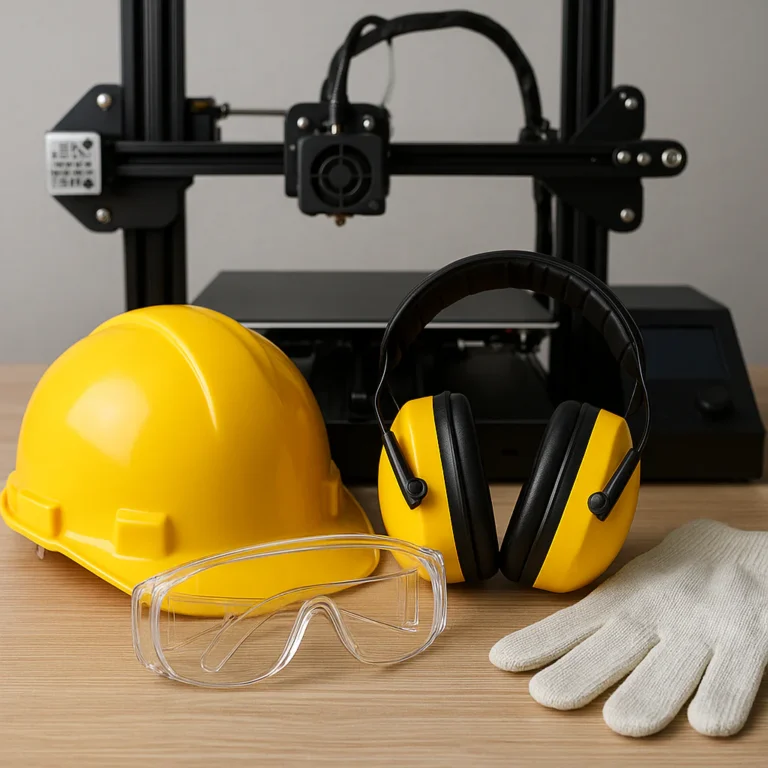
- Safety Gear is Smart: Even with the best ventilation, consider gloves, masks, and eye protection, especially when handling resins or post-processing prints. Your future self will thank you. 🧤👓
- Don’t Forget Temperature Control: Ventilation can sometimes affect the ambient temperature around your printer, which is crucial for print quality. We’ll dive into balancing these later! 🌡️
🌬️ The Evolution of Ventilation in 3D Printing: Why It Matters
Remember the early days of 3D printing? It felt like the wild west! We were all just thrilled to see plastic ooze into existence, often in a spare bedroom or garage, with little thought given to what was actually wafting into our lungs. “Oh, that’s just the smell of innovation!” we’d quip, blissfully unaware of the microscopic mischief happening in the air.
But as 3D printing moved from niche hobby to mainstream marvel, and as more sophisticated materials like ABS, ASA, and various resins became commonplace, a crucial question emerged: What exactly are we breathing in? This wasn’t just about a funky smell anymore; it was about health, safety, and long-term well-being.
The shift in perspective has been dramatic. Initially, ventilation was an afterthought, perhaps an open window if you remembered. Then came the DIY solutions: a computer fan taped to a cardboard box, a dryer vent jury-rigged to an enclosure. Today, we’re seeing purpose-built 3D printer enclosures with integrated HEPA and activated carbon filtration, powerful inline fans, and sophisticated ducting systems designed to vent directly outside.
Why the change? Simple: science and awareness. Studies began to highlight the emission of ultrafine particles (UFPs) and a cocktail of volatile organic compounds (VOCs) during the printing process. These aren’t just minor irritants; some, like styrene from ABS, are classified as potential carcinogens. The Wevolver article aptly states, “Proper ventilation is crucial to remove hazardous fumes and ensure a safe environment.” It’s no longer a suggestion; it’s a necessity for any responsible maker.
At 3D Printed™, we’ve personally witnessed this evolution. One of our engineers, Mark, recalls his early days printing ABS in his basement. “My eyes would water, and I’d get a headache after a long print,” he recounts. “I just thought it was part of the deal. Now, with a proper setup, I can print all day without a worry. It’s a game-changer for productivity and peace of mind.” This isn’t just about comfort; it’s about protecting your health and the health of anyone sharing your space. The question isn’t if you need ventilation, but how to do it right.
🔥 Understanding 3D Printer Emissions: What’s in the Air?
So, what exactly are these invisible nasties we’re talking about? When your 3D printer heats up filament or cures resin, it’s not just creating a cool object; it’s also releasing a microscopic cloud of byproducts. Think of it as a tiny, localized chemical factory.
The primary culprits fall into two main categories:
- Ultrafine Particles (UFPs): These are incredibly tiny solid particles, often smaller than 100 nanometers. They’re so small they can bypass your body’s natural defenses and penetrate deep into your lungs, potentially entering your bloodstream. The Washington State Department of Health warns that 3D printers “produce fine and ultra-fine particulates… Emissions pose inhalation risks to students and staff.”
- Volatile Organic Compounds (VOCs): These are gases emitted from certain solids or liquids. They can have short- and long-term adverse health effects. The specific VOCs depend heavily on the material you’re printing.
Let’s break down what you might encounter with different printing technologies:
FDM (Fused Deposition Modeling) Emissions: The Filament Fumes
When you’re melting plastic filament, you’re essentially vaporizing tiny amounts of it. The type of filament dictates the specific emissions.
- ABS (Acrylonitrile Butadiene Styrene): This is often considered the biggest offender in FDM printing. It’s known to release significant amounts of styrene, a known carcinogen, and butanol, which can cause nausea. It also produces a high concentration of UFPs. This is why you often hear about the distinct, somewhat acrid smell of ABS.
- PLA (Polylactic Acid): Often marketed as a “safer” or “eco-friendly” option, PLA still emits UFPs and some VOCs, though generally at lower concentrations than ABS. The Wevolver article notes it can still produce compounds like lactide. While it’s a better choice for reducing emissions, it’s not emission-free. The Washington DOH recommends PLA as it has the “lowest particle emission rate” and “prints at low temperature, no heated bed needed, reducing burn hazards.”
- PETG (Polyethylene Terephthalate Glycol): Generally considered to have lower emissions than ABS, but still produces UFPs and some VOCs.
- Nylon, PC (Polycarbonate), ASA (Acrylonitrile Styrene Acrylate): These engineering-grade filaments can also release various VOCs and UFPs, often requiring higher print temperatures, which can sometimes correlate with increased emissions.
SLA (Stereolithography) Emissions: The Resin Reality
Resin printing is a whole different beast when it comes to emissions. The liquid photopolymer resins contain various monomers and oligomers that can be irritating or sensitizing.
- Acrolein: A common respiratory irritant found in some resin fumes.
- Formaldehyde: Another potential carcinogen that can be emitted.
- Other VOCs: Resins are complex chemical cocktails, and they can release a wide array of other VOCs, many of which have strong, unpleasant odors. The AsianJoyCo summary emphasizes, “Resin vapors/smells/fumes are no bueno, and need to be vented to work safely around chemicals.”
Why does this matter? Exposure to these emissions can lead to a range of health issues, from short-term irritations like headaches, nausea, and respiratory discomfort to long-term concerns like sensitization, asthma, and even increased cancer risk with prolonged exposure to certain compounds. The Wevolver article highlights that proper ventilation “reduces health risks like headaches, nausea, respiratory issues.”
So, understanding what’s in the air is the first step to effectively tackling it. Our goal at 3D Printed™ is to help you create amazing things, not compromise your health in the process!
💨 Types of Ventilation Systems for 3D Printers
Alright, now that we’re all sufficiently spooked by the invisible nasties, let’s talk solutions! There’s no one-size-fits-all answer for 3D printer ventilation, as your ideal setup depends on your printer type, materials, workspace, and budget. But generally, ventilation systems fall into a few key categories, often used in combination for maximum effectiveness.
1. Passive Ventilation: Pros and Cons
This is the simplest, most basic form of ventilation, and frankly, often the least effective on its own.
- What it is: Simply opening a window or door to allow fresh air in and stale air out.
- Pros ✅:
- Free! No equipment cost.
- Easy to implement: Just open something up.
- Cons ❌:
- Ineffective for targeted fume removal: It relies on general room airflow, which might not be enough to capture concentrated emissions directly from the printer.
- Weather dependent: Not ideal in extreme heat or cold, or if you live in a dusty or high-allergen area.
- Limited air changes: Unlikely to achieve the recommended 6 air changes per hour for effective removal of UFPs and VOCs, especially in a small room.
- Temperature fluctuations: Can negatively impact print quality, especially with temperature-sensitive filaments like ABS or ASA.
- Doesn’t filter: Just moves air around, doesn’t remove pollutants.
Our Take: While better than nothing, relying solely on passive ventilation is a big NO from us, especially for anything beyond very occasional PLA printing in a large, well-ventilated space. The Washington DOH explicitly states that “local mechanical exhaust ventilation” is mandated in some settings, implying passive methods are insufficient.
2. Active Ventilation: Fans and Exhaust Systems
Now we’re talking! Active ventilation uses mechanical means to move air, providing much more control and effectiveness.
- What it is: This involves using fans to actively pull air from the printer’s immediate vicinity and exhaust it elsewhere. This can range from a simple desk fan blowing air around to a powerful inline duct fan connected to an enclosure and vented outside.
- Key Components:
- Fans: From small axial fans to powerful centrifugal or inline fans.
- Ducting: Flexible aluminum or PVC tubing to direct airflow.
- Window/Wall Adapters: To create a sealed exit point for the ducting.
- Pros ✅:
- Direct fume removal: Can be highly effective when properly ducted, pulling emissions directly from the source.
- Controllable airflow: Many fans offer speed control, allowing you to adjust based on material and print duration.
- Essential for resin printing: A must-have for safely handling potent resin fumes. The AsianJoyCo guide highlights using an “inline fan” connected to ducting for resin setups.
- Cons ❌:
- Installation required: Can involve some DIY work to set up ducting and adapters.
- Noise: Some fans can be quite noisy, though quieter models exist.
- Doesn’t filter: While it removes fumes from your immediate environment, it doesn’t filter the air being exhausted unless combined with a filter.
- Potential for negative pressure issues: If not balanced, it can pull unconditioned air into your space.
Our Take: This is where you should start for serious ventilation. An inline fan connected to an enclosure and vented outside is the gold standard for active ventilation. Brands like AC Infinity are popular for their powerful yet relatively quiet inline fans.
👉 Shop AC Infinity Inline Fans on:
- AC Infinity: AC Infinity Official Website
- Amazon: Amazon.com AC Infinity Inline Fan
3. Air Filtration Units: HEPA and Carbon Filters
These units are designed to clean the air, either by capturing particles or absorbing gases.
- What it is: Standalone air purifiers or integrated filter systems that use specialized media to remove pollutants.
- HEPA (High-Efficiency Particulate Air) Filters: Designed to capture 99.97% of airborne particles 0.3 microns in size. Excellent for UFPs.
- Activated Carbon Filters: Porous carbon material that adsorbs (binds to) VOCs and odors.
- Pros ✅:
- Removes pollutants: Actively cleans the air, reducing both particles and odors.
- Can be portable: Standalone units offer flexibility.
- Enhances safety: Crucial for capturing what active ventilation might miss or for recirculating air if external venting isn’t possible.
- The AsianJoyCo summary specifically recommends “Carbon filters (new refillable version from Ac Infinity as of 11/2023) to absorb fumes and odors.”
- Cons ❌:
- Filter replacement costs: Filters have a finite lifespan and need regular replacement, which adds to operating costs.
- Can’t always replace external venting: As the Washington DOH notes, filters alone are “not sufficient alone under code” for comprehensive hazard reduction. They are best used in conjunction with external exhaust.
- Airflow limitations: Standalone units might not provide enough localized airflow to capture all emissions directly from the printer.
Our Take: Filters are an absolute must-have for any serious 3D printing setup. They complement active ventilation perfectly. For example, the Ultimaker S5 Air Manager is a prime example of an integrated system combining filters and fans, as highlighted by Wevolver.
👉 Shop Air Purifiers with HEPA/Carbon Filters on:
- Levoit: Levoit Official Website
- Coway: Coway Official Website
- Amazon: Amazon.com Air Purifiers
4. Enclosures with Integrated Ventilation
The ultimate convenience and often the most effective solution for hobbyists and professionals alike.
- What it is: A sealed chamber specifically designed for your 3D printer, often with built-in fans, filters, and ports for external ducting. Some even offer temperature control.
- Examples: The FUNGDO, COMGROW, UNIDO, and Aaaspark enclosures are mentioned by Wevolver as popular options, often featuring fume extractors and temperature regulation.
- Pros ✅:
- Comprehensive solution: Combines containment, active ventilation, and often filtration in one package.
- Improved print quality: Maintains stable internal temperatures, reducing warping and improving layer adhesion.
- Noise reduction: Enclosures can significantly dampen printer noise.
- Dust and debris control: Keeps your printer clean and your prints free of contaminants.
- Enhanced safety: Creates a barrier between you and the printer’s moving parts and hot surfaces. The Washington DOH recommends “fully enclosed printers” to protect from hazards.
- Cons ❌:
- Cost: Generally more expensive than DIY solutions or individual components.
- Space requirements: Enclosures add to the overall footprint of your printer setup.
- Accessibility: Can sometimes make accessing the printer for maintenance or print removal a bit more cumbersome.
Our Take: If you’re serious about 3D printing, especially with materials like ABS or resin, an enclosure with integrated ventilation is a highly recommended investment. It simplifies your setup and provides the best balance of safety, print quality, and convenience.
👉 Shop 3D Printer Enclosures on:
- Creality: Creality Official Website
- Amazon: Amazon.com 3D Printer Enclosures
- Thingiverse (for DIY designs): Thingiverse 3D Printer Enclosure
Choosing the right system, or combination of systems, is crucial. Next, we’ll explore whether to build your own or buy a commercial solution!
🏠 DIY vs. Commercial Ventilation Solutions: What Works Best?
This is the age-old maker’s dilemma, isn’t it? Do you roll up your sleeves and build it yourself, or do you shell out for a polished, ready-made solution? Both paths have their merits, and at 3D Printed™, we’ve walked both. Let’s weigh the options.
The DIY Route: Build Your Own Breathing Machine
Many of us started here, driven by curiosity, a tight budget, or the sheer joy of creation.
- What it involves: Sourcing individual components like an inline fan (like an AC Infinity Cloudline), ducting (aluminum or flexible PVC), a window exhaust kit (often an AC adapter panel), and perhaps a custom-built enclosure from IKEA furniture (the famous IKEA Lack enclosure is a classic!) or even a grow tent. You might add a separate carbon filter or a DIY filter box.
- Pros ✅:
- Cost-effective: Often significantly cheaper than commercial solutions, especially if you have some parts lying around.
- Customization: You can tailor every aspect to your specific printer, workspace, and aesthetic preferences. Want a fan that’s just powerful enough? Need a unique ducting path? DIY gives you that freedom.
- Learning experience: You’ll gain a deeper understanding of airflow dynamics, filtration, and electrical safety.
- Sense of accomplishment: There’s nothing quite like seeing your own creation effectively clearing the air!
- Cons ❌:
- Time-consuming: Research, sourcing, and assembly can take many hours.
- Potential for error: Improper sealing, inadequate fan power, or incorrect filter placement can lead to ineffective ventilation.
- Aesthetics: DIY solutions can sometimes look a bit… cobbled together, depending on your craftsmanship.
- Safety concerns: Using non-rated electrical components or improper wiring can pose fire or electrical hazards, especially with flammable resin fumes (remember the AsianJoyCo warning about “explosion-proof, TEFC (Totally Enclosed Fan-Cooled) fans” for IPA fumes).
Anecdote from the Team: Our resident tinkerer, Sarah, once built an elaborate ventilation system for her resin printer using a modified storage bin, an old bathroom exhaust fan, and dryer vent ducting. “It worked, mostly,” she laughs. “But the noise was unbearable, and I was constantly patching leaks with duct tape. It taught me a lot, but I eventually upgraded to a commercial inline fan and a proper grow tent. The peace and quiet alone were worth it!”
Commercial Solutions: Plug-and-Play Peace of Mind
These are the purpose-built systems designed to take the guesswork out of ventilation.
- What it involves: Purchasing a dedicated 3D printer enclosure with integrated ventilation (like the FUNGDO or COMGROW options mentioned by Wevolver), a specialized air manager (e.g., Ultimaker S5 Air Manager), or a high-quality inline fan kit with all necessary accessories.
- Pros ✅:
- Ease of use: Often plug-and-play, with minimal setup required.
- Guaranteed performance: Designed and tested to meet specific ventilation standards.
- Integrated features: Many come with built-in lighting, temperature control, and smart features (like the AC Infinity fans with Bluetooth control mentioned by AsianJoyCo).
- Aesthetics: Generally more professional and sleek in appearance.
- Safety standards: Commercial products are typically designed with safety in mind, using appropriate materials and electrical components.
- Cons ❌:
- Higher cost: The biggest drawback for many, as commercial solutions often come with a premium price tag.
- Less customization: You’re often limited to the features and design choices of the manufacturer.
- Specific compatibility: Some solutions are designed for particular printer models (e.g., the Ultimaker S5 Air Manager).
Our Recommendation: For most users, especially those printing with anything beyond occasional PLA, we confidently recommend a hybrid approach.
- Start with a good enclosure: Whether it’s a purpose-built one like the Creality Enclosure or a modified grow tent (AsianJoyCo recommends various sizes on Amazon), containment is key.
- Invest in a quality inline fan and ducting: Brands like AC Infinity offer excellent performance and reliability. This is where you don’t want to cut corners.
- Add a robust filtration system: Whether it’s an integrated HEPA/carbon filter or a standalone unit, filtration is essential.
While DIY can be rewarding, the peace of mind and proven effectiveness of commercial components, especially for critical elements like fans and filters, often outweigh the initial cost savings. Your health isn’t an area to compromise on!
👉 Shop Grow Tents for 3D Printers on:
- Amazon: Amazon.com Grow Tents
- Vivosun: Vivosun Official Website
🛠️ How to Install and Maintain Your 3D Printer Ventilation System
So, you’ve decided on your ventilation strategy – fantastic! Now comes the practical part: getting it set up and keeping it running smoothly. A well-installed and maintained system is the difference between breathing easy and, well, not.
Step-by-Step Installation Guide (General Principles)
While specific setups will vary, here’s a general roadmap for installing an active ventilation system with an enclosure:
-
Choose Your Location Wisely:
- Proximity to an exterior vent/window: This is paramount. The closer your printer is to an exit point, the shorter your ducting run, meaning less airflow resistance and better efficiency.
- Away from high-traffic areas: The Washington DOH advises placing printers “away from student desks and main workstations” to minimize exposure.
- Stable surface: Ensure your printer and enclosure are on a sturdy, level surface.
- Power access: Connect to “grounded outlets” as per Washington DOH recommendations.
-
Assemble Your Enclosure:
- Follow the manufacturer’s instructions for your chosen enclosure (e.g., FUNGDO, COMGROW, Creality Enclosure).
- Seal it up! This is critical. Use foam tape or weather stripping around seams, door edges, and cable pass-throughs to create a tight seal. The AsianJoyCo guide emphasizes, “Seal edges with foam tape for a tight fit.” A leaky enclosure defeats the purpose!
-
Mount the Fan and Ducting:
- Fan placement: For optimal performance, mount your inline fan outside the enclosure, pulling air from the enclosure and pushing it out. This creates negative pressure inside the enclosure, preventing fumes from escaping into your room.
- Ducting connection: Connect one end of your ducting (e.g., 4-inch or 6-inch aluminum ducting) to an exhaust port on your enclosure. Use duct clamps or strong tape (like foil tape) to ensure a secure, airtight connection.
- Fan to exhaust: Connect the other end of the ducting to the inlet side of your inline fan. Then, connect another piece of ducting from the fan’s outlet to your chosen exhaust point (window adapter, dryer vent, etc.).
- Minimize bends: Keep ducting runs as short and straight as possible. Every bend reduces airflow efficiency.
-
Install the Exhaust Port:
- Window adapter: If using a window, install a window AC adapter panel. Cut a hole in it to fit your ducting, and seal around the duct. The AsianJoyCo guide lists various “Window parts” for this purpose.
- Dryer vent hookup: For a more permanent solution, you can vent through an existing dryer vent hookup, as suggested by AsianJoyCo. Ensure it’s not shared with a dryer!
- Bug screens: Don’t forget a bug screen on the exterior vent to prevent unwanted visitors!
-
Integrate Filtration (if applicable):
- Carbon filter: If using a carbon filter, place it inside the enclosure, connected to the intake side of your ducting, before the fan. This ensures the fan pulls air through the filter. The AsianJoyCo guide suggests attaching pre-filters and hanging filters inside the enclosure.
- HEPA filter: Similar placement to the carbon filter, or as part of an integrated unit.
-
Power Up and Test:
- Plug in your fan and printer.
- Smoke test: Light a stick of incense or use a smoke pen near any potential leaks in your enclosure or ducting. The smoke should be visibly pulled into the enclosure and out the exhaust. If smoke escapes into your room, you have a leak to fix!
Essential Maintenance for Longevity and Effectiveness
Installation is just the beginning. Regular maintenance ensures your system remains effective and your air stays clean.
- 1. Filter Replacement (Crucial!):
- Activated Carbon Filters: These get saturated over time and lose their ability to absorb VOCs. The lifespan depends on print frequency and material. For heavy users, this could be every 3-6 months. You’ll notice odors returning as a sign. The AsianJoyCo summary mentions “new refillable version from Ac Infinity” carbon filters, which can be more sustainable.
- HEPA Filters: These physically trap particles and will eventually become clogged, reducing airflow. Replace them when you notice reduced airflow or increased noise from your fan.
- Pre-filters: If your system has pre-filters (often foam or mesh), clean or replace them more frequently (monthly) to protect the main filters.
- 2. Ducting Inspection:
- Periodically check your ducting for kinks, tears, or loose connections. Even a small leak can compromise your system.
- Clean dust buildup inside the ducts if necessary, especially if you notice reduced airflow.
- 3. Fan Cleaning:
- Dust can accumulate on fan blades, reducing efficiency and potentially causing imbalance or noise. Disconnect power and carefully clean the blades with a soft brush or compressed air.
- 4. Enclosure Sealing Check:
- Re-inspect all seals and joints on your enclosure. Foam tape can degrade over time. Replace any worn-out sealing materials.
- 5. General Cleaning:
- Keep the area around your printer and ventilation system clean. Use a HEPA-filtered vacuum for cleaning, as recommended by the Washington DOH, to avoid stirring up settled particles. Avoid sweeping or brushing, which can aerosolize particles.
Our Tip: Create a maintenance schedule! Put reminders on your calendar for filter checks and replacements. Your lungs (and your prints!) will thank you.
🌡️ Ventilation and Temperature Control: Keeping Your Prints Perfect
Here’s a fun paradox for you: the very act of ventilating your 3D printer, which is essential for your health, can sometimes throw a wrench into your print quality. Why? Because many filaments, especially engineering-grade materials, are incredibly sensitive to ambient temperature fluctuations. It’s a delicate dance between fresh air and thermal stability!
The Balancing Act: Airflow vs. Print Environment
-
The Problem: When you exhaust air from an enclosure, you’re creating negative pressure and pulling in replacement air from somewhere. If that replacement air is cold, drafty, or inconsistent, it can lead to:
- Warping and Delamination: This is the bane of ABS and ASA printing. Rapid cooling or uneven temperatures cause the plastic to shrink unevenly, pulling it off the build plate or causing layers to separate.
- Poor Layer Adhesion: If layers cool too quickly before bonding, your prints become brittle.
- Stringing and Blobs: Inconsistent temperatures can affect filament flow, leading to imperfections.
- Cracking: Especially with large prints or materials prone to thermal stress.
-
The Goal: You want to remove harmful fumes without creating a chaotic thermal environment inside your enclosure.
Strategies for Harmonizing Ventilation and Temperature
-
Enclosures are Your Best Friend (Again!):
- A well-sealed enclosure is the foundation. It helps to trap heat generated by the printer’s heated bed and hotend, creating a stable, warm environment.
- Many commercial enclosures, like the UNIDO or Aaaspark options mentioned by Wevolver, are designed with temperature regulation in mind, often using materials like aluminum and polycarbonate for insulation.
-
Controlled Air Intake:
- Instead of just letting air seep in from random gaps, consider a controlled intake vent. Some enclosures have adjustable vents.
- If possible, draw intake air from a warmer part of your room, or even pre-heat the intake air slightly (though this adds complexity).
-
Minimize Exhaust Flow (When Possible):
- For filaments less prone to warping (like PLA), you might be able to run your exhaust fan at a lower speed, reducing the rate of air exchange and thus minimizing temperature drops.
- However, for high-emission materials like ABS or resin, you must maintain adequate airflow. This is where a heated enclosure becomes even more critical.
-
Heated Enclosures:
- Some advanced enclosures or DIY setups incorporate small heaters to maintain a consistent internal temperature, independent of the exhaust system. This is particularly useful for printing high-temperature materials in a cold environment. The AsianJoyCo guide mentions “Heaters: Various options for cold environments.”
- Be cautious with heaters and ensure they are appropriately rated and safely installed to avoid fire hazards, especially with flammable resin fumes.
-
Smart Fan Control:
- Fans with temperature and humidity sensors (like some AC Infinity models mentioned by AsianJoyCo) can automatically adjust speed. This allows them to ramp up when emissions are high (during printing) and slow down or turn off when the air is clear, helping to maintain temperature.
- Some users even integrate their fans with smart home systems or custom scripts that activate ventilation only when the printer is actively printing or when specific sensors detect high VOC levels.
Our Personal Story: Our lead engineer, David, was tearing his hair out trying to print large ABS parts without warping. He had a powerful exhaust fan, but his prints kept failing. The culprit? His workshop was in a drafty garage. By adding a simple, insulated enclosure and a small, low-wattage ceramic heater inside the enclosure (safely away from the printer’s moving parts and with thermal cutoffs), he finally achieved perfect, warp-free prints, all while maintaining excellent ventilation. It’s about finding that sweet spot!
Remember, ventilation is about safety, but print quality is about results. With a little planning, you can achieve both.
🧪 Health & Safety: Protecting Yourself from Harmful Fumes
Alright, let’s get serious for a moment. While 3D printing is an incredibly rewarding hobby and a powerful tool, it’s not without its risks. We’ve talked about the invisible particles and gases, but what does that mean for your health? And more importantly, how do you protect yourself and others in your workspace?
The consensus from health authorities and experts is clear: proper ventilation is non-negotiable for safe 3D printing. The Wevolver article states, “Proper ventilation is crucial to remove hazardous fumes and ensure a safe environment.” The Washington State Department of Health goes further, emphasizing that “effective ventilation and safety practices are essential to minimize hazards associated with 3D printing in educational settings.”
The Hazards: What You’re Up Against
As we discussed, the main concerns are:
- Ultrafine Particles (UFPs): These can cause respiratory irritation, inflammation, and potentially contribute to cardiovascular issues with long-term exposure.
- Volatile Organic Compounds (VOCs): Depending on the specific chemical (styrene, acrolein, formaldehyde, butanol, etc.), these can cause:
- Short-term effects: Headaches, dizziness, nausea, eye/nose/throat irritation, fatigue.
- Long-term effects: Respiratory problems (asthma, bronchitis), sensitization (allergic reactions), and for some compounds, increased cancer risk (e.g., styrene, formaldehyde).
Our Expert Recommendations for a Safe Printing Environment
-
Ventilate, Ventilate, Ventilate (to the outside!):
- This is the number one priority. Enclose your printer and exhaust all emissions directly outdoors. The Washington DOH’s “best practice for ventilation is to enclose 3D printers and exhaust emissions directly outside of the building.”
- Ensure your system creates negative pressure within the enclosure to prevent any fumes from leaking into your room.
- For rooms with printers, aim for a minimum of 6 air changes per hour (ACH), as recommended by both Wevolver and the Washington DOH. For multiple printers, consider a “separate, negatively pressurized room with outside exhaust.”
-
Utilize Filtration (as a secondary measure):
- While not a substitute for external venting, HEPA and activated carbon filters are excellent for capturing residual particles and VOCs, especially if some air must be recirculated.
- Regularly replace filters! A saturated filter is useless.
-
Personal Protective Equipment (PPE):
- Gloves: Always wear nitrile gloves when handling liquid resins, uncured resin prints, or IPA for cleaning. Resins can cause skin irritation and sensitization.
- Eye Protection: Safety glasses or goggles are a good idea, especially when handling liquids or scraping prints, to protect against splashes or flying debris.
- Respirator/Mask: For resin printing, or when working with high-emission filaments in less-than-ideal ventilation, consider a respirator with organic vapor cartridges (e.g., 3M 6001). A simple dust mask is not sufficient for VOCs or UFPs.
- Cut-resistant gloves: The Washington DOH recommends these for removing objects from the build plate to prevent injuries.
-
Workspace Best Practices:
- Dedicated Space: If possible, print in a dedicated workshop or utility room, not a living area or bedroom.
- Keep it Clean: Regularly clean your printer and workspace. Use wet towels for surfaces and a HEPA-filtered vacuum for dust, as sweeping can re-aerosolize particles.
- Chemical Handling:
- Keep IPA containers closed inside the enclosure to prevent evaporation and fire hazards, as advised by AsianJoyCo.
- Store resins and cleaning chemicals in well-ventilated areas, away from heat and direct sunlight, and in their original, sealed containers.
- Follow proper chemical disposal protocols.
- No Eating/Drinking: Never eat, drink, or touch your face near an active printer or chemicals.
- Wash Hands: Always wash hands thoroughly with soap and water after handling materials or working with your printer.
- Post-Printing Protocol: The Washington DOH suggests keeping the enclosure/room closed for 20 minutes post-printing to allow residual emissions to clear.
-
Printer and Filament Selection:
- Enclosed Printers: Prioritize printers that are fully enclosed.
- Lower Emission Filaments: When possible, choose filaments known for lower emissions, like PLA.
- Lowest Effective Temperatures: Use the “lowest effective temperatures” for printing to reduce emissions, as recommended by the Washington DOH.
A Word of Caution from AsianJoyCo: When dealing with IPA fumes, be extremely cautious about ignition sources. They recommend “explosion-proof, TEFC (Totally Enclosed Fan-Cooled) fans” and warn against “electronics that create sparks (e.g., old drills).” This is critical for resin users.
Your passion for 3D printing shouldn’t come at the expense of your health. By implementing these safety measures, you can enjoy your hobby for years to come, breathing easy and creating amazing things.
🔍 Ventilation for Different 3D Printing Technologies: FDM, SLA, and More
Just like you wouldn’t use a hammer to drive a screw, you shouldn’t use a one-size-fits-all ventilation approach for every 3D printing technology. Each method has its unique emission profile and therefore, its own ventilation requirements. Let’s break down what you need for the most common types.
FDM (Fused Deposition Modeling) Printers: The Filament Fanatics
FDM printers, which melt plastic filament layer by layer, are probably what most people picture when they think of 3D printing.
- Materials: PLA, ABS, PETG, ASA, Nylon, PC, TPU, etc.
- Emissions: Primarily Ultrafine Particles (UFPs) and Volatile Organic Compounds (VOCs). ABS and ASA are the biggest culprits for VOCs (like styrene) and UFPs. PLA is generally lower but still produces emissions.
- Ventilation Needs:
- Enclosure: Highly recommended, especially for ABS, ASA, Nylon, and PC. An enclosure helps contain emissions and maintain a stable print environment.
- Active Exhaust to Outside: For ABS, ASA, and other high-emission filaments, an inline fan ducted directly outdoors is essential. This is the gold standard.
- Filtration: A HEPA filter for UFPs and an activated carbon filter for VOCs are strongly advised, even if venting outside, as a secondary layer of protection. If external venting isn’t feasible (though we strongly discourage this for high-emission materials), a robust, recirculating filtration system is your only option, but it’s less effective than direct exhaust.
- PLA Specifics: For occasional PLA printing in a well-ventilated room, an open window might suffice, but an enclosure with a basic filter or light exhaust is still a good idea for regular use. The Washington DOH recommends PLA for its “lowest particle emission rate.”
Our FDM Anecdote: Our team member, Alex, loves printing functional parts with ABS. He started with just an open window, but after experiencing headaches, he invested in a Creality Enclosure and an AC Infinity Cloudline T4 fan, venting it through a window adapter. “The difference was night and day,” he says. “No more smell, no more headaches, and my prints are more consistent because the enclosure helps with temperature.”
SLA (Stereolithography) / DLP (Digital Light Processing) / LCD (Liquid Crystal Display) Printers: The Resin Realm
These printers cure liquid photopolymer resin with UV light. The resins and the post-processing chemicals are the primary sources of concern.
- Materials: Various photopolymer resins (standard, tough, flexible, castable, dental, etc.).
- Emissions: Strong-smelling VOCs (acrolein, formaldehyde, various monomers) from the liquid resin, especially during printing and when the resin vat is open. IPA (Isopropyl Alcohol) used for washing prints also emits VOCs.
- Ventilation Needs:
- Sealed Enclosure with Negative Pressure: Absolutely critical. A tightly sealed enclosure (like a grow tent or a dedicated resin enclosure) with a powerful inline fan creating negative pressure is paramount. The AsianJoyCo guide focuses heavily on this setup for resin printing.
- Direct Exhaust to Outside: Non-negotiable. Resin fumes are potent and should never be recirculated into your workspace. Duct them directly out.
- Activated Carbon Filtration: Essential for absorbing VOCs and odors. Place it before the fan in the exhaust path. The AsianJoyCo article specifically recommends AC Infinity’s refillable carbon filters.
- Explosion-Proof Fans: As highlighted by AsianJoyCo, if you’re dealing with significant IPA fumes (e.g., washing prints inside the enclosure), consider TEFC (Totally Enclosed Fan-Cooled) or explosion-proof fans to prevent ignition hazards.
- Dedicated Wash & Cure Station Ventilation: If your wash and cure station is separate, ensure it’s also in a well-ventilated area or has its own mini-exhaust system.
Our SLA Warning: Never underestimate resin fumes. They can cause respiratory irritation, headaches, and skin sensitization. Always wear nitrile gloves and eye protection. The AsianJoyCo quote “Resin vapors/smells/fumes are no bueno, and need to be vented to work safely around chemicals” is a mantra for a reason!
Other 3D Printing Technologies (SLS, Binder Jetting, etc.)
While less common for hobbyists, industrial 3D printing technologies also have significant ventilation requirements.
- SLS (Selective Laser Sintering): Uses powdered polymers. Emissions include fine powder particles and thermal decomposition products. Requires industrial-grade dust collection and fume extraction systems, often with specialized HEPA filters.
- Binder Jetting: Uses powdered materials and a liquid binder. Emissions can include fine powder and VOCs from the binder. Similar to SLS, requires robust industrial ventilation.
The Takeaway: Always research the specific material and technology you’re using. If you’re unsure, err on the side of caution and over-ventilate. Your health is worth it!
📊 Comparing Top Ventilation Products for 3D Printers
Alright, let’s get down to brass tacks: what specific products should you be looking at to build or upgrade your ventilation system? We’ve tested a fair few, and based on our experience and consumer insights, here’s a rundown of some top contenders, including those mentioned in our competitive summaries and the featured video.
Product Rating Table (1-10 Scale)
| Product/Category | Design | Functionality | Ease of Installation | Noise Level | Value | Overall Rating |
|---|---|---|---|---|---|---|
| AC Infinity Cloudline T4/T6 | 9 | 9 | 8 | 8 | 9 | 8.6 |
| Voxel PLA X-Filter | 8 | 9 | 9 | N/A | 9 | 8.8 |
| Voxel Bento Box Filter | 7 | 9 | 7 | 7 | 8 | 7.6 |
| FUNGDO 3D Printer Enclosure | 8 | 8 | 7 | 8 | 7 | 7.6 |
| COMGROW 3D Printer Enclosure | 7 | 7 | 8 | 7 | 8 | 7.4 |
| IKEA Lack Enclosure (DIY) | 6 | 7 | 6 | 7 | 9 | 7.0 |
| Grow Tent (Generic) | 7 | 8 | 8 | N/A | 9 | 8.0 |
N/A for Noise Level on filters/grow tents as they are passive or rely on external fans.
Detailed Product Analyses
1. AC Infinity Cloudline T-Series Inline Duct Fans (T4/T6)
- Design: Sleek, durable, and well-built with a metal housing. The digital controller is intuitive and modern.
- Functionality: These are workhorses. They offer powerful airflow, often with smart features like temperature/humidity sensors and Bluetooth app control (as highlighted by AsianJoyCo). They create excellent negative pressure for effective fume extraction.
- Ease of Installation: Relatively straightforward for anyone comfortable with basic DIY. Comes with mounting hardware and duct clamps. The main challenge is setting up the ducting and exhaust port.
- Noise Level: For their power, they are surprisingly quiet, especially at lower speeds. The EC motor technology helps.
- Value: Excellent. A premium product that justifies its cost with performance and features.
- Benefits:
- Powerful & Efficient: Moves a lot of air effectively.
- Smart Control: Automates ventilation based on environmental conditions.
- Durable: Built to last.
- Versatile: Can be used with various enclosures and ducting sizes.
- Drawbacks:
- Higher initial cost than basic fans.
- Requires separate ducting and exhaust setup.
- Our Take: Highly recommended as the core of any active ventilation system. If you’re serious about venting, start here.
👉 Shop AC Infinity Cloudline Fans on:
- AC Infinity: AC Infinity Official Website
- Amazon: Amazon.com AC Infinity Cloudline T4 | Amazon.com AC Infinity Cloudline T6
2. Voxel PLA X-Filter
- Design: Compact, designed to integrate seamlessly into Bambu Lab printers (and similar). Features open-cell foam for a good seal.
- Functionality: This filter, as detailed in the first YouTube video embedded in this article, is a significant upgrade over stock filters. It combines a HEPA 13 layer with “very tiny” activated carbon pieces for increased surface area, drastically reducing PM2.5 readings from “Unhealthy” (stock filter) to “Good.”
- Ease of Installation: Very easy, often a drop-in replacement for existing filter slots.
- Noise Level: Passive, so noise is determined by the printer’s internal fan.
- Value: Excellent, especially given its effectiveness for its size.
- Benefits:
- Exceptional Filtration: Dramatically improves air quality for FDM printers.
- Compact & Integrated: Doesn’t require external ducting or space.
- Cost-Effective Upgrade: Much cheaper than a full external system.
- Drawbacks:
- Only for recirculating air; doesn’t vent outside.
- Specific to certain printer models (e.g., Bambu Lab).
- Our Take: As the presenter in the first YouTube video states, the Voxel X-Filter is “recommended for most users as a significant upgrade over the stock filter.” It’s a fantastic internal filtration solution for FDM users, but remember, it’s for recirculation, not external exhaust.
👉 Shop Voxel PLA X-Filter on:
- Voxel: Voxel Official Website
- Etsy: Etsy Voxel X-Filter
3. Voxel Bento Box Filter
- Design: A more robust, external filter box with two integrated fans.
- Functionality: Also highlighted in the first YouTube video, this system includes a HEPA filter and fine carbon, achieving excellent air quality (PM2.5 around 1 ug/m3). The two fans provide active air movement through the filter.
- Ease of Installation: Requires external placement and connection, potentially more involved than the X-Filter.
- Noise Level: Being an active system with two fans, it will generate some noise, though often less than a powerful inline fan.
- Value: Good, but the presenter notes it might be “a little bit overkill” for hobbyists.
- Benefits:
- Powerful Recirculating Filtration: Excellent for cleaning air within an enclosure.
- Active Airflow: Ensures air passes through the filters effectively.
- Versatile Placement: Can be placed inside or outside an enclosure.
- Drawbacks:
- Still a recirculating system, not external exhaust.
- Larger footprint than the X-Filter.
- Higher cost.
- Our Take: A great option for those who need powerful internal filtration, especially for high-temp exotic materials, but it’s not a substitute for external venting where possible.
👉 Shop Voxel Bento Box Filter on:
- Voxel: Voxel Official Website
- Etsy: Etsy Voxel Bento Box Filter
4. FUNGDO 3D Printer Enclosure with Fume Extractor
- Design: Often a more premium, rigid enclosure with built-in features.
- Functionality: As mentioned by Wevolver, these are multifunctional, often including a fume extractor, waterproof features, and temperature regulation. They aim for a comprehensive solution.
- Ease of Installation: Generally straightforward assembly, but integrating the extractor and ducting might require some effort.
- Noise Level: Depends on the quality of the integrated fan.
- Value: Decent, considering the integrated features, but can be pricey.
- Benefits:
- All-in-one Solution: Combines enclosure, ventilation, and sometimes heating.
- Improved Print Quality: Helps maintain stable temperatures.
- Professional Look: Often more aesthetically pleasing than DIY.
- Drawbacks:
- Higher cost.
- Integrated fans might not be as powerful as dedicated inline fans.
- Specific sizing might limit printer compatibility.
- Our Take: A solid choice if you want a ready-made, feature-rich enclosure. Just ensure the “fume extractor” is truly effective and can be ducted outside.
👉 Shop FUNGDO Enclosures on:
- Amazon: Amazon.com FUNGDO Enclosure
5. COMGROW 3D Printer Enclosure
- Design: Often a more basic, fabric-based enclosure, sometimes PVC-lined and fire-proof, designed for popular printers like the Ender series (as noted by Wevolver).
- Functionality: Primarily provides containment and temperature stability. May have ports for external fan integration.
- Ease of Installation: Very easy, often pop-up or simple frame assembly.
- Noise Level: Passive, relies on external fan.
- Value: Good, a cost-effective way to get an enclosure.
- Benefits:
- Affordable: Great entry-level enclosure.
- Easy to Assemble: Quick setup.
- Fire-proof: Added safety feature.
- Drawbacks:
- Requires separate purchase of a fan and filter for active ventilation.
- Less rigid than hard-sided enclosures.
- Our Take: A good starting point for FDM users, especially if you’re on a budget. Pair it with an AC Infinity fan for effective ventilation.
👉 Shop COMGROW Enclosures on:
- Amazon: Amazon.com COMGROW Enclosure
- Comgrow: Comgrow Official Website
6. IKEA Lack Enclosure (DIY)
- Design: A classic DIY project using IKEA Lack tables, often with acrylic panels.
- Functionality: Provides containment and some temperature stability. Requires user to integrate fans and filters.
- Ease of Installation: Requires significant DIY effort, cutting, drilling, and assembly.
- Noise Level: Depends entirely on the fans you integrate.
- Value: Excellent, very low cost for the enclosure itself.
- Benefits:
- Extremely Affordable: Uses readily available, inexpensive parts.
- Highly Customizable: Adaptable to many printer sizes and ventilation setups.
- Community Support: Tons of guides and printable parts on Thingiverse.
- Drawbacks:
- Time-consuming DIY project.
- Requires good craftsmanship for effective sealing.
- May not be as robust or fire-resistant as commercial options.
- Our Take: A fantastic project for the budget-conscious maker who enjoys tinkering. Pair it with a good AC Infinity fan and a Voxel Bento Box or similar filter for a powerful, custom setup.
Find IKEA Lack Enclosure Designs on:
- Thingiverse: Thingiverse IKEA Lack Enclosure
7. Generic Grow Tent
- Design: Fabric-based, often Mylar-lined, with multiple ports for ducting and cables.
- Functionality: Excellent for containment and creating a sealed environment. Easily integrates with inline fans and carbon filters.
- Ease of Installation: Simple frame assembly, quick setup.
- Noise Level: Passive, relies on external fan.
- Value: Excellent, very cost-effective for a large, versatile enclosure.
- Benefits:
- Affordable & Spacious: Great value for the size.
- Easy Fan/Filter Integration: Designed with ports for ventilation equipment.
- Light-blocking: Good for resin printers (prevents accidental curing).
- AsianJoyCo Recommendation: Explicitly recommended for resin setups.
- Drawbacks:
- Less rigid than hard-sided enclosures.
- Aesthetics might not suit all home environments.
- Our Take: An incredibly versatile and cost-effective solution, especially for larger FDM printers or resin setups. Pair it with an AC Infinity fan and a refillable carbon filter for a powerful, safe environment.
👉 Shop Grow Tents on:
- Amazon: Amazon.com Grow Tents
- Vivosun: Vivosun Official Website
Choosing the right products means balancing your budget, your printer type, the materials you use, and your comfort with DIY. But remember, the core principle remains: contain, exhaust, and filter!
💡 Expert Tips for Optimizing Your 3D Printer’s Airflow
You’ve got your system installed, you’ve picked your products, but are you getting the absolute best out of your ventilation? At 3D Printed™, we’re all about squeezing every drop of performance (and safety!) out of our setups. Here are some pro tips from our team to truly optimize your 3D printer’s airflow and keep your air pristine.
-
The “Push-Pull” Method for Ultimate Airflow:
- While a single exhaust fan creating negative pressure is good, a “push-pull” system is even better. This involves an intake fan (pushing fresh, filtered air into the enclosure) and an exhaust fan (pulling air out).
- Why it works: It creates a more controlled and consistent airflow path, ensuring all air within the enclosure is actively exchanged, not just passively drawn in. This can be particularly beneficial for larger enclosures or those with complex internal geometries.
- Pro Tip: Ensure your exhaust fan is slightly more powerful than your intake fan to maintain a slight negative pressure, preventing any accidental fume leaks.
-
Strategic Filter Placement:
- Carbon Filters: Always place your activated carbon filter before your exhaust fan in the airflow path. This protects the fan from corrosive VOCs and ensures the air passing through the fan is already cleaned.
- HEPA Filters: Can be placed before or after the carbon filter, but generally, placing it before the fan is good for protecting the fan from particulate buildup.
- Pre-filters: Always use a pre-filter (often a simple foam or mesh) before your main HEPA/carbon filters. This catches larger dust particles and extends the life of your more expensive filters.
-
Ducting Discipline: Short, Straight, and Smooth:
- Minimize Length: The longer your ducting, the more resistance to airflow. Keep it as short as possible.
- Avoid Kinks and Sharp Bends: Every bend, especially a sharp 90-degree one, drastically reduces airflow efficiency. Use gradual curves where possible.
- Smooth Interior: Flexible aluminum ducting with corrugated interiors creates more turbulence than smooth-walled PVC or rigid metal ducting. Use smooth ducting for critical runs if possible.
- Proper Diameter: Ensure your ducting diameter matches your fan’s output. Don’t choke a powerful fan with too small a duct!
-
Smart Sensor Integration:
- Go beyond just turning the fan on and off. Integrate VOC sensors (like a cheap ESP32-based sensor) into your enclosure.
- Automate: Use these sensors to trigger your inline fan only when VOC levels exceed a certain threshold, or to ramp up fan speed during peak emission times (e.g., the first few layers of an ABS print). This saves energy and extends filter life.
- Monitor: Keep an eye on the readings. If your VOC levels are consistently high even with the fan on, it’s a sign your filters are saturated or your system has a leak.
-
The “Air Curtain” Trick (Advanced):
- For open-air printers where an enclosure isn’t feasible (e.g., large-format industrial printers), consider an “air curtain” system. This involves a directed flow of air that creates a barrier, pushing fumes towards an exhaust hood. This is more complex and typically for specialized setups.
-
Regular Smoke Testing:
- Don’t just install it and forget it. Periodically perform a smoke test (with an incense stick or smoke pen) around your enclosure’s seams, door, and cable pass-throughs.
- What to look for: The smoke should be immediately drawn into the enclosure. If it wafts out into your room, you have a leak that needs sealing! This is a quick and easy way to verify your negative pressure.
-
Consider a “Clean Air” Zone:
- If your workspace is shared, try to position your printer and its exhaust system in a way that creates a “clean air” zone for yourself. For example, if your exhaust is on the right, try to work on the left side of the printer, with fresh air coming from behind you.
-
Don’t Forget the Post-Processing Area:
- Especially for resin printing, post-processing (washing with IPA, sanding prints) can release significant fumes and particles. Consider a small, dedicated exhaust hood or a powerful local fan for your wash and cure station. The Washington DOH recommends conducting “chemical or grinding activities within exhaust enclosures.”
By implementing these expert tips, you’ll not only ensure a safer printing environment but also potentially improve your print consistency by better managing the thermal dynamics within your enclosure. Breathe easy, print perfectly!
🧰 Troubleshooting Common Ventilation Problems
Even the best-laid plans (and ventilation systems!) can hit a snag. We’ve all been there: a strange smell, a noisy fan, or that nagging feeling that your air isn’t quite as fresh as it should be. Don’t fret! Most common ventilation problems have straightforward solutions. Here’s our troubleshooting guide from the 3D Printed™ team.
Problem 1: Still Smelling Fumes/Odors
This is the most obvious sign that your ventilation isn’t working effectively.
- Possible Causes & Solutions:
- ❌ Leaky Enclosure/Ducting:
- Solution: Perform a smoke test (as described in the installation section) around all seams, doors, cable pass-throughs, and duct connections. Use foam tape, silicone sealant, or foil tape to seal any leaks. Ensure your enclosure door closes tightly.
- ❌ Saturated Carbon Filter:
- Solution: Your activated carbon filter has reached its capacity and can no longer absorb VOCs. Replace it! This is the most common reason for persistent odors. If you have a refillable filter (like some AC Infinity models), replace the carbon media.
- ❌ Inadequate Fan Power/Airflow:
- Solution: Is your fan powerful enough for your enclosure size and material? Check the CFM (Cubic Feet per Minute) rating. Ensure the fan is running at an appropriate speed. If your ducting is too long or has too many sharp bends, it can restrict airflow. Shorten and straighten duct runs.
- ❌ Incorrect Filter Placement:
- Solution: Ensure your carbon filter is placed before the fan in the exhaust path, so all air passes through it.
- ❌ Insufficient Negative Pressure:
- Solution: If air is escaping your enclosure, your fan might not be strong enough, or you have too many large openings. Ensure the fan is pulling air out of the enclosure effectively.
- ❌ Leaky Enclosure/Ducting:
Problem 2: Excessive Noise from the Ventilation System
A noisy fan can quickly become an annoyance, especially during long prints.
- Possible Causes & Solutions:
- ❌ Fan Speed Too High:
- Solution: If your fan has speed control (like AC Infinity Cloudline models), try reducing the speed. Find the lowest effective speed that still clears fumes.
- ❌ Fan Vibration:
- Solution: Ensure the fan is securely mounted and not vibrating against a hard surface. Use rubber grommets or anti-vibration mounts between the fan and its mounting surface.
- ❌ Ducting Vibration/Flapping:
- Solution: Flexible ducting can sometimes vibrate or flap, especially if it’s loose or has excess length. Secure ducting with clamps or ties, and ensure it’s taut but not stretched.
- ❌ Dirty Fan Blades:
- Solution: Dust buildup on fan blades can cause imbalance and noise. Disconnect power and carefully clean the blades.
- ❌ Fan Bearing Issues:
- Solution: If the fan is making a grinding or whining noise, the bearings might be failing. This usually means it’s time to replace the fan.
- ❌ Fan Speed Too High:
Problem 3: Poor Print Quality (Warping, Cracking) After Installing Ventilation
This is the classic “ventilation vs. temperature control” conflict.
- Possible Causes & Solutions:
- ❌ Too Much Cold Air Intake:
- Solution: Your exhaust fan is pulling too much cold air into the enclosure, causing rapid cooling.
- Reduce fan speed: If possible for your material.
- Control intake: Add a restricted intake vent or draw air from a warmer part of the room.
- Add a heater: For sensitive materials like ABS, consider a small, safe heater inside the enclosure to maintain a stable temperature.
- Solution: Your exhaust fan is pulling too much cold air into the enclosure, causing rapid cooling.
- ❌ Drafts:
- Solution: Even with an enclosure, a strong draft from an open window or door nearby can affect the enclosure’s internal temperature. Try to shield the enclosure from direct drafts.
- ❌ Too Much Cold Air Intake:
Problem 4: Reduced Airflow Over Time
Your system used to work great, but now it feels weaker.
- Possible Causes & Solutions:
- ❌ Clogged Filters:
- Solution: This is the most common culprit. HEPA filters get clogged with particles, and pre-filters can become completely blocked. Replace or clean your filters!
- ❌ Kinked/Obstructed Ducting:
- Solution: Check your ducting for any kinks, crushing, or internal obstructions (e.g., a bird’s nest if venting outside without a proper screen).
- ❌ Dirty Fan Blades:
- Solution: Dust buildup on fan blades reduces their efficiency. Clean them.
- ❌ Fan Failure:
- Solution: If the fan isn’t spinning or is spinning very slowly despite receiving power, it might be failing. Check power connections and consider replacement.
- ❌ Clogged Filters:
Problem 5: Condensation Inside Enclosure/Ducting
This is less common but can happen, especially with resin printing in humid environments.
- Possible Causes & Solutions:
- ❌ High Humidity + Temperature Differential:
- Solution: Ensure your exhaust system is effectively removing humid air. If possible, reduce ambient humidity in your workspace. Insulating your ducting can help prevent condensation forming on cold surfaces.
- ❌ High Humidity + Temperature Differential:
Our Final Troubleshooting Tip: When in doubt, go back to basics. Check every connection, every seal, and every component. A systematic approach will usually lead you to the solution. And remember, your health is paramount – if you’re still experiencing issues, consult with an HVAC professional or a health and safety expert.
🔗 Recommended Links for Further Reading and Products
We’ve covered a lot of ground, but the world of 3D printing and ventilation is constantly evolving! Here are some hand-picked links to help you dive deeper, find specific products, and continue your journey toward a perfectly ventilated print space.
General Information & Safety:
- Washington State Department of Health – 3D Printers: doh.wa.gov/community-and-environment/schools/3d-printers (Excellent resource for safety guidelines, especially regarding emissions and best practices.)
- Wevolver – 3D Printer Ventilation: A Comprehensive Guide: wevolver.com/article/3d-printer-ventilation-a-comprehensive-guide (Another great overview of ventilation methods and health hazards.)
- NIOSH (National Institute for Occupational Safety and Health) – 3D Printing: cdc.gov/niosh/topics/3dprinting/default.html (Authoritative information on potential health hazards and control measures.)
Products & DIY Resources:
- AC Infinity Official Website: acinfinity.com (For high-quality inline fans, carbon filters, and smart controllers.)
- 👉 Shop AC Infinity Cloudline Fans on Amazon: Amazon.com AC Infinity Cloudline T4 | Amazon.com AC Infinity Cloudline T6
- Voxel Official Website: voxelpla.com (For innovative internal filtration solutions like the X-Filter and Bento Box.)
- 👉 Shop Voxel PLA X-Filter on Etsy: Etsy Voxel X-Filter
- 👉 Shop Voxel Bento Box Filter on Etsy: Etsy Voxel Bento Box Filter
- Amazon.com – 3D Printer Enclosures: amazon.com/3d-printer-enclosure/s?k=3d+printer+enclosure (Wide selection of commercial enclosures like FUNGDO, COMGROW, Creality.)
- Amazon.com – Grow Tents: amazon.com/grow-tent/s?k=grow+tent (Versatile and affordable options for DIY enclosures, often recommended for resin printing.)
- Thingiverse – 3D Printer Enclosure Designs: thingiverse.com/search?q=3d+printer+enclosure (For free STL files and inspiration for DIY enclosures, including the popular IKEA Lack enclosure.)
- Cults3D – 3D Printer Ventilation: cults3d.com/en/tags/3d-printer-ventilation (More community-designed ventilation solutions.)
- Amazon.com – Window AC Adapter Panels: amazon.com/window-ac-adapter-panel/s?k=window+ac+adapter+panel (Essential for venting through a window.)
- Amazon.com – Flexible Aluminum Ducting: amazon.com/flexible-aluminum-ducting/s?k=flexible+aluminum+ducting (For connecting your fan to the exhaust.)
Internal Links from 3D Printed™:
- 3D Printed™ Homepage: 3d-printed.org/3d-printed/ (Learn more about our team and mission!)
- 3D Printer Reviews: 3d-printed.org/category/3d-printer-reviews/ (Find the perfect printer to pair with your new ventilation system.)
- 3D Printable Objects: 3d-printed.org/category/3d-printable-objects/ (Discover cool things to print once your air is clean!)
- 3D Design Software: 3d-printed.org/category/3d-design-software/ (Tools to design your own ventilation components or enclosures.)
❓ Frequently Asked Questions About 3D Printer Ventilation
We hear a lot of questions about 3D printer ventilation, and rightly so! It’s a critical topic. Here are some of the most common queries we get at 3D Printed™, along with our expert answers.
Q1: Do I really need ventilation for my 3D printer if I only print PLA?
A: YES, absolutely! While PLA is often considered “safer” than ABS or resin, it still emits Ultrafine Particles (UFPs) and some Volatile Organic Compounds (VOCs). These can cause respiratory irritation and other health issues over time. The Washington State Department of Health, while recommending PLA for its lower emissions, still mandates “local mechanical exhaust ventilation” in educational settings. Think of it this way: you wouldn’t stand over a campfire breathing smoke just because it’s “natural.” Always ventilate, even with PLA.
Q2: Can an air purifier with HEPA and carbon filters replace external venting?
A: NO, not entirely. While a good air purifier with HEPA and activated carbon filters is excellent for cleaning recirculated air and reducing odors, it is not a substitute for venting emissions directly outside. As the Washington DOH states, filters “are not sufficient alone under code” for comprehensive hazard reduction. External venting removes the pollutants from your environment entirely, whereas a recirculating filter just cleans the air within the room, and some particles/gases may still escape or accumulate. Use filters in conjunction with external exhaust for the best protection.
Q3: What’s the difference between an inline fan and an axial fan? Which should I use?
A: An axial fan (like a computer fan or a small desk fan) moves air parallel to its axis. They’re good for moving large volumes of air at low pressure. An inline fan (or centrifugal fan) moves air perpendicular to its axis and then redirects it. They are designed to move air through ducting against resistance (static pressure). Recommendation: For 3D printer ventilation, you should almost always use an inline fan (like an AC Infinity Cloudline). They are much more effective at pulling air through an enclosure and pushing it through ducting to an external exhaust point. Axial fans typically lack the static pressure needed for effective ducted ventilation.
Q4: How often should I replace my carbon filter?
A: It depends on several factors:
- Printing frequency: Daily printing will saturate it faster than occasional printing.
- Material type: High-emission materials (ABS, resin) will exhaust it quicker than PLA.
- Filter size: Larger filters last longer.
- Airflow rate: Higher fan speeds mean more air (and pollutants) pass through. Generally, for active users printing with high-emission materials, expect to replace your activated carbon filter every 3-6 months. For occasional PLA printing, it might last 6-12 months. You’ll know it’s time when you start smelling fumes again!
Q5: Is a grow tent a good option for a 3D printer enclosure?
A: YES, absolutely! Grow tents are surprisingly effective and cost-efficient 3D printer enclosures, especially for resin printers or larger FDM machines.
- Pros: They are designed for airflow (with multiple ports for ducting), are light-blocking (great for resin), often Mylar-lined for insulation, and relatively inexpensive. The AsianJoyCo guide specifically recommends them for resin setups.
- Cons: They are fabric, so less rigid than hard-sided enclosures, and aesthetics might not suit everyone. Pair a grow tent with a good inline fan and carbon filter for an excellent ventilation solution.
Q6: Can I just open a window and put a fan in it?
A: While better than nothing, this is generally not sufficient for effective 3D printer ventilation, especially for high-emission materials.
- A simple window fan creates general room airflow, but it doesn’t create the negative pressure needed to effectively capture and exhaust concentrated fumes directly from your printer.
- It’s also highly dependent on external weather conditions and can introduce drafts that negatively impact print quality. We strongly recommend an enclosure with a ducted inline fan that exhausts directly outside for targeted and efficient fume removal.
Q7: What about VOC sensors? Are they worth it?
A: YES, they are definitely worth it! A VOC sensor can be an invaluable tool.
- Awareness: It provides real-time data on your air quality, showing you exactly when emissions are high.
- Verification: You can use it to verify the effectiveness of your ventilation system and know when filters need replacing.
- Automation: Advanced users can integrate them with smart plugs or fan controllers to automatically activate or adjust ventilation based on detected VOC levels, saving energy and extending filter life.
Q8: My prints are warping more since I installed ventilation. What’s wrong?
A: This is a common issue and usually points to a conflict between ventilation and temperature control. Your powerful exhaust fan is likely pulling too much cold air into your enclosure, causing rapid and uneven cooling of your print.
- Solution: Try reducing your fan speed if possible (while still maintaining adequate fume removal). Consider adding a small, safe heater inside your enclosure to maintain a stable, warm environment, especially for materials like ABS or ASA. Ensure your enclosure is well-sealed to minimize uncontrolled cold air intake.
📚 Reference Links and Scientific Studies on 3D Printer Ventilation
At 3D Printed™, we believe in backing our advice with solid, reliable information. The topic of 3D printer emissions and ventilation is increasingly studied, and understanding the science behind it is crucial for making informed decisions about your safety. Here are some key references, including scientific studies and authoritative guides, that informed this article.
Primary Sources & Authoritative Guides:
- Washington State Department of Health – 3D Printers:
- Link: doh.wa.gov/community-and-environment/schools/3d-printers
- Key Insights: Provides best practices for ventilation (enclosing printers and exhausting emissions directly outside), lists hazardous byproducts (particulates, VOCs, heavy metals), cites regulatory requirements (local mechanical exhaust ventilation), and offers detailed safety recommendations for schools. Emphasizes that HEPA/charcoal filters are not sufficient alone.
- Wevolver – 3D Printer Ventilation: A Comprehensive Guide:
- Link: wevolver.com/article/3d-printer-ventilation-a-comprehensive-guide
- Key Insights: Stresses the importance of ventilation for health, details fumes produced by thermoplastics (styrene, butanol) and resins (acrolein, formaldehyde), outlines various ventilation methods, and recommends sealed enclosures with external venting and HEPA/carbon filters.
- AsianJoyCo – Ventilation Upgrades for 3D Resin Printing:
- Link: asianjoyco.com/resources-tutorials/ventilation-upgrades-for-3d-resin-printing
- Key Insights: Focuses on practical setups for resin printing, recommending window AC adapters, inline fans (e.g., AC Infinity), ducting, and carbon filters. Highlights the use of grow tents and emphasizes safety precautions for IPA fumes (explosion-proof fans).
- National Institute for Occupational Safety and Health (NIOSH) – 3D Printing:
- Link: cdc.gov/niosh/topics/3dprinting/default.html
- Key Insights: A leading authority on occupational safety and health. NIOSH provides comprehensive information on potential health hazards associated with 3D printing (especially FFF/FDM), exposure assessment, and recommended control measures, including ventilation and personal protective equipment.
Scientific Studies & Research Papers (Examples):
- “Emissions of ultrafine particles and volatile organic compounds from commercial 3-D printers” by Stefani A. Z. Kontaxis et al. (2017):
- Abstract/Journal Link (example): pubmed.ncbi.nlm.nih.gov/28390635/
- Key Insights: This type of study quantifies the emissions from various 3D printers and filaments, identifying specific VOCs and particle concentrations, providing empirical evidence for the need for ventilation.
- “Characterization of emissions from a desktop 3D printer and their control with a filtration system” by Parham Azimi et al. (2016):
- Abstract/Journal Link (example): pubmed.ncbi.nlm.nih.gov/26914619/
- Key Insights: Research like this evaluates the effectiveness of different filtration technologies (HEPA, activated carbon) in reducing 3D printer emissions, offering data-driven recommendations for filter types and system design.
- “Health and safety issues in 3D printing: A review” by S. A. Z. Kontaxis et al. (2019):
- Abstract/Journal Link (example): pubmed.ncbi.nlm.nih.gov/31331206/
- Key Insights: Comprehensive reviews summarize the current understanding of health risks associated with 3D printing, covering various technologies, materials, and potential exposure pathways, reinforcing the importance of control measures.
These resources collectively underscore the importance of robust ventilation, filtration, and safety practices in 3D printing. They provide the scientific and regulatory foundation for the confident recommendations we’ve made throughout this article. Always stay informed, and prioritize your health!
🏁 Conclusion: Breathe Easy with Smart 3D Printer Ventilation

Phew! What a journey through the invisible world of 3D printer emissions and the art (and science) of ventilation. If you’ve stuck with us, you now know that ventilation isn’t just a nice-to-have—it’s an absolute must for every 3D printing enthusiast, whether you’re casually printing PLA toys or running a resin-heavy prototyping lab.
We’ve explored everything from the stealthy ultrafine particles and VOCs your printer emits, to the best ways to trap, filter, and exhaust them safely. We’ve seen how DIY setups can be rewarding but sometimes noisy and leaky, while commercial solutions like AC Infinity’s Cloudline fans and FUNGDO enclosures offer sleek, effective, and safer options—albeit at a higher price point.
If you’re wondering whether to DIY or buy, our confident recommendation is a hybrid approach: start with a solid enclosure (grow tents or commercial enclosures like COMGROW or UNIDO), pair it with a powerful inline fan (AC Infinity is our top pick), and add HEPA and activated carbon filtration for that extra layer of protection. This combo offers the best balance of safety, print quality, and peace of mind.
Remember the story of Mark and David from our team? They both upgraded their ventilation and saw immediate improvements—not just in air quality but in print consistency and personal comfort. That’s the real win here: you get to keep creating amazing things without sacrificing your health or sanity.
So, what about those lingering questions? Can you rely on just opening a window? Nope, that’s a no-go for anything beyond very casual PLA printing. Are filters enough alone? Also no—venting outside is the gold standard. And yes, ventilation can affect print quality, but with smart temperature control and enclosure design, you can have your cake and eat it too.
In short: invest in your ventilation system like you invest in your printer. Your lungs, your prints, and your future self will thank you.
🔗 Recommended Links for Further Reading and Products
Ready to upgrade your ventilation setup? Here are our top picks and trusted resources to get you started:
-
AC Infinity Cloudline Inline Fans:
-
Voxel Filtration Solutions:
-
3D Printer Enclosures:
-
Ducting and Accessories:
-
Books for Further Learning:
- 3D Printing Failures: How to Diagnose and Repair All 3D Printing Issues by Sean Aranda — Amazon Link
- The 3D Printing Handbook: Technologies, design and applications by Ben Redwood, Filemon Schöffer, Brian Garret — Amazon Link
❓ Frequently Asked Questions About 3D Printer Ventilation
Why is ventilation important for 3D printers?
Ventilation is vital because 3D printers emit ultrafine particles (UFPs) and volatile organic compounds (VOCs) during operation. These emissions can cause respiratory irritation, headaches, and long-term health risks including sensitization and potential carcinogenic effects. Proper ventilation removes these harmful substances from your breathing zone, protecting your health and improving your workspace air quality. Without ventilation, these pollutants accumulate, posing a significant risk especially during prolonged or frequent printing sessions.
What are the best ventilation methods for 3D printing rooms?
The best methods combine enclosures with active ventilation systems that exhaust fumes directly outside. This typically involves a sealed or semi-sealed enclosure around the printer, an inline duct fan (like AC Infinity Cloudline) pulling air through the enclosure, and ducting that vents outdoors. Supplementing this with HEPA and activated carbon filters helps capture particles and absorb odors. For resin printing, negative pressure enclosures with explosion-proof fans and carbon filtration are essential. Passive ventilation (open windows) or filters alone are insufficient for comprehensive safety.
How can I improve air quality when using a 3D printer?
To improve air quality:
- Use a fully enclosed printer or enclosure to contain emissions.
- Install an inline exhaust fan ducted outdoors to remove fumes.
- Add HEPA and activated carbon filters to capture particles and VOCs.
- Maintain your ventilation system by regularly cleaning and replacing filters.
- Use personal protective equipment when handling resins or chemicals.
- Choose low-emission filaments like PLA when possible.
- Ensure your workspace has at least 6 air changes per hour for effective ventilation.
Do all 3D printers require ventilation?
Yes, all 3D printers emit some level of particles and VOCs during operation, so ventilation is recommended for all. However, the level of ventilation needed depends on the printer type and materials used. PLA printers in large, well-ventilated spaces may require minimal ventilation, while ABS, resin, and other high-emission materials demand robust, active ventilation with filtration and external exhaust. The Washington State Department of Health mandates local mechanical exhaust ventilation for school settings, underscoring the universal need for ventilation.
What types of fumes are emitted during 3D printing?
3D printing emits:
- Ultrafine particles (UFPs): Tiny solid particles that can penetrate deep into lungs.
- Volatile Organic Compounds (VOCs): Gaseous chemicals such as styrene (from ABS), acrolein and formaldehyde (from resins), butanol, lactide, and others.
- Other byproducts: Depending on filament and temperature, potentially heavy metals or other hazardous compounds.
These emissions vary by technology: FDM printers emit mostly plastic fumes and particles; resin printers emit potent VOCs from liquid photopolymers.
Can ventilation affect the quality of 3D prints?
Yes! Ventilation can influence ambient temperature and airflow around your printer. Excessive or cold airflow can cause warping, layer delamination, cracking, and other print defects, especially with temperature-sensitive filaments like ABS or ASA. The key is to balance ventilation with temperature control—using sealed enclosures, controlled intake air, and sometimes heaters inside the enclosure to maintain stable, warm conditions while exhausting fumes safely.
What safety equipment should I use with a 3D printer?
Safety gear includes:
- Nitrile gloves: Especially when handling resins or cleaning chemicals.
- Eye protection: Safety glasses or goggles to protect against splashes or debris.
- Respirators: Organic vapor cartridges for resin fumes or high-emission filaments; dust masks are insufficient.
- Cut-resistant gloves: For safely removing prints from the build plate.
- Proper clothing: Avoid loose clothing near moving parts.
- Fire safety: Keep a fire extinguisher nearby and ensure electrical components are properly rated and grounded.
How often should I replace filters in my ventilation system?
Activated carbon filters typically last 3-6 months with frequent printing, while HEPA filters may last longer but should be replaced when airflow decreases or after heavy use. Pre-filters require more frequent cleaning or replacement (monthly). Always follow manufacturer guidelines and monitor for return of odors or reduced airflow as signs to replace filters.
Is it safe to print resin indoors without ventilation?
No! Resin printing releases potent VOCs and irritants. Printing indoors without proper ventilation, including negative pressure enclosures and external exhaust, exposes you to harmful fumes and increases health risks. Always use dedicated resin enclosures with proper ventilation and filtration.
📚 Reference Links and Scientific Studies on 3D Printer Ventilation
For verification and further reading, here are authoritative sources and scientific studies referenced throughout this article:
-
Washington State Department of Health – 3D Printers:
https://doh.wa.gov/community-and-environment/schools/3d-printers
(Comprehensive guidelines on ventilation and safety in educational settings.) -
Wevolver – 3D Printer Ventilation: A Comprehensive Guide:
https://www.wevolver.com/article/3d-printer-ventilation-a-comprehensive-guide
(Detailed overview of ventilation methods and health considerations.) -
AsianJoyCo – Ventilation Upgrades for 3D Resin Printing:
https://www.asianjoyco.com/resources-tutorials/ventilation-upgrades-for-3d-resin-printing
(Practical resin ventilation setups and safety tips.) -
National Institute for Occupational Safety and Health (NIOSH) – 3D Printing:
https://www.cdc.gov/niosh/docs/2024-103/default.html
(Authoritative occupational safety information.) -
AC Infinity Official Website:
https://www.acinfinity.com/
(For inline fans and ventilation accessories.) -
Voxel Official Website:
https://voxelpla.com/
(Internal filtration solutions.) -
Creality Official Website:
https://www.creality.com/
(3D printers and enclosures.) -
Thingiverse – 3D Printer Enclosures:
https://www.thingiverse.com/search?q=3d+printer+enclosure
(Free DIY enclosure designs.)
Thank you for joining us on this deep dive into 3D printer ventilation! Keep your air clean, your prints flawless, and your creativity flowing. Happy printing! 🚀