Support our educational content for free when you purchase through links on our site. Learn more
What Do You Mean by 3D Printing? Unveiling the Magic Layer by Layer ✨

Imagine turning a digital dream into a physical object—right on your desk, in your garage, or even in a hospital operating room. That’s the everyday wonder of 3D printing, a technology that’s reshaping how we design, build, and innovate across industries and hobbies alike. But what exactly do we mean by 3D printing? Is it just a fancy way to make plastic toys, or is there something deeper, more revolutionary happening?
In this comprehensive guide, we peel back the layers (literally!) to reveal the fascinating history, the diverse technologies, the materials that make it all possible, and the jaw-dropping real-world applications—from aerospace parts to edible chocolate sculptures. Plus, we’ll share insider tips on how to get started, troubleshoot common issues, and even peek into the future of this rapidly evolving craft. Ready to discover why 3D printing is more than just a buzzword? Let’s dive in!
Key Takeaways
- 3D printing, or additive manufacturing, builds objects layer by layer from digital models, enabling complex designs impossible with traditional methods.
- The technology spans a variety of processes like FDM, SLA, SLS, and more, each with unique strengths and ideal applications.
- Materials range from everyday plastics to metals, ceramics, and even living cells—opening doors to industries like healthcare, aerospace, and food.
- 3D printing accelerates prototyping, enables mass customization, and is transforming supply chains worldwide.
- Beginners should start with accessible FDM printers and free design software, focusing on mastering basics like bed leveling for successful prints.
- The future promises AI-driven designs, multi-material printing, and bioprinting organs, making 3D printing a cornerstone of Industry 4.0.
Curious about how your next project can leap from screen to reality? Keep reading to unlock the full story behind the layers!
Table of Contents
- ⚡️ Quick Tips and Facts
- 🕰️ The Genesis of Creation: A Brief History of Additive Manufacturing
- ✨ Unpacking the Magic: What Exactly Is 3D Printing?
- 📐 The Digital Blueprint: CAD Models and Slicing Software Explained
- 🌐 A Universe of Creation: Exploring the Diverse Types of 3D Printing Technologies
- 🧱 The Building Blocks: A Comprehensive Guide to 3D Printing Materials
- 🌍 Beyond the Hype: Real-World Applications and Examples of 3D Printing
- 🏎️ Rapid Prototyping & Product Development: Speeding Up Innovation
- 👤 Custom Manufacturing & Personalization: Tailored to You
- ⚕️ Medical & Dental: Life-Saving Innovations and Precision Healthcare
- ✈️ Aerospace & Automotive: Lightweighting and Complex Geometries
- 🖼️ Art, Fashion & Design: Unleashing Creative Freedom
- 🏡 Construction & Architecture: Building the Future, Layer by Layer
- 🎓 Education & Research: Empowering the Next Generation of Innovators
- 🎮 Home Use & Hobbyist Projects: Bringing Ideas to Life in Your Garage
- 📈 The Global Impact: Understanding the 3D Printing Industry and Market Trends
- 💰 Market Growth & Key Players: Who’s Driving the Innovation?
- 💼 Economic Impact & Job Creation: A New Industrial Revolution?
- 🌱 Sustainability & Environmental Considerations: Green Printing or More Waste?
- 🚧 Challenges & Limitations: The Roadblocks to Widespread Adoption
- 🔮 The Future is Now: Emerging Trends and What’s Next for Additive Manufacturing
- 🚀 Getting Started: Your First Steps into the World of 3D Printing
- ✅ Conclusion: The Enduring Legacy of Additive Manufacturing
- 🔗 Recommended Links: Dive Deeper with Our Top Resources
- ❓ FAQ: Your Burning Questions Answered
- 📚 Reference Links: Our Sources for Expert Insights
Here at 3D Printed™, we live and breathe the hum of stepper motors and the smell of molten plastic (or curing resin, depending on the day). We’ve seen it all: the glorious successes, the catastrophic “spaghetti monster” failures, and the sheer magic of watching a digital file become a physical object right before our eyes. So, when someone asks, “What do you mean by 3D printing?”—our eyes light up.
You’ve come to the right place. Forget the dry, technical jargon. We’re going to pull back the curtain and show you the vibrant, chaotic, and utterly revolutionary world of additive manufacturing. Let’s dive in!
⚡️ Quick Tips and Facts
In a hurry? Here’s the low-down on 3D printing in a nutshell. Chew on these while your first print heats up!
- It’s Additive, Not Subtractive: 3D printing builds objects layer by layer, like a high-tech baker icing a cake. This is the opposite of traditional “subtractive” manufacturing, where you start with a block of material and carve away what you don’t need (think Michelangelo sculpting David). As 3DPrinting.com notes, this means you can “produce complex shapes using less material.” ✅
- The Official Name is a Mouthful: The industry term is Additive Manufacturing (AM). “3D printing” was originally a term for one specific process but became the popular, catch-all name. We use them interchangeably, but AM sounds way cooler in a board meeting.
- It All Starts with a File: You can’t print from a photograph. You need a 3D digital model, typically in an .STL, .OBJ, or .3MF file format. You can design your own or download millions of free models from sites like Thingiverse.
- Not Just Plastic: While plastic filament is the most common material for hobbyists, industrial printers can use metals, resins, powders, ceramics, carbon fiber, and even chocolate or living cells! 🍫
- A Booming Industry: The global 3D printing market is exploding, with some forecasts predicting it will reach over $40 billion by 2026. That’s a lot of plastic benches and rocket engine parts.
- Older Than You Think: The first 3D printing patent was filed way back in 1984 by Chuck Hull, who later co-founded 3D Systems. It’s been a slow burn to get to the desktop revolution we see today.
- Medical Miracles: Over 99% of the world’s hearing aids are custom-manufactured using 3D printing. It’s also used for custom surgical implants, dental crowns, and prosthetic limbs.
🕰️ The Genesis of Creation: A Brief History of Additive Manufacturing

Before we had Creality Ender 3s humming away in garages worldwide, 3D printing was the stuff of science fiction. The idea of creating objects from thin air has been a human dream for ages. But the reality? It started in a lab in the 1980s.
Picture this: it’s 1984. The first Apple Macintosh just launched. Ghostbusters is in theaters. And an engineer named Chuck Hull is tinkering with UV lamps and a vat of liquid photopolymer. He invents a process he calls “Stereolithography,” where a UV laser hardens the liquid resin layer by painstaking layer. He patents it and co-founds the first 3D printing company, 3D Systems. Their first commercial printer, the SLA-1, was released around 1986.
For decades, this technology, which became known as Rapid Prototyping, was exclusively for deep-pocketed corporations. These machines were enormous, expensive, and required specialized technicians. They were used to create prototypes for companies like Ford and GM, saving them millions in traditional tooling costs.
The real game-changer was the RepRap Project, started in 2005 by Dr. Adrian Bowyer in the UK. The goal? To create an open-source, self-replicating 3D printer. A printer that could print its own parts! 🤯 This project, combined with the expiration of key patents on another technology called Fused Deposition Modeling (FDM), blew the doors wide open. Suddenly, a global community of makers, hackers, and engineers could build and improve upon the technology, leading to the affordable desktop printers we know and love today.
✨ Unpacking the Magic: What Exactly Is 3D Printing?
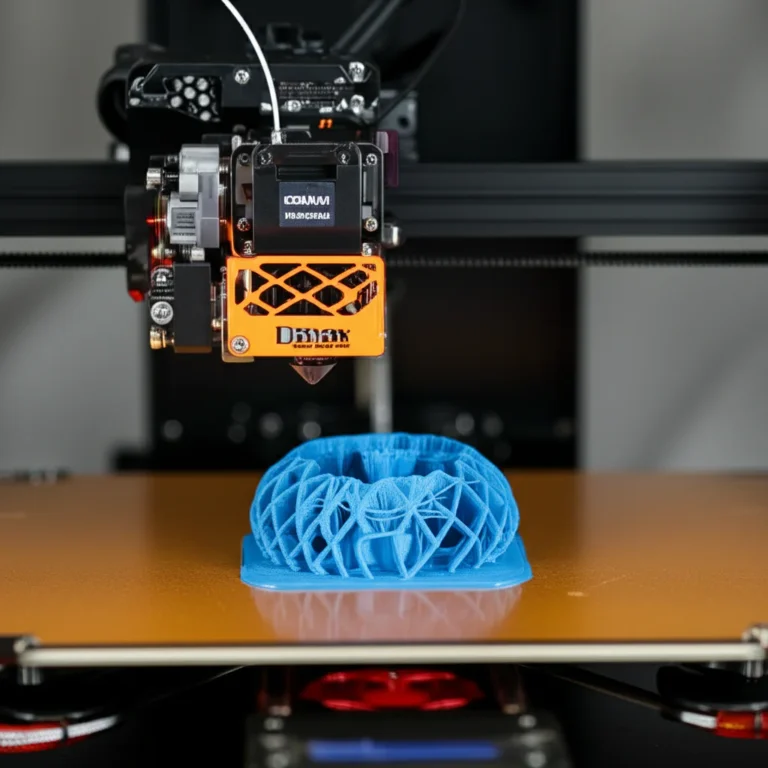
So, what do we really mean when we say 3D printing? At its core, 3D printing is the process of building a three-dimensional object from a digital file by adding material one layer at a time.
Think of it like this: imagine you have a magical hot glue gun. You draw a 2D shape on a piece of paper. Then, you lift the gun slightly and draw the exact same shape right on top of the first one. You repeat this hundreds, or even thousands, of times. Eventually, you’ll have a 3D object rising from the paper. That’s it! That’s the fundamental principle.
As the first YouTube video on this topic neatly summarizes, this layer-by-layer approach is “changing how we produce everything from tools and toys to clothing and even body parts.” It allows for the creation of incredibly complex parts at “a fraction of the cost and time of standard means.”
💡 From Digital Dream to Tangible Reality: The Core Principles of Additive Manufacturing
The term “additive manufacturing” is beautifully descriptive. You are adding material where you need it, and only where you need it. This is a radical departure from traditional methods.
- Subtractive Manufacturing: This is the classic method. You start with a solid block of wood, metal, or stone and remove material through cutting, drilling, milling, or carving. It’s effective but can be incredibly wasteful. Think of all the marble chips left on the floor after sculpting a statue.
- Formative Manufacturing: This involves shaping a material using heat or pressure, like injection molding or forging. It’s fantastic for mass production but requires expensive molds and tooling, making it impractical for one-off custom parts.
- Additive Manufacturing (3D Printing): This builds from the ground up. It’s perfect for complex geometries, custom designs, and rapid iteration. The waste is minimal, often limited to support structures that are removed after printing.
This fundamental difference is why 3D printing is so disruptive. It unlocks design possibilities that were previously impossible or prohibitively expensive.
🏗️ The Layer-by-Layer Revolution: A Deeper Dive into the Process
No matter what kind of printer you’re using—from a hobbyist desktop machine to a room-sized industrial metal printer—the workflow is remarkably similar. It boils down to three key steps:
- Modeling: First, you need a digital blueprint. This is a 3D model created using Computer-Aided Design (CAD) software. This is where your idea takes its first digital breath. We have a whole section on 3D Design Software if you want to learn more.
- Slicing: You can’t just send a 3D model to the printer. The printer needs step-by-step instructions. This is where slicing software comes in. The slicer “slices” your 3D model into hundreds or thousands of thin, horizontal layers and generates a file (usually G-code) that tells the printer exactly where to move, how fast to go, and how much material to deposit for each layer.
- Printing: This is the fun part! You send the G-code file to your printer, and it gets to work, meticulously building your object one layer at a time from the bottom up. Depending on the size, complexity, and technology, this can take anywhere from 30 minutes to several days.
After the print is finished, there’s often a final post-processing step, which could involve removing support structures, sanding, painting, or curing the part with UV light.
📐 The Digital Blueprint: CAD Models and Slicing Software Explained
The heart of every 3D print is the digital file. Without it, your printer is just an expensive paperweight. Let’s break down the two software components you absolutely need to know about.
1. CAD (Computer-Aided Design) Software: This is your digital workshop. It’s where you design your object from scratch or modify an existing one. The options range from incredibly simple to mind-bogglingly complex.
- For Absolute Beginners: Tinkercad is the undisputed king. It’s free, runs in your web browser, and is based on combining and subtracting simple shapes. It’s surprisingly powerful and the perfect place to start.
- For Hobbyists & Engineers: Autodesk Fusion 360 offers a free license for personal use and is a professional-grade tool. It allows for precise, parametric modeling and is a favorite in our workshop.
- For Artists & Sculptors: Blender is a free, open-source powerhouse for creating organic shapes, characters, and sculptures. It has a steeper learning curve but offers unparalleled creative freedom.
2. Slicing Software (The Slicer): The slicer is the unsung hero of 3D printing. It’s the translator between your 3D model and your printer. It takes your STL file and generates the G-code, the specific set of instructions your printer understands.
Your slicer controls everything:
- Layer Height: How thick each layer is. Thinner layers = higher detail but longer print times.
- Infill: The internal structure of your print. You can print objects hollow or with a grid-like pattern inside to save material and time while maintaining strength.
- Print Speed: How fast the print head moves.
- Temperature: The nozzle and bed temperatures, which vary by material.
- Supports: For parts with overhangs, the slicer automatically generates temporary support structures to hold them up during printing.
Popular slicers include Ultimaker Cura, PrusaSlicer, and Creality Slicer. Most are free and have pre-configured profiles for popular printers, making it easy to get started.
🌐 A Universe of Creation: Exploring the Diverse Types of 3D Printing Technologies
“3D printing” isn’t one single technology; it’s a whole family of them! Each has its own strengths, weaknesses, materials, and quirks. Let’s take a tour of the most common processes, from the ones you can have on your desk to the industrial behemoths changing manufacturing.
1. 🔥 Fused Deposition Modeling (FDM): The Workhorse of Desktop 3D Printing
This is the technology most people picture when they think of 3D printing. It’s the one we started with, and it’s the most common and affordable type.
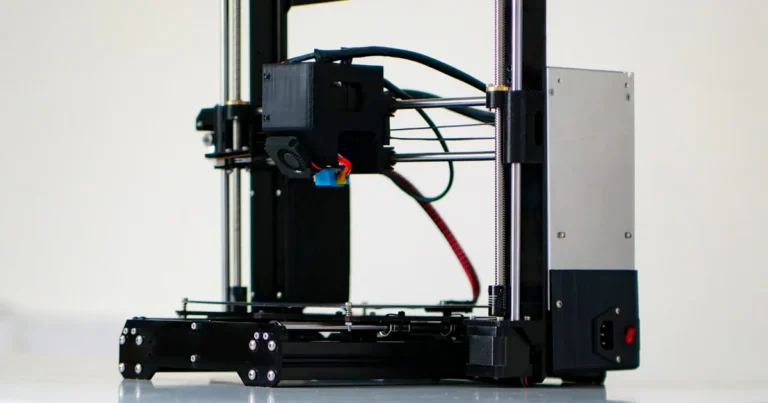
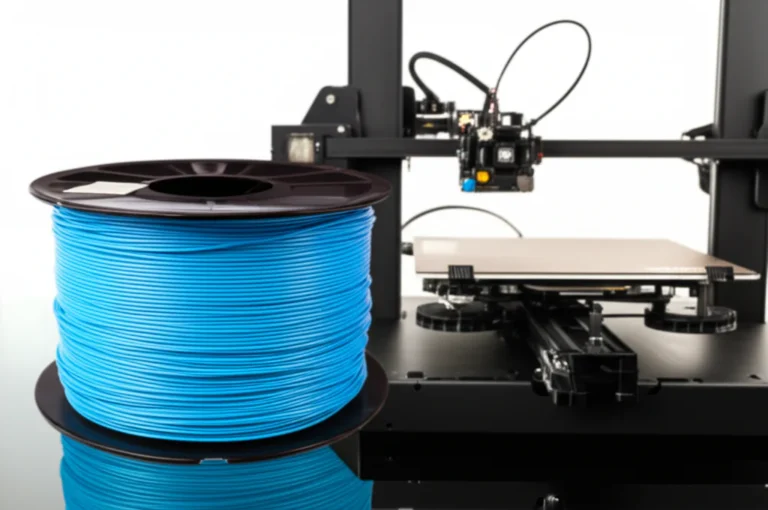
- How it Works: A spool of solid thermoplastic filament is fed into a heated nozzle (the “hotend”). The nozzle melts the filament and extrudes it onto a build platform, drawing the shape of each layer. The plastic cools and solidifies almost instantly.
- Materials: PLA, ABS, PETG, TPU, Nylon, and many more.
- Pros: ✅ Incredibly affordable, wide range of materials and colors, easy to use and maintain.
- Cons: ❌ Visible layer lines are common. As Formlabs points out, “FDM parts tend to have visible layer lines and might show inaccuracies around complex features.” Not ideal for super fine details.
- Best For: Hobbyist projects, rapid prototyping, functional parts, large objects.
- Popular Brands: Creality, Prusa Research, Bambu Lab.
2. 💧 Stereolithography (SLA): Precision and Smoothness with Liquid Resin
This is the OG 3D printing technology, invented by Chuck Hull. It uses light to cure liquid resin into solid objects.
- How it Works: A build platform lowers into a vat of liquid photopolymer resin. A UV laser draws the first layer on the bottom of the platform, curing the resin into a solid. The platform lifts slightly, and the process repeats.
- Materials: Photopolymer resins (standard, tough, flexible, castable, etc.).
- Pros: ✅ Incredible detail and accuracy, smooth surface finish. “SLA parts have sharp edges, a smooth surface finish, and minimal visible layer lines,” according to Formlabs.
- Cons: ❌ Resins can be messy and smelly, post-processing (washing and curing) is required, parts can be brittle.
- Best For: Detailed miniatures, jewelry molds, dental applications, high-fidelity prototypes.
- Popular Brands: Formlabs, Anycubic, Elegoo.
3. ⚡ Digital Light Processing (DLP): SLA’s Speedy Cousin
DLP is very similar to SLA, but with one key difference that makes it much faster.
- How it Works: Instead of a single laser point drawing the layer, DLP uses a digital projector to flash an image of the entire layer at once. This cures the whole layer simultaneously.
- Materials: Photopolymer resins.
- Pros: ✅ Much faster than SLA for large or multiple parts, excellent detail.
- Cons: ❌ Can have slightly lower resolution than laser-based SLA due to pixelation, generally more expensive.
- Best For: Similar to SLA, but where speed is a priority.
4. ⚪ Selective Laser Sintering (SLS): Powder Power for Strong Parts
Now we’re moving into the industrial-grade stuff. SLS printers create incredibly strong, functional parts from a bed of powder.
- How it Works: A high-power laser sinters (fuses) particles of polymer powder together, layer by layer, within a heated build chamber. The cool part? The unsintered powder acts as its own support structure, so you can create incredibly complex geometries without needing to add separate supports!
- Materials: Nylon (PA11, PA12), TPU.
- Pros: ✅ Extremely strong and durable parts, no need for support structures, excellent for complex designs.
- Cons: ❌ Very expensive machines and materials, parts have a slightly grainy surface finish.
- Best For: Functional prototypes, end-use parts, complex mechanical assemblies, low-volume manufacturing.
- Popular Brands: Formlabs (Fuse 1), EOS, 3D Systems.
5. 🚀 Multi Jet Fusion (MJF): HP’s Industrial Game-Changer
Developed by HP, MJF is a competitor to SLS that focuses on speed and production-level output.
- How it Works: An inkjet-like array sweeps across the bed of polymer powder, depositing a fusing agent where the part should be solid and a detailing agent at the edges. Then, an infrared heating unit passes over, fusing the areas with the agent. It’s incredibly fast.
- Materials: Nylon (PA11, PA12), TPU.
- Pros: ✅ Very fast, produces strong parts with good surface finish, cost-effective for medium production runs.
- Cons: ❌ Limited material selection, high initial investment.
- Best For: Short-run manufacturing, functional parts, replacing injection molding for certain applications.
6. 🌈 Binder Jetting: Full-Color and Metal Marvels
Binder Jetting is unique because it can print in full, vibrant color or create metal parts without melting the metal directly.
- How it Works: An inkjet printhead deposits a liquid binding agent onto a bed of powder (which can be sandstone-like for color prints, or metal powder). After printing, color models are infiltrated with a sealant to add strength. Metal parts must be sintered in a furnace to fuse the powder into a solid metal object.
- Materials: Sandstone (for color), metal powders (stainless steel, bronze), sand (for casting).
- Pros: ✅ Can produce full-color models, relatively fast, can create large metal parts.
- Cons: ❌ Color parts are brittle (“green state”), metal parts require significant post-processing.
- Best For: Architectural models, figurines, industrial metal parts, sand casting molds.
7. 🎨 Material Jetting (PolyJet/MultiJet): Multi-Material and Multi-Color Printing
Think of this as the 2D inkjet printer’s super-powered 3D cousin.
- How it Works: A printhead with hundreds of tiny nozzles jets droplets of liquid photopolymer onto the build plate, which are then instantly cured by a UV light. This process allows for blending different materials and colors in a single print.
- Materials: Photopolymer resins with various properties (rigid, flexible, transparent, colored).
- Pros: ✅ Astonishing realism, smooth surfaces, ability to mix materials and colors to create custom properties (e.g., a rigid handle with a soft rubber grip).
- Cons: ❌ Extremely expensive machines and materials, parts can be less durable than other processes.
- Best For: Ultra-realistic prototypes that mimic the look and feel of the final product, medical models.
- Popular Brands: Stratasys (PolyJet), 3D Systems (MultiJet).
8. 🛠️ Direct Energy Deposition (DED): Repairing and Building Large Metal Components
DED is an industrial process often used for repairing or adding material to existing metal parts.
- How it Works: A multi-axis robotic arm with a nozzle melts metal powder or wire as it’s being deposited, often using a laser or electron beam. It’s like FDM for high-performance metals.
- Materials: Titanium, Inconel, stainless steel, aluminum.
- Pros: ✅ Can create very large parts, excellent for repairing expensive components (like turbine blades).
- Cons: ❌ Low resolution, rough surface finish, very high cost.
- Best For: Aerospace and defense applications, repairing high-value metal parts.
9. 📄 Sheet Lamination (Laminated Object Manufacturing – LOM): Layering Sheets for Prototypes
This is a less common but interesting technology that builds objects by stacking and bonding sheets of material.
- How it Works: A sheet of material (like paper or plastic) is coated with adhesive and rolled onto the build platform. A laser or knife cuts the outline of the layer, and the process repeats.
- Materials: Paper, plastic, metal foil.
- Pros: ✅ Fast and inexpensive for large models, no internal stresses.
- Cons: ❌ Lower accuracy, can be wasteful, post-processing to remove excess material can be difficult.
- Best For: Large-scale concept models, non-functional prototypes.
10. 🧪 Vat Photopolymerization (General Category): The Resin-Based Family
This is the umbrella term for technologies that cure liquid resin with a light source. SLA, DLP, and a similar tech called MSLA (Masked SLA) all fall into this category. They are the go-to choice for applications demanding high detail and smooth surfaces.
11. 🏭 Powder Bed Fusion (General Category): The Powder-Based Family
This category includes processes that use thermal energy (like a laser or electron beam) to fuse regions of a powder bed. SLS, MJF, and metal-based processes like SLM (Selective Laser Melting) and EBM (Electron Beam Melting) belong here. They are industrial powerhouses for producing strong, complex end-use parts.
12. 🧵 Extrusion-Based (General Category): The Filament-Based Family
This is the family that started the desktop revolution. It covers any process that extrudes a material through a nozzle. FDM (or FFF – Fused Filament Fabrication) is the primary member. It’s known for its accessibility, affordability, and versatility.
🧱 The Building Blocks: A Comprehensive Guide to 3D Printing Materials
A 3D printer is nothing without its material. The sheer variety of what you can print with is one of the most exciting aspects of the technology. Let’s explore the main categories.
♻️ Plastics & Polymers: From Everyday Filaments to Engineering-Grade Resins
This is the largest and most common category, used in everything from hobbyist FDM printers to industrial SLA and SLS machines.
| Material | Common Name | Key Properties | Best For |
|---|---|---|---|
| Polylactic Acid | PLA | Easy to print, low odor, biodegradable (under industrial conditions), rigid but brittle. | Hobbyist prints, prototypes, figurines. |
| Acrylonitrile Butadiene Styrene | ABS | Strong, durable, temperature resistant. The stuff LEGOs are made of! | Functional parts, phone cases, car parts. |
| Polyethylene Terephthalate Glycol | PETG | A great all-rounder. Stronger than PLA, easier to print than ABS, food-safe (check manufacturer specs). | Mechanical parts, containers, anything needing durability. |
| Thermoplastic Polyurethane | TPU | Flexible, rubber-like, excellent impact resistance. | Phone cases, flexible joints, RC car tires. |
| Photopolymer Resins | SLA/DLP Resins | Liquid plastics that cure under UV light. Come in many varieties: tough, flexible, castable, dental. | High-detail models, jewelry, dental applications. |
| Nylon (Polyamide) | PA | Extremely strong, durable, and flexible with excellent chemical resistance. The go-to for SLS. | Gears, living hinges, functional end-use parts. |
🔩 Metals & Alloys: Forging the Future with Industrial 3D Printing
Yes, you can 3D print metal! This is a cornerstone of modern 3D Printing Innovations and is used in the most demanding industries. Processes like SLM, DED, and Binder Jetting can work with:
- Stainless Steel: Strong, corrosion-resistant, used for industrial hardware.
- Aluminum: Lightweight and strong, perfect for aerospace and automotive parts.
- Titanium: Incredible strength-to-weight ratio, biocompatible, used for medical implants and high-performance aerospace components.
- Inconel (Nickel Alloy): Extreme temperature and corrosion resistance, used for rocket engines and jet turbines. GE Aviation famously prints complex fuel nozzles for their LEAP jet engines using this technology.
💎 Composites & Ceramics: Pushing the Boundaries of Material Science
For applications that need properties beyond what standard plastics and metals can offer, composites and ceramics are the answer.
- Composites: These are base plastics (like Nylon or PETG) reinforced with chopped or continuous fibers.
- Carbon Fiber Filled: Adds incredible stiffness and strength while remaining lightweight.
- Glass Fiber Filled: A more cost-effective way to add strength and heat resistance.
- Ceramics: Using SLA or Binder Jetting, parts can be printed with ceramic-loaded resins or powders. After printing, they are fired in a kiln to create dense, fully ceramic parts that are extremely hard and heat-resistant.
🍎 Biomaterials & Food: The Edible and the Incredible
The future is weird and wonderful!
- Food Printing: Extrusion-based printers can be modified to print with edible materials like chocolate, pancake batter, and frosting, creating intricate designs.
- Bioprinting: This cutting-edge field uses “bio-inks”—gels loaded with living cells—to print tissue structures. Researchers are working towards the long-term goal of printing functional human organs for transplant, a true holy grail of medical science.
🌍 Beyond the Hype: Real-World Applications and Examples of 3D Printing
So, what are people actually doing with all this amazing technology? It’s not just for printing Yoda heads (though we’ve printed our fair share). 3D printing is fundamentally changing how industries operate.
🏎️ Rapid Prototyping & Product Development: Speeding Up Innovation
This is the original killer app for 3D printing. Before, getting a prototype made could take weeks and cost thousands. Now, an engineer can design a part in the morning, print it overnight, and have a physical object to test the next day. This ability to fail fast and iterate quickly has supercharged product development across every industry.
👤 Custom Manufacturing & Personalization: Tailored to You
Because 3D printing doesn’t require expensive molds, the cost of making one item is the same as making ten. This unlocks mass customization.
- Consumer Products: Companies like Gillette have experimented with 3D printed custom razor handles.
- Hearing Aids: As mentioned, virtually all custom in-ear hearing aids are now 3D printed for a perfect fit.
- Insoles & Footwear: Adidas’s 4D midsole is a prime example of a mass-produced 3D printed consumer product, offering unique lattice structures for cushioning.
⚕️ Medical & Dental: Life-Saving Innovations and Precision Healthcare
The impact here is nothing short of miraculous.
- Surgical Guides: Surgeons can 3D print custom guides based on a patient’s CT scan to ensure they cut and drill in the exact right spot during surgery.
- Implants: Over 100,000 hip replacements have been printed by GE using a process that creates a trabecular titanium structure, which encourages natural bone to grow into it.
- Prosthetics: Organizations like e-NABLE use a global network of volunteers to 3D print affordable and custom prosthetic hands and arms for children.
- Anatomical Models: Doctors can print exact replicas of a patient’s organs to practice complex surgeries before ever making an incision.
✈️ Aerospace & Automotive: Lightweighting and Complex Geometries
In these industries, weight is everything. Lighter parts mean better fuel efficiency. 3D printing allows for generative design, where AI algorithms design parts that use the absolute minimum material needed for maximum strength, resulting in bizarre, organic-looking, but incredibly efficient components.
- Aerospace: From GE’s fuel nozzles to certified load-bearing titanium parts on Airbus planes, 3D printing is making aircraft lighter and more efficient.
- Automotive: Used for everything from prototyping new car designs to printing spare parts for vintage cars and creating custom jigs and fixtures for the assembly line.
🖼️ Art, Fashion & Design: Unleashing Creative Freedom
Designers are no longer constrained by what can be traditionally manufactured. 3D printing allows for the creation of intricate patterns, impossible geometries, and wearable art that would be unthinkable with any other method. Check out some amazing 3D Printable Objects to see what’s possible.
🏡 Construction & Architecture: Building the Future, Layer by Layer
Yes, you can even 3D print buildings! Giant gantry-style printers extrude layers of a special concrete mix to build the walls of a house. While still an emerging field, it promises faster, cheaper, and more sustainable construction. You may have heard the viral story of a company in China printing 10 houses in a single day, showcasing the incredible potential for affordable housing.
🎓 Education & Research: Empowering the Next Generation of Innovators
Having a 3D printer in the classroom is a game-changer. It brings abstract concepts to life. Students can design and print molecules, historical artifacts, or engineering solutions. It’s a powerful tool for teaching STEM skills and fostering creativity. Our 3D Printing in Education section explores this in more detail.
🎮 Home Use & Hobbyist Projects: Bringing Ideas to Life in Your Garage
And of course, there’s us! The makers, the tinkerers, the hobbyists. We’re printing everything from custom board game pieces and cosplay props to replacement parts for broken appliances and clever household gadgets. The ability to identify a problem, design a solution, and have a physical object in your hands hours later is empowering and, frankly, addictive.
📈 The Global Impact: Understanding the 3D Printing Industry and Market Trends
3D printing has moved far beyond a niche hobby or a prototyping tool. It’s a full-fledged industrial force that’s reshaping supply chains, economies, and our relationship with manufacturing itself.
💰 Market Growth & Key Players: Who’s Driving the Innovation?
The industry is a mix of old guards and new disruptors.
- The Pioneers: Companies like 3D Systems and Stratasys have been around since the beginning, focusing on high-end industrial and professional systems.
- The Industrial Giants: Players like HP and GE Additive have entered the market with groundbreaking technologies (MJF and DMLM, respectively), signaling the technology’s maturity.
- The Desktop Champions: Companies like Ultimaker, Formlabs, and Prusa Research dominate the professional desktop and “prosumer” space, offering high-quality machines that bridge the gap between hobbyist and industrial.
- The Consumer Revolutionaries: Brands like Creality and Anycubic have made 3D printing accessible to the masses with incredibly affordable and capable machines.
💼 Economic Impact & Job Creation: A New Industrial Revolution?
3D printing is a key component of what’s being called Industry 4.0, the fourth industrial revolution. Its impact is profound:
- On-Demand Manufacturing: Companies can print parts as needed, reducing the need for large warehouses full of inventory.
- Supply Chain Resilience: The ability to print a part locally means less reliance on complex, global supply chains. If a part breaks, you can print a new one instead of waiting weeks for it to ship from overseas.
- New Jobs: While it may disrupt some traditional manufacturing jobs, it’s creating new roles for 3D printing technicians, design engineers, materials scientists, and software developers.
🌱 Sustainability & Environmental Considerations: Green Printing or More Waste?
This is a hot-button issue, and the answer is… complicated.
- The Good: ✅ Additive manufacturing is inherently less wasteful than subtractive methods. It also enables the creation of lightweight parts, which improves fuel efficiency in cars and planes, reducing emissions. Localized production also cuts down on shipping.
- The Bad: ❌ Most common filaments are still plastics derived from fossil fuels. Failed prints create plastic waste. The printing process itself, especially heating the bed and nozzle, consumes a significant amount of electricity.
- The Hopeful: 🌱 There’s a huge push towards using recycled filaments and developing more sustainable, plant-based materials like PLA. As the technology matures, energy efficiency is also improving.
🚧 Challenges & Limitations: The Roadblocks to Widespread Adoption
Despite the hype, 3D printing isn’t a magic bullet for every manufacturing problem.
- Speed: For mass production of simple parts, traditional methods like injection molding are still exponentially faster.
- Cost: While desktop printers are cheap, industrial metal printers can cost hundreds of thousands of dollars, and the material powders are expensive.
- Quality Control: Ensuring every single print meets strict industrial tolerances can be challenging.
- Material Properties: 3D printed parts, especially from FDM, can have anisotropic properties, meaning they are weaker along the layer lines.
- Intellectual Property: The ease of scanning and replicating objects raises serious concerns about copyright and patent infringement.
🔮 The Future is Now: Emerging Trends and What’s Next for Additive Manufacturing
So, where is this all heading? The pace of innovation is staggering.
- AI and Generative Design: AI will play an even bigger role in designing hyper-optimized parts that humans could never conceive of.
- 4D Printing: This involves printing with “smart materials” that can change shape or properties over time when exposed to a stimulus like heat, light, or water. Imagine a flat-packed object that assembles itself.
- Multi-Material & Electronics Printing: The ability to print complex objects with multiple materials, including conductive traces, will allow for the creation of fully functional electronic devices in a single print run.
- Bioprinting: The long-term goal of printing viable, transplantable human organs continues to drive incredible research and development.
🚀 Getting Started: Your First Steps into the World of 3D Printing
Feeling the itch to create? Convinced you need a 3D printer in your life? We get it. The barrier to entry has never been lower. Here’s our quick-start guide to joining the revolution.
🖨️ Choosing Your First Printer: FDM vs. Resin – The Great Debate!
This is the first major decision you’ll make. Both technologies are amazing, but they excel at different things.
| Feature | FDM (Filament) Printers | Resin (SLA/DLP/MSLA) Printers |
|---|---|---|
| Best For | Functional parts, prototypes, large objects, tinkering. | Detailed miniatures, jewelry, visual models. |
| Resolution | Good, but layer lines are usually visible. | Exceptional, with a smooth, injection-molded look. |
| Ease of Use | Easier initial setup, less messy. | Requires a multi-step process (print, wash, cure). |
| Materials | Huge variety (PLA, PETG, ABS, TPU, etc.), relatively cheap. | More limited, can be smelly, toxic, and more expensive. |
| Durability | Can produce very strong, durable parts (e.g., with PETG or Nylon). | Standard resins can be brittle, though tough engineering resins exist. |
| Our Pick For Beginners | An FDM printer. They are more forgiving, cheaper to run, and more versatile for general-purpose printing. |
If you’re ready to start looking, check out our in-depth 3D Printer Reviews to find the perfect machine for your budget and needs.
👉 Shop Popular Beginner 3D Printers on:
- Creality Ender 3 V3 SE: Amazon | Creality Official Website
- Anycubic Kobra 2 Neo: Amazon | Anycubic Official Website
- Elegoo Neptune 4 Pro: Amazon | Elegoo Official Website
💻 Essential Software & Tools: From CAD to Slicer
You’ll need a few digital tools to get going:
- A Place for Models: Start by browsing Thingiverse, Printables, and MyMiniFactory for cool things to print.
- A Slicer: Download Ultimaker Cura or PrusaSlicer. They’re both free, powerful, and have profiles for almost every printer on the market.
- (Optional) A Design Program: When you’re ready to make your own stuff, start with Tinkercad. It’s the best way to learn the basics of 3D modeling.
🔧 Troubleshooting Common Issues: Our Top Tips for Smooth Prints
Your first few prints might not be perfect. That’s okay! 3D printing is a hands-on hobby. Here are two of the most common problems and the number one fix:
- The Problem: The first layer won’t stick to the build plate, or the whole print comes loose mid-way through, creating a “spaghetti monster.”
- The Cause: This is almost always due to the nozzle being too far from or too close to the build plate. This critical distance is called the “Z-offset.”
- The Fix (Our #1 Tip): Level your bed! And then level it again. Learning how to properly level your print bed and set the Z-offset is the single most important skill for getting good prints. Watch a tutorial for your specific printer model. A perfectly leveled bed is the foundation of every successful print. Trust us on this. We’ve learned the hard way more times than we can count.
✅ Conclusion: The Enduring Legacy of Additive Manufacturing

So, what do we mean by 3D printing? It’s a revolutionary process that transforms digital dreams into tangible realities, layer by layer. From humble beginnings in the 1980s with Chuck Hull’s pioneering stereolithography, to the explosion of affordable desktop printers and industrial-grade metal machines, 3D printing has evolved into a versatile, powerful tool reshaping industries and hobbies alike.
Whether you’re a hobbyist printing your first phone stand, an engineer prototyping jet engine parts, or a surgeon preparing for complex operations, 3D printing offers unmatched design freedom, rapid iteration, and customization. It’s not just about making objects; it’s about reimagining how we create, manufacture, and innovate.
Of course, it’s not perfect. Challenges like print speed, material limitations, and quality control remain, but the pace of innovation is relentless. Emerging technologies like multi-material printing, bioprinting, and AI-driven design hint at an even more astonishing future.
If you’re ready to jump in, start small, learn the basics of CAD and slicing, and pick a reliable FDM or resin printer that fits your needs. Remember our golden rule: level your bed! Your prints will thank you.
In the end, 3D printing is more than a technology—it’s a gateway to creativity, problem-solving, and a new industrial era. We’re thrilled to have you along for the ride.
🔗 Recommended Links: Dive Deeper with Our Top Resources
Shop Popular 3D Printers and Brands
- Creality Ender 3 V3 SE:
Amazon | Creality Official Website | Thingiverse Models - Anycubic Kobra 2 Neo:
Amazon | Anycubic Official Website | Thingiverse Models - Elegoo Neptune 4 Pro:
Amazon | Elegoo Official Website | Thingiverse Models - Formlabs Form 3 (SLA Resin Printer):
Amazon | Formlabs Official Website | Formlabs Resin Models - Prusa i3 MK4:
Amazon | Prusa Research Official Website | PrusaPrinters Models
Recommended Books on 3D Printing
- 3D Printing: The Next Industrial Revolution by Christopher Barnatt
Amazon Link - Fabricated: The New World of 3D Printing by Hod Lipson and Melba Kurman
Amazon Link - Mastering 3D Printing by Joan Horvath and Rich Cameron
Amazon Link
❓ FAQ: Your Burning Questions Answered

What are the limitations and challenges of 3D printing and how can they be overcome?
3D printing faces several hurdles:
- Speed: Printing can be slow, especially for large or highly detailed parts.
Solution: Use faster technologies like MJF or DLP for production, or optimize print settings and layer height for hobbyist printers. - Material Limitations: Not all materials are printable or have the desired mechanical properties.
Solution: Research and select appropriate materials; composite filaments and engineering resins expand options. - Surface Finish & Strength: FDM prints often have visible layer lines and anisotropic strength.
Solution: Post-processing like sanding, vapor smoothing, or using resin printers for smoother parts. - Cost of Industrial Machines: High-end metal printers are expensive.
Solution: Outsource complex prints or use desktop printers for prototyping. - Intellectual Property Risks: Easy replication can lead to copyright infringement.
Solution: Legal frameworks and digital rights management are evolving.
How much does a 3D printer cost and what are the factors that affect its price?
Prices vary widely:
- Entry-Level Desktop Printers: $150–$600. Ideal for hobbyists and beginners.
- Prosumer/Professional Desktop Printers: $1,000–$5,000. Higher precision, better materials, and reliability.
- Industrial Printers: $50,000 to several hundred thousand dollars. For metal printing, large parts, or high throughput.
Factors influencing cost:
- Printing technology (FDM cheaper than SLS or SLA)
- Build volume and speed
- Material compatibility
- Precision and resolution
- Brand reputation and support
What are some popular things to 3D print for beginners and hobbyists?
Great starter projects include:
- Phone stands and holders
- Customized keychains and jewelry
- Replacement parts for household items
- Board game pieces and miniatures
- Cable organizers and tool holders
- Planters and decorative vases
Check out 3D Printable Objects for inspiration and free models.
What kind of materials can be used for 3D printing and what are their properties?
Materials vary by technology:
- Plastics: PLA (easy, biodegradable), ABS (strong, heat resistant), PETG (durable, food safe), TPU (flexible).
- Resins: Standard (high detail), tough, flexible, castable (for jewelry).
- Metals: Stainless steel, titanium, aluminum, Inconel (for aerospace).
- Composites: Carbon fiber or glass fiber reinforced plastics.
- Ceramics: For heat-resistant, hard parts.
- Biomaterials: Living cells for bioprinting.
Each has trade-offs in strength, flexibility, finish, and cost.
What are the benefits of using 3D printing for manufacturing and production?
- Rapid Prototyping: Fast iteration reduces development time.
- Customization: Mass customization without tooling costs.
- Complex Geometries: Produce shapes impossible with traditional methods.
- Reduced Waste: Additive process uses only needed material.
- Supply Chain Simplification: On-demand, localized production reduces inventory.
How does 3D printing work and what are its applications?
3D printing builds objects layer by layer from a digital model using various technologies (FDM, SLA, SLS, etc.). Applications include prototyping, medical devices, aerospace parts, art, education, and even food.
What are the potential real-world applications of 3D printing in industries such as healthcare, aerospace, and education?
- Healthcare: Custom implants, prosthetics, surgical guides, bioprinting tissues.
- Aerospace: Lightweight, complex parts like fuel nozzles, structural components.
- Education: Hands-on STEM learning, rapid prototyping for student projects.
How can I get started with 3D printing and what equipment do I need to begin?
Start with:
- An entry-level FDM printer like the Creality Ender 3.
- Free slicing software like Ultimaker Cura.
- Access to free 3D models on Thingiverse.
- Basic CAD skills via Tinkercad.
- Patience and a willingness to learn from trial and error!
What are some common materials used in 3D printing and their applications?
See the materials section above. Commonly, PLA and ABS for hobbyists; nylon and resins for professionals; metals for industrial use.
What are the different types of 3D printing processes?
Key types include:
- FDM/FFF: Extrusion of melted filament.
- SLA/DLP: UV curing of resin.
- SLS/MJF: Laser sintering or fusing powder.
- Binder Jetting: Binding powder with liquid agent.
- Material Jetting: Droplets of photopolymer cured by UV.
What is 3D printing with example?
3D printing is creating a physical object by adding material layer by layer from a digital file. For example, printing a custom phone case on an FDM printer.
What is 3D printing in simple terms?
It’s like building a model out of tiny layers of material, guided by a computer, turning digital designs into real objects.
📚 Reference Links: Our Sources for Expert Insights
- 3D Printing – Wikipedia
- 3DPrinting.com What is 3D Printing?
- Formlabs 3D Printing Overview
- 3D Systems Official Site
- Stratasys PolyJet Technology
- HP Multi Jet Fusion
- GE Additive
- Prusa Research
- Ultimaker Cura
- Thingiverse – 3D Models
- Tinkercad – Beginner CAD
We hope this guide has demystified 3D printing and sparked your curiosity. Ready to create? Your printer is waiting! 🚀