Support our educational content for free when you purchase through links on our site. Learn more
12 Statistics on 3D-Printed Repair Parts 🔧

Statistics on 3D printed repair and replacement parts point to a clear takeaway: printing can be a smart fix for obsolete, low-volume, or hard-to-source components—but there’s no reliable global count of how many replacement parts are printed each year. Broad additive-manufacturing market figures often combine repairs with prototypes, production parts, software, and equipment, so they shouldn’t be mistaken for repair-specific totals.
We’ve seen a tiny broken clip sideline a perfectly good household item. When the original part is unavailable, a carefully measured print may bring it back to life—but a convincing fit alone doesn’t prove the part is strong or safe enough for its job.
The statistics are most useful when paired with practical questions: What kind of part is being printed? How long does the repair take from measurement to testing? And what happens if the replacement fails? Those details tell us far more than a big market forecast.
Key Takeaways
- There is no dependable worldwide annual count of 3D-printed repair and replacement parts.
- The clearest use cases are low-volume, obsolete, custom, or hard-to-source parts.
- Market growth statistics cover much more than repairs, so check what each report actually measures.
- Total cost and turnaround include more than printing: design, queue time, finishing, testing, and possible revisions all count.
- A printed part isn’t automatically equivalent to the original. Material, orientation, operating conditions, and quality checks matter.
- Use engineering review or qualified suppliers for safety-critical and regulated components.
Table of Contents
- ⚡️ Quick Tips and Facts
- 📊 Statistics on 3D-Printed Repair and Replacement Parts: What the Data Measures
- Repair parts, replacement parts, and spare parts: key definitions
- How we evaluate statistics, surveys, and market forecasts
- Why estimates differ across reports
- 🕰️ From replacement-part shortages to on-demand 3D printing
- How additive manufacturing changed repair and spare-parts supply
- Digital inventories and distributed manufacturing
- 🔢 12 Statistics That Reveal the State of 3D-Printed Repair Parts
- 1. Adoption of 3D printing for repairs and replacement components
- 2. Additive manufacturing market size and growth forecasts
- 3. Common industries using printed spare parts
- 4. Most frequently printed repair and replacement items
- 5. Lead-time reductions compared with traditional sourcing
- 6. Inventory and warehousing changes from digital spare parts
- 7. Cost savings and break-even production volumes
- 8. Production scale: one-off repairs, small batches, and serial parts
- 9. Material use, waste, and environmental impact
- 10. Part performance, durability, and failure rates
- 11. Desktop 3D printing versus industrial additive manufacturing
- 12. Bariers to adoption and the skills gap
- 🏭 Where 3D-Printed Replacement Parts Are Making a Difference
- Automotive, transportation, and fleet maintenance
- Aerospace, aviation, and defense
- Industrial machinery and manufacturing equipment
- Healthcare, assistive devices, and medical equipment
- Consumer appliances, electronics, and household repairs
- Construction, infrastructure, and remote operations
- 🧩 Which Repair Parts Are Good Candidates for 3D Printing?
- Brackets, clips, knobs, housings, gears, and fixtures
- Obsolete, discontinued, and hard-to-source components
- Parts that should not be printed without engineering review
- How to assess part geometry, loads, heat, and wear
- 🧵 Materials and 3D Printing Technologies for Functional Spare Parts
- FDM and FF: practical plastic replacement parts
- SLA and DLP resin: precise parts and their limitations
- SLS and MJF: durable nylon parts at production scale
- Metal additive manufacturing for demanding applications
- Choosing PLA, PETG, ABS, ASA, nylon, TPU, or metal
- 🛠️ From Broken Part to Working Replacement: The Complete Workflow
- Inspecting and measuring the damaged component
- 3D scanning, reverse engineering, and CAD modeling
- Repairing meshes and preparing printable files
- Selecting orientation, infill, supports, and tolerances
- Printing, post-processing, fitting, and testing
- Documenting the part for repeat repairs
- 💻 CAD, Mesh Repair, and Slicer Software for Replacement Parts
- CAD and reverse-enginering tools for functional components
- Mesh repair and build-preparation software
- Slicers and print settings for dependable parts
- Choosing software for desktop, service bureau, or factory workflows
- 💰 Cost, Lead Time, and Supply-Chain Trade-Offs
- 3D printing versus injection molding, machining, and ordering OEM parts
- A practical cost-per-part calculation
- When on-demand printing beats keeping parts in stock
- Hidden costs: design time, testing, finishing, and quality control
- 🌱 Sustainability and Circular-Repair Benefits
- Repairing products instead of replacing entire assemblies
- Material waste, energy use, and lifecycle comparisons
- Where digital inventories help—and where they do not
- ⚠️ Quality, Safety, and Legal Considerations
- Strength, fatigue, temperature, chemicals, and fire performance
- Testing, traceability, and quality assurance
- Product liability, intellectual property, and right-to-repair
- Regulated parts and when to use certified suppliers
- 🏠 Home Repairs Versus Professional Replacement-Part Production
- What hobbyist printers can reliably handle
- When to outsource to an industrial 3D printing service
- Tools and skills for a small repair-printing setup
- 🔭 What the Statistics Suggest About the Future of 3D-Printed Spare Parts
- AI-assisted design, automated inspection, and faster reverse engineering
- Distributed production and local repair networks
- Digital part libraries, standards, and secure file sharing
- 🔗 Quick Links for 3D-Printed Repair and Replacement Parts
- ✅ Conclusion
- 📚 Recommended Links
- ❓ FAQ
- How many replacement parts are being made with 3D printing?
- Does 3D printing really reduce spare-part lead times?
- Are 3D-printed replacement parts as strong as original parts?
- Which materials are best for functional repair parts?
- Is it cheaper to 3D print a replacement part?
- Can I legally print a patented or branded spare part?
- Can a 3D-printed part replace a safety-critical component?
- How do I find or create a 3D model for a discontinued part?
- 📖 Reference Links
⚡️ Quick Tips and Facts
For a broader snapshot of industry adoption, see our statistics about 3D printing. Here’s the repair-specific reality: 3D printing is especially useful when a part is obsolete, needed in a small quantity, or expensive to keep in stock. It is not automatically cheaper, faster, stronger, or greener in every case.
| Quick fact | What it means for your repair |
|---|---|
| There is no reliable global count of replacement parts 3D-printed each year. | Reports track different things—machines, materials, production, or market revenue—and rarely isolate repair parts. |
| The strongest use case is often a one-off or low-volume part. | A digital file and on-demand production can avoid tooling and long waits for a discontinued component. |
| A printed part’s performance depends on more than its material name. | Geometry, print orientation, process settings, post-processing, and operating conditions all matter. |
| A replica is not necessarily an equivalent replacement. | Validate fit and function, and use a qualified manufacturer for safety-critical parts. |
| Print time is only one part of turnaround. | Measurement, CAD, queue time, finishing, and testing can take longer than the print itself. |
| Desktop printing suits many low-load household repairs. | Heat, chemicals, fatigue, or high loads may call for industrial processes and engineering review. |
✅ Our shop-floor rule: If the part holds a cover, routes a cable, or replaces a small broken clip, a print may be a sensible fix. If failure could cause injury, fire, a vehicle incident, or damage to expensive machinery, don’t treat “it fits” as proof that it is safe.
📊 Statistics on 3D-Printed Repair and Replacement Parts: What the Data Measures
Statistics about 3D-printed repair parts are useful—but only when we know what each statistic counts. A market forecast for all additive manufacturing does not tell us how many appliance knobs or industrial brackets were printed for repairs.
Repair parts, replacement parts, and spare parts: key definitions
The terms overlap, but they describe different needs:
- Repair part: A component used to restore a product or machine to working condition. It may be a replica, an improved design, or one piece in a repair.
- Replacement part: A component that takes the place of a missing, broken, worn, or failed part.
- Spare part: A replacement kept available for future maintenance, whether it is made conventionally or additively.
- 3D-printed part: A component made by an additive process, such as fused deposition modeling (FDM), selective laser sintering (SLS), or metal powder bed fusion.
One printed bracket may be a replacement part for a machine and a repair part in the wider maintenance job. That makes simple “parts printed” counts slippery.
How we evaluate statistics, surveys, and market forecasts
Before trusting a headline number, check:
- What is counted? Printers sold, materials consumed, businesses adopting AM, parts produced, or market revenue?
- Which process is included? Desktop FDM and industrial metal printing are not the same production category.
- What is the geography and time period? A regional survey from one year should not be presented as a worldwide annual total.
- Is the data observed or forecast? A market projection is an estimate, not a measured result.
- Does “maintenance” mean the same thing as repair? Some surveys group maintenance, tooling, prototypes, and end-use parts together.
The ASTM International overview of additive manufacturing and NIST’s additive manufacturing resources help explain the broader technology landscape, but neither should be mistaken for a universal census of printed spare parts.
Why estimates differ across reports
Industry reports often disagree because they define “additive manufacturing market” differently. One may include printers and software; another may count materials and services; a third may estimate production of finished parts. Those totals can all be internally reasonable and still be incomparable.
We’re particularly cautious about taking a large AM market forecast and labeling it “the repair-parts market.” The repair share is often not broken out, and companies may classify the same component as production, maintenance, tooling, or protyping. When a report does not publish its method, treat its number as an indicator of direction—not a precise count of repaired appliances.
🕰️ From replacement-part shortages to on-demand 3D printing
A familiar repair story goes like this: the appliance works, one small plastic part breaks, and the manufacturer no longer sells the component—or sells it only as part of a much larger assembly. That gap between “tiny broken bit” and “whole assembly replacement” is where additive manufacturing can help.
How additive manufacturing changed repair and spare-parts supply
Traditional spare-parts systems are built around forecasting, warehouses, supplier networks, and minimum production quantities. Additive manufacturing changes the calculation for selected parts by making production possible from a digital design, without a dedicated mold or cutting tool.
That does not make every part a good candidate. A conventional process may remain faster and cheaper for a high-volume, standardized component. The advantage of printing grows when demand is uncertain, quantities are low, geometry is awkward, or an original part is unavailable.
The U.S. Department of Energy’s overview of additive manufacturing describes the technology’s role in manufacturing innovation. For repair work, the practical takeaway is more modest: print where flexibility and availability are worth more than high-volume production efficiency.
Digital inventories and distributed manufacturing
A digital inventory stores qualified part files instead of—or alongside—finished parts. When a component is needed, it can be printed at a local facility or by a service provider with the right equipment.
Potential benefits include:
- Fewer physical spares for selected, low-demand components
- Faster access to obsolete or remote-site parts
- Easier design revisions when a known weakness is discovered
- Less need to ship a small component across long distances
But a CAD or mesh file is not automatically a production-ready spare. Version control, material specifications, machine settings, inspection criteria, and permission to manufacture all matter. A file called final_final_fixed.stl is not a quality system. We’ve all seen that folder.
🔢 12 Statistics That Reveal the State of 3D-Printed Repair Parts
These are 12 evidence-based lenses, not 12 invented global percentages. There is no dependable public dataset that tracks every replacement part printed around the world. Instead, each section explains what is known, what can be measured, and what should not be inferred.
1. Adoption of 3D printing for repairs and replacement components
Adoption is growing across manufacturing, healthcare, education, product development, and maintenance—but a survey of companies using 3D printing does not establish that all those users make repair parts. Some print prototypes; others produce fixtures, tooling, or final components.
For a useful adoption statistic, look for the survey population, year, region, industry, and exact question wording. A claim such as “X% of companies use AM” may be valid for the surveyed companies while saying little about repair-part adoption specifically.
2. Additive manufacturing market size and growth forecasts
Market forecasts can show investment and commercial interest in additive manufacturing, but they measure an entire ecosystem—not just repairs. Depending on the report, the category may include printers, materials, software, design services, and printed parts.
Use these figures to understand market direction, not to calculate the number of spare parts printed. The distinction is especially important when a headline combines an overall AM forecast with an unsupported repair-specific conclusion.
3. Common industries using printed spare parts
Industries with compelling repair use cases include:
- Aerospace and aviation, where low-volume, complex parts and long supply chains can matter
- Industrial manufacturing, for machine components, jigs, fixtures, and maintenance aids
- Automotive and transportation, especially for legacy, customized, or low-volume parts
- Healthcare, including assistive devices and selected equipment components
- Consumer repair, where users reproduce small plastic parts for household products
The presence of AM in an industry does not mean every printed component is a certified spare. Industry adoption and safety approval are separate questions.
4. Most frequently printed repair and replacement items
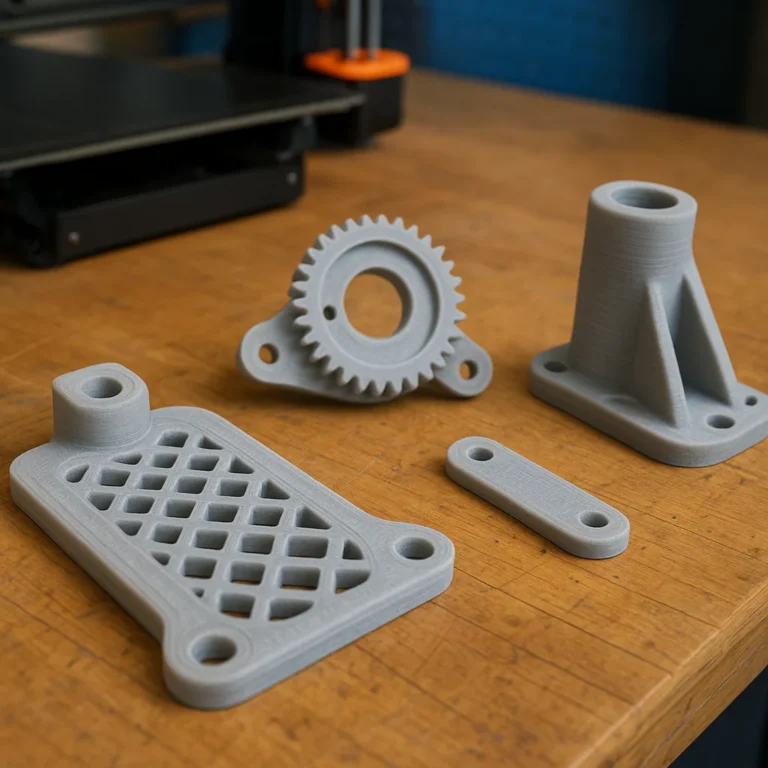
There is no authoritative worldwide leaderboard, but common practical projects include clips, brackets, knobs, covers, spacers, cable guides, housings, appliance wheels, and fixtures. Users often choose these because they are small, easy to measure, and available as a single part rather than a complex assembly.
For printable inspiration, browse the 3D Printable Objects category or search Thingiverse for replacement parts. Treat community models as starting points: verify dimensions, material, licensing, and intended loads before relying one.
5. Lead-time reductions compared with traditional sourcing
A local print can avoid some steps in a conventional supply chain, such as supplier discovery, tooling, or shipping from a distant warehouse. Yet the total time saved depends on how quickly you can get an accurate design, queue the job, post-process it, and verify the fit.
A practical local benchmark comes from Rutgers Makerspace, which reports an average processing time of 1–3 days, with complexity, demand, and queue backlogs affecting turnaround. That is a service-specific estimate—not a universal print-time guarantee.
6. Inventory and warehousing changes from digital spare parts
Digital files can reduce the need to keep some slow-moving physical components on a shelf. The benefit is strongest when a part is rarely needed, takes up storage space, or is difficult to source.
However, a digital spare still needs a compatible machine, material, and verified process. Printing on demand shifts some inventory burden into data management and production readiness; it does not erase it.
7. Cost savings and break-even production volumes
A printed part may save money when it avoids tooling, minimum order quantities, shipping delays, or replacement of a larger assembly. It may cost more when design labor, engineering validation, post-processing, and repeated trial prints outweigh those benefits.
The comparison should include the whole repair, not just filament or powder:
- Design and measurement time
- Material and machine time
- Supports and failed prints
- Finishing and assembly
- Inspection and testing
- Downtime avoided—or not avoided
- Cost of failure if the part performs poorly
8. Production scale: one-off repairs, small batches, and serial parts
The lower the production quantity, the more attractive a tool-free process can become. For large, stable production runs, injection molding, machining, stamping, or conventional casting may have a cost advantage.
There is no single break-even quantity for “3D printing versus molding.” It varies with geometry, material, mold complexity, machine productivity, finishing requirements, and whether the design changes. Ask for a part-specific comparison, not a universal cutoff.
9. Material use, waste, and environmental impact
Additive manufacturing builds material into a part rather than cutting it away from a larger block, but that does not mean every printing process is waste-free. Supports, failed builds, powder handling, energy use, and post-processing all contribute to the footprint.
The strongest environmental case may be repairing a product that would otherwise be discarded, but the result depends on the replacement part’s life, material, transport, and the product’s remaining service life. Compare lifecycle impacts rather than assuming “printed” means “green.”
10. Part performance, durability, and failure rates
There is no universal failure-rate statistic for 3D-printed repair parts. Performance depends on process, material, design, print direction, environmental exposure, and quality control. Two parts made from the same nominal polymer can behave differently if their geometry or manufacturing conditions differ.
For engineering decisions, use representative testing and applicable standards. ASTM International’s additive manufacturing standards resources provide a starting point for understanding standardization; the right test still depends on the part and its use.
11. Desktop 3D printing versus industrial additive manufacturing
| Factor | Desktop FDM/FFF | Industrial polymer AM | Industrial metal AM |
|---|---|---|---|
| Typical strength | Suitable for many low-load repairs when designed well | Can support more demanding production requirements, depending on process and material | Can produce metal components, subject to engineering and qualification |
| Materials | Common thermoplastics and flexible filaments | Engineering polymers, including selected nylon and high-performance materials | Metal alloys appropriate to qualified processes |
| Best fit | Prototypes, household repairs, simple fixtures | Functional parts and repeatable production applications | Specialized, high-performance or complex metal components |
| Main caution | Layer direction, heat, and process variation | Qualification, cost, and supplier capability | Certification, inspection, and process control |
Material selection must be based on the actual application, not on the word “industrial” alone. For example, Stratasys Antero 800NA is a PEKK-based FDM material described by its manufacturer as intended for demanding applications. That product information is useful—but it is not a universal performance guarantee for a printed repair part.
12. Bariers to adoption and the skills gap
The main barriers are often practical rather than futuristic:
- No trustworthy CAD model or dimensional drawing
- Uncertainty about material and operating conditions
- Lack of engineering, inspection, or printer skills
- Concerns about licensing, liability, and counterfeit parts
- Difficulty proving repeatable quality
- Weak economics for high-volume, standardized components
Community printers lower the barrier to experimenting, while industrial applications require much more control. The 3D Design Software category can help you explore modeling tools; for structural parts, learning CAD is only one step in a larger engineering workflow.
🏭 Where 3D-Printed Replacement Parts Are Making a Difference
A repair part’s value may be the material saved—or the machine that gets back to work. Here’s where printing can earn its keep, and where it needs extra caution.
Automotive, transportation, and fleet maintenance
Potential uses include trim clips, interior brackets, cable guides, housings, and parts for older vehicles. Fleet operators may also explore custom low-volume components when a standard replacement is difficult to source.
✅ Consider printing non-safety-critical interior organizational parts after checking fit and heat exposure.
❌ Do not substitute an unqualified print for brake, steering, suspension, restraint, or other safety-critical components.
A printed part’s appearance can be convincing while its fatigue life remains unknown. For vehicle use, a mechanical fit test is not the same as roadworthiness approval.
Aerospace, aviation, and defense
Aerospace applications can benefit from complex geometries and carefully controlled production, but the sector’s requirements make informal replication inappropriate. Parts may need approved materials, traceability, qualified suppliers, process control, inspection, and regulatory acceptance.
The Federal Aviation Administration’s additive manufacturing research is a useful starting point. A print that looks like an aircraft part is not automatically an approved aircraft part.
Industrial machinery and manufacturing equipment
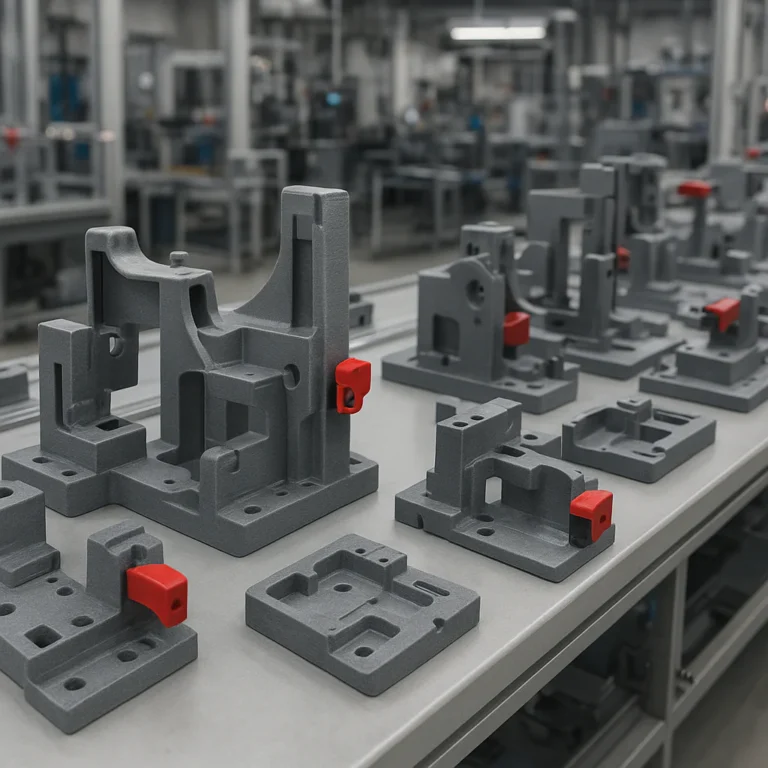
Factories may print guards, brackets, guides, covers, fixtures, and selected low-load maintenance components. In some cases, the bigger win is not the replacement itself but reducing downtime while the correct production part is sourced.
Manufacturers should document the approved file, material, orientation, process settings, and inspection criteria. A maintenance technician’s successful prototype can be valuable—but it still needs review before it becomes a repeatable production part.
Healthcare, assistive devices, and medical equipment
3D printing can support customized assistive devices and selected medical applications, but patient-contact or clinical equipment parts need appropriate design controls and regulatory consideration. The FDA’s additive manufacturing and 3D printing resources explain the agency’s role in medical-device oversight.
Explore our 3D Printing in Healthcare coverage for related applications. For a home repair, a printed drawer pull is one thing; a component used in clinical care is very much another.
Consumer appliances, electronics, and household repairs
Household repairs are a natural fit for experimentation: small parts, individual demand, and frequent cases where one broken plastic component makes a larger product awkward to use.
The featured repair video shows an iterative approach to a dishwasher rack wheel and a bi-fold door roller. The creator revises multiple designs using measurements and fit feedback—an honest reminder that the first CAD version is often a draft, not the finish line.
In our own bench tests, the parts that go most smoothly are the ones we measure carefully and test without forcing. A little clearance can matter; the exact amount depends on the printer, material, and mating part.
Construction, infrastructure, and remote operations
Remote sites, older infrastructure, and building maintenance can all involve hard-to-source, low-volume components. Additive manufacturing may help produce custom covers, mounting brackets, guides, or non-critical fixtures closer to where they are needed.
For structural, fire-safety, electrical, or load-bearing applications, use qualified engineering review and products that meet the relevant requirements. Our 3D Printing in Architecture section explores related construction and design uses.
🧩 Which Repair Parts Are Good Candidates for 3D Printing?
A candidate part usually has three helpful traits: low production volume, manageable performance requirements, and a design that can be measured or modeled accurately.
Brackets, clips, knobs, housings, gears, and fixtures
Common candidates include:
- Cable clips, organizers, and guides
- Covers, caps, and housings
- Knobs and handles
- Brackets and mounting adapters
- Spacers and shims
- Low-load rollers and wheels
- Jigs, alignment aids, and fixtures
Gears and rollers need more care than they appear to. Tooth geometry, wear, friction, alignment, and material choice can turn a simple-looking part into a noisy, short-lived repair.
Obsolete, discontinued, and hard-to-source components
When an original component is no longer available, a printed replacement may keep a product useful. Begin by checking for an official part, service manual, or manufacturer-approved substitute. If none exists, a community model can offer clues—but inspect the dimensions and licensing before printing.
Try Thingiverse replacement-part searches and Yegi replacement-part searches as discovery tools. Search results are not quality certifications, and a model for a similar-looking product may not fit yours.
Parts that should not be printed without engineering review
Get qualified review before replacing parts that are:
- Safety-critical or load-bearing
- Exposed to high temperatures, flame, or electrical hazards
- Subject to pressure, repeated fatigue, or impact
- Used in aircraft, vehicles, medical devices, or regulated equipment
- In contact with food, medication, or the human body in a regulated use
- Needed to contain hazardous liquids, gases, or chemicals
A sensible test question: What happens if this part fails while the product is in use? If the answer includes injury, fire, major damage, or loss of essential function, a casual desktop print is not the right approval path.
How to assess part geometry, loads, heat, and wear
Before modeling, note:
- The forces and directions the part sees
- Whether the force is steady, repeated, or impact-driven
- Operating temperature and exposure to sunlight or chemicals
- Moving contact, friction, and wear surfaces
- Required clearances, alignment, and surface finish
- How the part is attached and whether the original design used a specific material
A part can be dimensionally correct yet fail because its layer lines run across a tensile load. Orientation is part of the design, not a last-minute slicer setting.
🧵 Materials and 3D Printing Technologies for Functional Spare Parts
No material wins every repair. Choose the process and material for the part’s actual job, then check that your printer or service provider can produce it consistently.
FDM and FF: practical plastic replacement parts
FDM and fused filament fabrication (FFF) melt and deposit thermoplastic filament. Desktop FDM is accessible and useful for many covers, brackets, organizers, and lightly loaded components.
Benefits: broad material availability, straightforward iteration, and accessible equipment.
Drawbacks: visible layer lines, directional strength, and sensitivity to settings and environment.
A well-tuned Prusa or Bambu Lab printer can make useful parts, but printer brand alone cannot guarantee mechanical performance. Review our 3D Printer Reviews when comparing equipment.
SLA and DLP resin: precise parts and their limitations
Resin processes can produce fine detail and smooth surfaces, which suits small, intricate parts and fit checks. Standard photopolymer resins may be less suitable for sustained impact, flexing, outdoor exposure, or heat than a better-matched engineering material.
Resin printing also requires careful washing, curing, handling, and disposal. Check the resin manufacturer’s technical documentation rather than choosing by color or marketing label.
SLS and MJF: durable nylon parts at production scale
Selective laser sintering (SLS) and Multi Jet Fusion (MJF) are industrial powder-bed processes commonly used for polymer parts. They can produce complex components without the same support structures used in many FDM builds, though design and finishing still matter.
These processes are often attractive for functional nylon parts and small production runs. The best choice depends on geometry, mechanical needs, surface requirements, and supplier capabilities—not on process name alone.
Metal additive manufacturing for demanding applications
Metal AM can produce intricate metal components, but it calls for controlled equipment, process knowledge, post-processing, and inspection. It is not a straightforward extension of desktop printing.
For demanding applications, consult a qualified manufacturer and ask about material certificates, build records, inspection, and applicable standards. Metal does not mean failure-proof; it means the engineering and production requirements are different.
Choosing PLA, PETG, ABS, ASA, nylon, TPU, or metal
| Material | Often considered for | Watch-outs |
|---|---|---|
| PLA | Prototypes, indoor low-load parts | Heat and long-term environmental exposure can limit suitability |
| PETG | General-purpose parts needing more toughness than many basic PLA prints | Fit, stiffness, and heat behavior still require testing |
| ABS | Some durable, heat-tolerant applications | Printing conditions, warping, and ventilation considerations |
| ASA | Outdoor parts where weather resistance matters | Process control and exposure-specific testing |
| Nylon | Functional components requiring toughness and wear resistance | Moisture sensitivity and process requirements |
| TPU | Flexible parts, bumpers, feet, or seals where appropriate | Precision and compression behavior can be challenging |
| Metal | Applications requiring a qualified metal process | Cost, inspection, process qualification, and post-processing |
This table is a selection guide, not a material certification. Use manufacturer data sheets and test representative parts under the conditions they will actually face.
🛠️ From Broken Part to Working Replacement: The Complete Workflow
The shortest route to a working print is not “guess, slice, and hope.” It is a repeatable loop: inspect, measure, model, print, test, revise.
Inspecting and measuring the damaged component
- Photograph the part in place before removing it, including nearby connections and orientation.
- Keep the broken pieces. Fragments often reveal thickness, curves, and where the failure began.
- Measure critical dimensions with calipers: hole diameters, shaft sizes, thicknesses, spacing, and overall envelope.
- Record the reference dimension if you are scanning or using an image. Without a known scale, a model can beautifully wrong.
- Identify operating conditions: heat, load, friction, chemicals, moisture, and repeated motion.
The Rutgers Makerspace request process similarly asks users submitting mechanical CAD designs to provide a reference dimension so staff can check scale. See its 3D-printing service guidance.
3D scanning, reverse engineering, and CAD modeling
A ruler and calipers may be enough for a simple clip. A complex curved component may require a scan, photo-based reconstruction, or careful CAD work. Scanning captures shape, but it does not automatically identify wall thickness, internal features, or the material properties of the original.
A useful modeling sequence:
- Create the simplest functional geometry first.
- Separate fit-critical dimensions from cosmetic details.
- Add clearances based on your printer and material.
- Reinforce likely failure points without blocking the part’s movement.
- Keep the original measurement notes with the CAD file.
Explore our 3D Design Software category for tools suited to modeling and reverse engineering.
Repairing meshes and preparing printable files
Scanned files and downloaded meshes may contain holes, non-manifold edges, flipped normals, or unnecessary detail. Inspect the model in a mesh-repair or build-preparation tool before slicing.
For industrial workflows, Materialise Magics emphasizes data and build preparation, automation of repetitive tasks, and workflow integrations. That is useful context for production readiness; it is not a repair-part statistics source or a substitute for validating a design.
Selecting orientation, infill, supports, and tolerances
Before printing, decide:
- Orientation: Place layers so the expected load does not easily split them apart.
- Walls and infill: Use geometry and load requirements to guide the choice; a high infill percentage cannot rescue poor layer orientation.
- Supports: Minimize support damage on mating surfaces and functional faces.
- Tolerances: Allow for printer behavior, material shrinkage, and the fit type—sliding, press-fit, or clearance.
- Test coupons: For a high-stakes application, test representative material and settings before making the part.
Print settings should be documented if the part may need to be reproduced later.
Printing, post-processing, fitting, and testing
- Print a small prototype or critical feature when it can reveal fit problems cheaply and quickly.
- Remove supports and clean up edges without changing critical dimensions.
- Fit the part gently. If it needs excessive force, stop and inspect rather than cracking the surrounding assembly.
- Test motion and function without exposing people or equipment to avoidable risk.
- Check for cracks, deformation, excessive friction, and heat after use.
- Revise the model and record which version passed the test.
The household-repair video’s Bosch dishwasher wheel example follows this iterative pattern: the creator supplies measurements, reviews fit, and revises the design. It’s a good demonstration of how feedback improves a model—not proof that an AI-generated design is automatically accurate.
Documenting the part for repeat repairs
Save more than the STL. Keep the editable CAD file, material, printer/process, orientation, settings, dimensions, version notes, test results, and any licensing or approval information.
That record turns a one-off experiment into a reproducible repair. It also helps prevent the classic maintenance mystery: Which of these four files was the one that actually fit?
💻 CAD, Mesh Repair, and Slicer Software for Replacement Parts
A repair workflow may involve several kinds of software. CAD creates or edits geometry; mesh tools check triangle-based models; slicers convert a design into machine instructions.
CAD and reverse-enginering tools for functional components
Choose a tool based on whether the part is mostly mechanical, organic, scanned, or sculptural. Parametric CAD is helpful when dimensions may change; mesh tools are useful for scanned geometry; sculpting tools are better suited to freeform shapes.
Avoid selecting software just because it can export an STL. For repair parts, editable dimensions and a clear model history are often more valuable than a quick export.
Mesh repair and build-preparation software
Mesh repair checks whether a model is closed, printable, correctly oriented, and ready for production. Industrial build-preparation software can also support job planning and repeated workflows.
Materialise says Magics can “Optimize and automate repetitive tasks” and describes “Robust integrations” across workflows on its Magics product page. Those features address production preparation; they do not establish that an individual repair part is mechanically safe.
Slicers and print settings for dependable parts
A slicer controls how the model is produced on a particular machine. Compare slicer profiles against the printer and material manufacturer’s recommendations, and save successful settings alongside the model.
For a functional replacement, inspect layer direction, walls, support contact, and dimensional compensation. A slicer profile can make a good design printable; it cannot make an unsuitable design safe.
Choosing software for desktop, service bureau, or factory workflows
| Workflow | Software priority |
|---|---|
| Home repair | Accessible CAD, straightforward mesh checks, a familiar slicer |
| Makerspace | Supported file formats, clear scale checks, staff review, and reliable queue processes |
| Service bureau | Validated file preparation, material/process selection, and clear production communication |
| Factory or regulated use | Version control, traceability, workflow integration, qualification, and inspection records |
Rutgers Makerspace accepts STL or OBJ files for its request process and staff review whether a design is printable. See the service details for its current submission guidance.
💰 Cost, Lead Time, and Supply-Chain Trade-Offs
A print’s material cost is not the same as the repair’s total cost. Count labor, queue time, retries, finishing, testing, and the value of downtime before calling a method “cheaper.”
3D printing versus injection molding, machining, and ordering OEM parts
| Option | Often suits | Main trade-off |
|---|---|---|
| 3D printing | One-offs, complex shapes, low-volume parts, obsolete items | Per-part efficiency and performance depend strongly on process |
| Injection molding | High-volume, stable plastic designs | Tooling and design changes can be substantial hurdles |
| CNC machining | Accurate parts and suitable solid stock | Material removal and setup may not suit every geometry or quantity |
| OEM replacement | Exact manufacturer part and defined support path | Availability, assembly-level sales, or delivery can be limiting |
There is no winner for every component. If the genuine part is available quickly and critical to safety, an approved OEM replacement may be the soundest choice.
A practical cost-per-part calculation
Use a simple comparison that includes:
Total job cost = design and measurement + production + finishing + inspection + failures/retries + delivery + downtime impact
Then divide by the number of usable parts—not the number of attempts.
A printed part may look inexpensive by material weight but become costly if it takes repeated CAD revisions. Conversely, a design that is costly to machine may be straightforward to print in a single custom run. Measure the whole job rather than comparing filament grams with a retail price tag.
When on-demand printing beats keeping parts in stock
On-demand production is worth evaluating when parts are rarely used, difficult to source, expensive to store, or needed at a remote site. It is less attractive when the component is cheap, frequently used, already stocked, or must be instantly available.
Keep a physical spare if delay would create unacceptable risk. A digital file is only an inventory solution when the right equipment, approved material, and production capacity are genuinely accessible.
Hidden costs: design time, testing, finishing, and quality control
Do not forget:
- Measuring and CAD labor
- Material drying or other process preparation
- Support removal and cleanup
- Inserts, fasteners, coatings, or assembly
- Dimensional inspection
- Test prints and failed attempts
- Engineering approval and documentation
For industrial use, the cost of not testing may dwarf the cost of testing. A replacement that fails and damages a machine is no bargain.
🌱 Sustainability and Circular-Repair Benefits
Repairing a product can avoid replacing a larger assembly or whole device. That is a promising circular-economy benefit, but the environmental outcome depends on the specific repair and what happens next.
Repairing products instead of replacing entire assemblies
The clearest benefit comes when one small part restores a product that would otherwise be discarded or replaced. Before printing, compare the repair with the manufacturer’s official replacement and consider the product’s remaining useful life.
A printed component that fails quickly and causes multiple reprints may not be a better outcome. Durability and successful repair matter more than a “printed” label.
Material waste, energy use, and lifecycle comparisons
Additive methods can reduce some forms of material removal, but prints may use support structures, require energy-intensive equipment, or involve waste from failed builds. Shipping a service-bureau part may also offset some local-production benefits.
For a meaningful comparison, include material, energy, transport, process yield, product life extended, and the alternative repair or replacement. Environmental claims should be tied to a lifecycle analysis, not a slogan.
Where digital inventories help—and where they do not
Digital files may reduce the need for rarely used physical spares, especially when demand is unpredictable. They help less when a part is needed urgently but no qualified machine or operator is nearby.
Store verified files with clear names, approved revisions, and production instructions. A digital library without governance can create more confusion than a shelf of labeled bins.
⚠️ Quality, Safety, and Legal Considerations
The most important question is not “Can we print it?” It is “Can we show that this part is suitable for its intended use?”
Strength, fatigue, temperature, chemicals, and fire performance
Check all the conditions a part will experience, including repeated motion, impact, UV exposure, moisture, solvents, and heat. A datasheet describes material behavior under specified test conditions; it does not automatically predict a finished part’s performance.
For example, Stratasys presents Antero 800NA as a PEKK-based FDM material for demanding applications. That is relevant manufacturer information, but the part still needs design- and process-specific evaluation.
Testing, traceability, and quality assurance
A dependable process records:
- Design revision and source
- Material and batch where applicable
- Printer/process and build settings
- Orientation and post-processing
- Dimensional checks and functional tests
- Approval and change history
Use tests that reflect real conditions. A part that survives a hand squeeze may still fail under weeks of vibration or exposure to warm detergent.
Product liability, intellectual property, and right-to-repair
Downloading or reproducing a part may raise questions about copyright, patents, design rights, trademarks, and product liability. Rules vary by jurisdiction and intended use. Check the model’s license and consult qualified legal advice for commercial or regulated production.
Right-to-repair rules and access to parts are evolving. For current U.S. consumer information, start with the Federal Trade Commission’s repair resources. A right to repair does not mean every replacement design is safe or legally unrestricted.
Regulated parts and when to use certified suppliers
Use an approved manufacturer or qualified engineering process for parts subject to regulatory requirements or where failure could cause serious harm. Ask about material traceability, process qualification, inspections, and relevant certifications.
✅ Appropriate for DIY experimentation: low-risk, non-critical household components.
❌ Not a casual DIY substitution: parts that protect people, contain pressure, carry critical loads, or belong to regulated products.
🏠 Home Repairs Versus Professional Replacement-Part Production
A hobby printer is brilliant for some repairs. It is not a miniature factory with automatic certification.
What hobbyist printers can reliably handle
Home printers can be useful for low-risk parts such as organizers, covers, knobs, cable clips, and simple brackets, provided the design and environment suit the material. Start with conservative use and inspect the part after installation.
For community designs, browse Thingiverse or our 3D Printable Objects category. Check dimensions and license terms before printing or sharing.
When to outsource to an industrial 3D printing service
Outsource when you need a process or material your printer cannot provide, tighter consistency, specialized finishing, or help preparing a production build. Ask providers what they can validate and what remains your responsibility.
A university makerspace can be a useful middle ground. Rutgers Makerspace says it can print prototypes, mechanical parts, and replacement parts; staff review whether designs are printable, and average turnaround is listed as 1–3 days, subject to workload and complexity.
Tools and skills for a small repair-printing setup
Useful basics include:
- Digital calipers and a small ruler
- A way to photograph and label parts
- CAD software and a slicer
- Basic hand tools for safe disassembly
- Calibrated filament storage where applicable
- A notebook or digital log for revisions and fit tests
Learn to measure, model, and evaluate before chasing more printer features. The best repair setup is the one that produces a correctly understood part—not merely a very fast first layer.
🔭 What the Statistics Suggest About the Future of 3D-Printed Spare Parts
The data gap itself is revealing: repair printing is spread across households, workshops, factories, makerspaces, and service bureaus, so it is hard to count consistently. Better records could make the benefits easier to verify.
AI-assisted design, automated inspection, and faster reverse engineering
AI tools can help organize measurements, propose CAD steps, or explain modeling operations. They can also misunderstand a dimension, create impossible geometry, or confidently offer a poor fit. Human measurement and testing remain essential.
The household repair video is a useful example: the creator iterates through multiple designs for a dishwasher wheel and a bi-fold door roller, refining the models using feedback. The lesson is not “AI designs perfect parts.” It is fast iteration still needs accurate inputs and real-world checks.
Distributed production and local repair networks
Local printers and service providers can reduce the distance between a broken component and a usable replacement. The benefit depends on access to capable equipment, trustworthy files, materials, and people who can assess a part’s requirements.
Distributed production is most convincing when it has a clear quality system. Otherwise, two shops may produce two different parts from the same file.
Digital part libraries, standards, and secure file sharing
The next step is not merely a larger pile of STL files. Reliable digital inventories need verified revisions, material and process instructions, licensing, security, and inspection requirements.
Standards and qualified workflows can help distinguish a printable file from a production-ready part. For critical equipment, maintain the same discipline for a digital spare that you would demand of a physical spare.
🔗 Quick Links for 3D-Printed Repair and Replacement Parts
- Statistics about 3D printing
- 3D Printable Objects at 3D Printed™
- 3D Design Software at 3D Printed™
- 3D Printer Reviews at 3D Printed™
- Thingiverse replacement-part search
- Rutgers Makerspace 3D printing service
- Materialise Magics data and build preparation
- Stratasys Antero 800NA material information
- NIST additive manufacturing resources
- ASTM additive manufacturing resources