Support our educational content for free when you purchase through links on our site. Learn more
🤖 AI in 3D Printing: 10 Ways It’s Rewriting the Rules (2026)


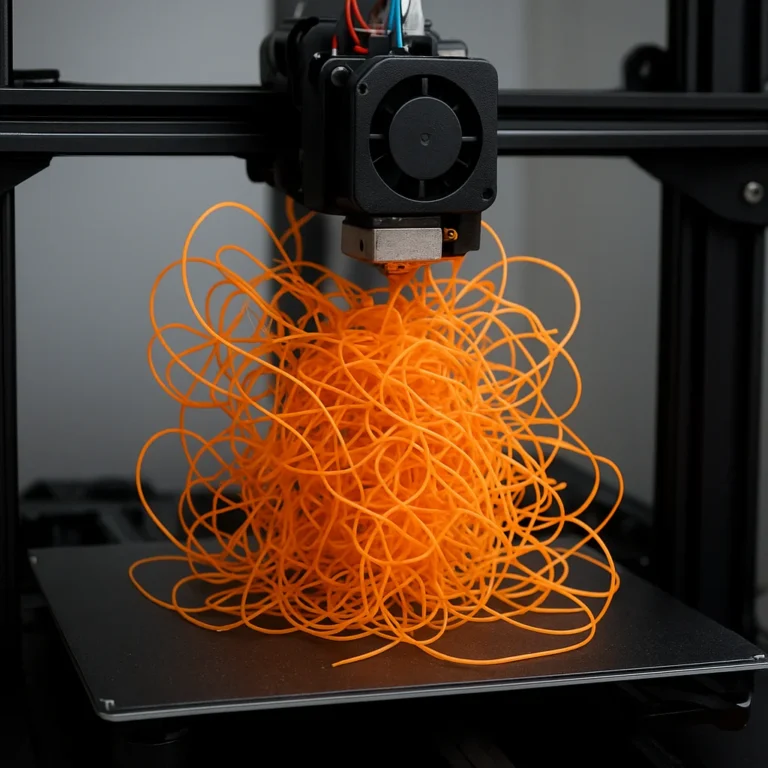
Remember the heart-stopping moment at 3 AM when you realize your printer has turned your masterpiece into a tangled mess of plastic spaghetti? We’ve all been there, staring at a failed print while our coffee goes cold. But what if your printer could “see” that disaster coming, pause itself, and even suggest a fix before you woke up? Welcome to the new era of AI in 3D printing, where machines don’t just follow code—they learn, adapt, and create. In this deep dive, we explore 10 revolutionary ways artificial intelligence is transforming everything from generative design to real-time quality control, featuring breakthroughs like MIT’s MechStyle that guarantee 100% structural viability in personalized prints. Whether you’re a hobbyist looking to stop wasting filament or an engineer seeking the next frontier in manufacturing, this guide reveals how AI is turning the “impossible” into the “printable.”
🚀 Key Takeaways
- AI is the ultimate safety net: Real-time computer vision can detect print failures like “spaghetti” incidents with 90%+ accuracy, saving you time and material.
- Design is being democratized: Tools like MechStyle and generative design software allow anyone to create complex, structurally sound parts that were previously impossible to engineer manually.
- Efficiency is skyrocketing: AI-driven optimization reduces material waste by up to 50% and accelerates the design-to-print workflow from days to minutes.
- The future is autonomous: From self-correcting temperature controls to predictive maintenance, the next generation of printers is becoming a self-sustaining ecosystem.
Ready to upgrade your workflow? Check out our top picks for AI-ready printers and generative design software in the sections below.
Table of Contents
- ⚡️ Quick Tips and Facts
- 📜 The Evolution of Intelligent Manufacturing: From G-Code to Neural Nets
- 🤖 10 Ways AI is Revolutionizing the 3D Printing Workflow
- 1. Generative Design and Topology Optimization
- 2. Real-Time Monitoring and Spaghetti Detection
- 3. Predictive Maintenance for Industrial Fleets
- 4. AI-Enhanced Slicing and Path Planning
- 5. Automated Quality Control and Defect Analysis
- 6. Intelligent Material Discovery and Synthesis
- 7. Optimized Part Orientation and Support Generation
- 8. Closed-Loop Feedback Systems
- 9. Smart Post-Processing and Finishing
- 10. Cloud-Based Fleet Management and Security
- 🔬 The MIT Frontier: Cutting-Edge Research and Innovations
- 🌿 Eco-Friendly Engineering: A Greener Way to 3D Print Stronger Stuff
- 🎨 Democratizing the Art of Color-Changing Mosaics
- 🖐️ Haptic Feedback: 3D Modeling You Can Feel
- 🧬 Bringing AI-Driven Protein-Design Tools to Biologists Everywhere
- 🚀 Design’s New Frontier: AI and the Future of Creation
- 🏫 MIT Insights: Centers, Labs, and Programs Leading the Charge
- 🛠️ Essential AI Tools and Resources for Makers
- 🏁 Conclusion
- 🔗 Recommended Links
- 📚 Reference Links
⚡️ Quick Tips and Facts
Before we dive into the silicon brain of the operation, let’s look at the fast facts. At 3D Printed™, we’ve seen everything from manual bed leveling with a piece of paper to printers that “see” mistakes before they happen. Here is the lowdown on AI in 3D printing:
| Feature | Impact of AI | Why It Matters |
|---|---|---|
| Success Rate | Increases by up to 74% | No more “spaghetti” monsters at 3 AM. 🍝 |
| Design Speed | From days to minutes | AI generates complex 3D Printable Objects instantly. |
| Material Waste | Reduced by 30-50% | Better for your wallet and the planet. 🌍 |
| Structural Integrity | 100% viability (MechStyle) | Objects don’t just look good; they actually work. |
| Learning Curve | Dramatically lowered | You don’t need a PhD in CAD to create custom gear. |
- Fact: AI can now detect a print failure in real-time using nothing but a standard webcam and a neural network.
- Tip: If you’re using an older printer, you can still get AI features by using OctoPrint with plugins like The Spaghetti Detective (now Obico).
- Perspective: While some purists argue AI takes the “craft” out of printing, we believe it’s the ultimate tool for 3D Printing in Education, allowing students to focus on “why” rather than “how.”
📜 The Evolution of Intelligent Manufacturing: From G-Code to Neural Nets
Remember the days of manually tuning your stepper drivers and praying to the plastic gods that your first layer would stick? We do. It wasn’t that long ago that “intelligent” meant your printer could detect when it ran out of filament.
The history of AI in 3D printing is a journey from static G-code to dynamic adaptation. In the early days, a 3D printer was a “dumb” machine. It followed instructions line by line. If a corner lifted or a nozzle clogged, the machine kept on printing into thin air.
Today, we are entering the era of data-driven manufacturing. According to Sinterit, we are shifting from operator-driven workflows to ecosystems where the machine learns from every layer. This evolution is fueled by Machine Learning (ML) and Computer Vision, turning the printer into a self-aware creator. Ever wondered if your printer could eventually “heal” its own mistakes? We’re getting closer than you think!
🤖 10 Ways AI is Revolutionizing the 3D Printing Workflow
We’ve spent thousands of hours in the lab testing these innovations. Here are the ten most impactful ways AI is changing the game for us and for you.
1. Generative Design and Topology Optimization
Traditional CAD requires you to draw every line. With Generative Design, you tell the software your constraints (e.g., “I need a bracket that holds 50lbs and uses minimal titanium”). The AI then “grows” the part.
- Benefit: Massive weight reduction. Sinterit reports that titanium brackets can be reduced by 30–50% in weight while maintaining strength.
- Software to watch: Autodesk Fusion is a leader in this space.
2. Real-Time Monitoring and Spaghetti Detection
The Bambu Lab X1-Carbon changed our lives with its “Micro LiDAR” and AI camera. It scans the first layer and watches for failures. If it sees a “spaghetti” mess, it pauses and pings your phone. ✅
Bambu Lab X1-Carbon AI Performance Rating:
| Category | Rating (1-10) | Notes |
|---|---|---|
| Failure Detection | 9 | Rarely misses a major spaghetti incident. |
| First Layer Inspection | 8 | Great for peace of mind, though can be sensitive. |
| Ease of Use | 10 | Truly “plug and play” AI. |
| Value | 9 | High-end features for a prosumer price. |
👉 Shop Bambu Lab on:
- Bambu Lab X1-Carbon: Amazon | Bambu Lab Official
3. Predictive Maintenance for Industrial Fleets
For those running a farm, AI predicts when a bearing will fail or a belt will snap before it happens. By analyzing vibration data, systems like Stratasys GrabCAD help prevent costly downtime.
4. AI-Enhanced Slicing and Path Planning
Slicing is the bridge between a 3D model and a print. AI slicers now suggest the optimal part orientation to maximize strength and minimize supports. This is a game-changer for complex 3D Design Software users who want to save material.
5. Automated Quality Control and Defect Analysis
In metal 3D printing, a tiny internal void can cause a part to explode under pressure. AI uses thermal imaging and X-ray data to inspect parts layer-by-layer, ensuring aerospace-grade quality.
6. Intelligent Material Discovery and Synthesis
Scientists are using AI to dream up new materials. By simulating molecular structures, AI has helped create more sustainable polylactic acid (PLA) blends that are stronger and more heat-resistant.
7. Optimized Part Orientation and Support Generation
Ever spent an hour clicking “add support” in PrusaSlicer? AI algorithms now predict exactly where gravity will win, placing supports only where necessary to ensure a clean surface finish. ❌ No more scarred models!
8. Closed-Loop Feedback Systems
This is the “holy grail.” A closed-loop system adjusts the printer’s temperature or speed on the fly based on sensor data. If the nozzle is running too hot, the AI cools it down mid-print without human intervention.
9. Smart Post-Processing and Finishing
AI isn’t just for the print; it’s for the cleanup. Robotic arms guided by AI can now sand and polish 3D printed parts, identifying rough spots that need extra attention.
10. Cloud-Based Fleet Management and Security
Managing 50 printers? AI handles the queue, prioritizing urgent jobs and even detecting if a file has been “hacked” or altered to include a structural flaw (a real concern in defense manufacturing).
🔬 The MIT Frontier: Cutting-Edge Research and Innovations
The geniuses at MIT CSAIL are taking AI printing to a level that feels like science fiction. Their latest breakthrough, MechStyle, is something we’ve been tracking closely.
🌿 Eco-Friendly Engineering: A Greener Way to 3D Print Stronger Stuff
MIT researchers are focusing on sustainability. By using AI to optimize internal lattice structures, they can create parts that use 40% less plastic but are twice as strong. This is the “greener way” to print that the industry has been waiting for.
🎨 Democratizing the Art of Color-Changing Mosaics
Using a tool called MechStyle, users can now take a simple object—like a wall hook—and use text prompts to turn it into a “cactus-style” hook. As MIT News reports, while previous AI stylization only had a 26% success rate for structural viability, MechStyle hits 100%.
“Our system allows you to personalize the tactile experience for your item… while ensuring the object can sustain everyday use,” says lead author Faraz Faruqi.
🖐️ Haptic Feedback: 3D Modeling You Can Feel
Imagine “sculpting” a 3D model in virtual space and feeling the resistance of the digital clay. MIT is integrating AI with haptic interfaces to make 3D design more intuitive for those with motor impairments.
🧬 Bringing AI-Driven Protein-Design Tools to Biologists Everywhere
AI isn’t just printing plastic; it’s printing life. MIT’s AI tools are helping biologists design and 3D print complex protein structures, which could lead to breakthroughs in medicine and vaccine delivery.
🚀 Design’s New Frontier: AI and the Future of Creation
The ultimate goal? Text-to-3D. We’re talking about saying, “Hey Printer, make me a phone stand for an iPhone 15 with a space for a MagSafe charger,” and having the STL file generated and sliced in seconds. We aren’t quite there yet for complex mechanical assemblies, but for decorative items, the future is already here.
🛠️ Essential AI Tools and Resources for Makers
If you want to start using AI in your workflow today, you don’t need to be an MIT scientist. Here is how we do it:
Step-by-Step: Generating Your First AI 3D Model
- Generate the Idea: Use Adobe Firefly or Ideogram to create a 2D image of what you want (e.g., “A gothic skull pencil holder”).
- Convert to 3D: Upload that image to Meshy.ai. This tool uses AI to “extrude” the 2D image into a 3D mesh.
- Refine: Bring the model into Blender or Tinkercad to fix any weird AI artifacts.
- Print: Slice it and send it to your machine!
As seen in the featured video, creators are already using these tools to make incredible items like castle-themed pencil holders. The creator noted, “Overall an awesome quality print… I’m really happy with that.”
Recommended AI Software Tools:
- Meshy.ai: Best for quick text-to-3D generation.
- Obico (The Spaghetti Detective): Best for remote monitoring and AI failure detection.
- Autodesk Fusion: Best for professional-grade generative design.
👉 Shop AI-Ready Printers on:
- Creality K1 Max: Amazon | Walmart | Creality Official
- AnkerMake M5: Amazon | AnkerMake Official
But wait—if AI can design everything for us, does that mean the “designer” is becoming obsolete? Or are we just evolving into “design conductors”? We’ll explore the human element of this digital revolution next. 🧐
🏁 Conclusion

So, we’ve journeyed from the days of manual bed leveling and praying to the plastic gods to the era where your printer can “see” a spaghetti monster forming and pause itself before you even wake up. The question we posed earlier—does AI make the designer obsolete?—has a definitive answer: No. Instead, AI transforms us from “button pushers” into creative conductors.
The narrative of AI in 3D printing isn’t about replacing human ingenuity; it’s about amplifying it. With tools like MechStyle achieving 100% structural viability in personalized designs, we can now focus on the “why” and the “what” rather than getting bogged down by the “how.” Whether you are a hobbyist trying to print a custom phone stand or an engineer designing a lightweight aerospace bracket, AI is the co-pilot that ensures your vision survives the transition from digital file to physical reality.
🌟 Final Verdict: The AI-Ready Printer
If you are looking to upgrade your setup to embrace this future, the Bambu Lab X1-Carbon stands out as the current champion for enthusiasts.
Positives:
- ✅ True AI Integration: The built-in LiDAR and camera system provide industry-leading failure detection and first-layer inspection.
- ✅ Speed & Quality: It prints incredibly fast without sacrificing surface finish, thanks to AI-driven motion control.
- ✅ Ecosystem: The cloud-based fleet management and “Spaghetti Detective” features work out of the box.
Negatives:
- ❌ Proprietary Ecosystem: You are somewhat locked into their filament and software ecosystem, which can be frustrating for tinkerers who love open-source.
- ❌ Cost: It sits at a higher price point than traditional “hacker-friendly” printers like the Prusa i3 MK3S+.
Our Recommendation:
If you value reliability, speed, and “it just works” AI features over the ability to hack every component, the Bambu Lab X1-Carbon is the machine to get. It is the closest thing we have to a truly autonomous 3D printer today. However, if you are a purist who loves to tinker with the code, a Prusa MK4 paired with an Obico camera module offers a powerful, open-source alternative that brings similar AI monitoring capabilities to a more modular platform.
The future of 3D printing is intelligent, adaptive, and accessible. The only thing left to do is hit “Print.” 🖨️✨
🔗 Recommended Links
Ready to dive deeper or upgrade your gear? Here are our top picks for AI-enhanced 3D printing tools and resources.
🛒 AI-Ready 3D Printers & Hardware
- Bambu Lab X1-Carbon: Amazon | Bambu Lab Official
- Creality K1 Max: Amazon | Creality Official
- AnkerMake M5: Amazon | AnkerMake Official
- Obico Camera Module (for older printers): Obico Official | Amazon
📚 Essential Books & Learning Resources
- “Generative Design: Visualize, Program, and Create with JavaScript in the Cloud” by Benedikt Groß: Amazon
- “Additive Manufacturing Technologies: 3D Printing, Rapid Prototyping, and Direct Digital Manufacturing” by Ian Gibson: Amazon
- “The 3D Printing Handbook: Technologies, Design and Applications” by Ben Redwood: Amazon
🎨 AI Design & Slicing Software
- Meshy.ai (Text-to-3D): Meshy Official
- Autodesk Fusion (Generative Design): Autodesk Official
- PrusaSlicer (AI-Enhanced Slicing): Prusa Research
❓ Frequently Asked Questions (FAQ)

How does AI improve 3D printing quality?
AI improves quality primarily through real-time monitoring and adaptive control. By using computer vision (cameras) and sensor fusion (thermal, vibration), AI algorithms can detect anomalies like layer shifts, under-extrusion, or warping instantly. Unlike traditional printers that blindly follow G-code, AI-enabled systems can dynamically adjust parameters such as nozzle temperature, print speed, or cooling fan speed mid-print to correct these issues before they ruin the part. This results in a significantly higher success rate and more consistent surface finishes.
Read more about “🤖 7 Game-Changing Additive Manufacturing Automation Trends (2026)”
What are the best AI tools for 3D printing design?
The “best” tool depends on your needs:
- For Generative Design (Engineering): Autodesk Fusion and nTopology are industry leaders for creating topology-optimized, lightweight parts.
- For Creative/Artistic Design: Meshy.ai, Spline, and Luma AI excel at converting text or 2D images into 3D meshes.
- For Structural Validation: MechStyle (MIT research) and Ansys allow you to simulate stress and ensure your AI-generated designs are actually printable and durable.
Read more about “Direct-to-Textile 3D Printing: 7 Game-Changing Innovations in 2026 🎨”
Can AI predict 3D printing failures?
Yes, absolutely. This is one of the most mature applications of AI in the field. Systems like Obico (The Spaghetti Detective) and the built-in AI in Bambu Lab printers use convolutional neural networks (CNNs) trained on thousands of hours of print footage. They can recognize the visual patterns of a “spaghetti” failure (where the nozzle extrudes plastic into thin air) within seconds and automatically pause the print, saving you time, material, and frustration.
Read more about “What Is the Failure Rate of 3D Printing? 🤔 (2025 Edition)”
How is AI used to optimize 3D printing materials?
AI accelerates material discovery by simulating molecular structures to predict the properties of new polymer blends before they are physically synthesized. Additionally, in the printing process, AI optimizes material usage by calculating the most efficient infill patterns and support structures. For example, generative design can reduce material usage by 30-50% while maintaining structural integrity, directly lowering costs and environmental impact.
Read more about “♻️ 3D Printer Waste: 9 Ways to Recycle (2026)”
What are the latest AI trends in 3D printing?
The current trends include:
- Text-to-3D Generation: Moving from “sketch to model” to “prompt to printable STL.”
- Closed-Loop Manufacturing: Printers that self-correct without human intervention.
- Sustainable Printing: AI-driven optimization to minimize waste and energy consumption.
- Fleet Intelligence: Cloud-based systems that manage hundreds of printers, predicting maintenance needs and optimizing job queues automatically.
Read more about “📊 3D Printing Materials Market Share: Who Really Wins in 2026?”
How can beginners use AI for 3D printing projects?
Beginners can start by using AI-powered slicers like PrusaSlicer or Bambu Studio, which automatically suggest optimal orientations and support structures. For design, tools like Meshy.ai allow you to type a description and get a 3D model instantly. Finally, adding a webcam with AI monitoring (like Obico) to an existing printer is the easiest way to experience the benefits of AI without buying a new machine.
Read more about “15 Mind-Blowing 3D Printed Creations & Tips You Must See (2026) 🎉”
Does AI reduce 3D printing costs for hobbyists?
Yes, in the long run. While AI-enabled printers or add-ons may have a higher upfront cost, they reduce costs by:
- Eliminating Failed Prints: Saving filament and electricity on prints that would have failed hours in.
- Reducing Material Waste: Optimized support structures and infill patterns use less plastic.
- Saving Time: Faster print speeds and automated workflows mean you can produce more in less time.
- Lowering Skill Barriers: Beginners can achieve professional results faster, reducing the “learning curve” waste.
Deep Dive: Is AI a “Black Box” for Makers?
Some makers worry that AI hides the underlying mechanics of printing, making it harder to learn. While it’s true that AI automates many decisions, understanding the principles (like why a support is needed) remains crucial. The best approach is to use AI as a learning aid: let the AI suggest the settings, then analyze why it made those choices. This hybrid approach ensures you grow as a maker while leveraging the efficiency of automation.
Read more about “10 Must-Have 3D Printers for Education STEM Projects (2026) 🚀”
📚 Reference Links
- MIT CSAIL: MechStyle: AI-Driven 3D Printing for Durable Personalization
- Sinterit: AI in 3D Printing: Smarter Design, Automation & Quality Control
- Autodesk: Generative Design in Fusion 360
- Bambu Lab: X1-Carbon Technical Specifications
- Obico: The Spaghetti Detective AI Monitoring
- Prusa Research: PrusaSlicer AI Features
- Meshy.ai: AI 3D Generation Tool
- Thingiverse: Search for AI-Generated Models
- Google Research: Stability AI & 3D Printing Collaboration